| Bookmark Name | Actions |
|---|
Configuring Hong Kong Faster Payments System (HK FPS)
The following modules are configured to process HK FPS payments:
| Module | Description |
|---|---|
PAYMENT.ORDER (PO) application |
Helps manual capture of HK FPS payments |
| Temenos Payment Hub (TPH) | Helps processing of HK FPS payments |
PO Application for Payment Capture
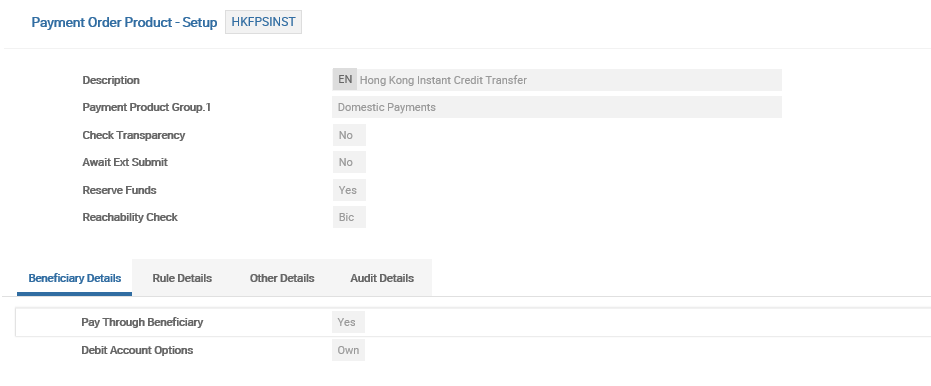
The user can configure PAYMENT.ORDER product. To perform this, do the following:
- Go to Admin Menu>Payments Hub>Payment Order Admin Menu>Payment Order Product Setup.
- Select the Product Name as HKFPSINST in the
POapplication. - Enter the required details in the following fields:
| Field | Description |
|---|---|
| Reachability Check | To enable the validation of reachability of beneficiary bank through HK FPS against HK FPS clearing directory, set as BIC. |
| Pay Through Beneficiary | To indicate that beneficiary is an external bank, set to Yes. |
| Reserve Funds | To indicate that the funds reservation happens in PO application, set as Yes. |
| Check Transparency | To indicate that simulation is done in payment system (TPH), set as Yes. |
HK FPS Clearing in TPH
The user can configure HK FPS (an instant clearing system) in TPH. To perform this, do the following:
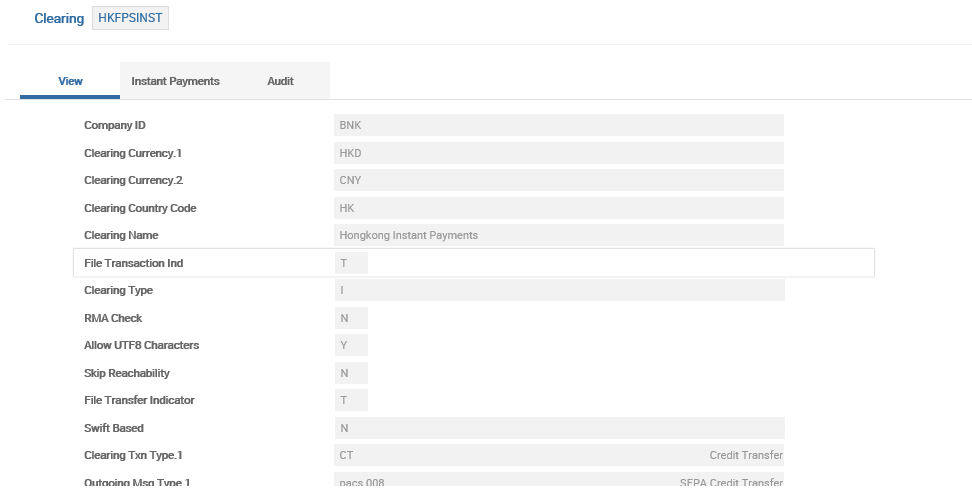
- Go to Admin Menu>Payments Hub>Local Clearing>Clearing.
- Select the Record ID as HKFPSINST.
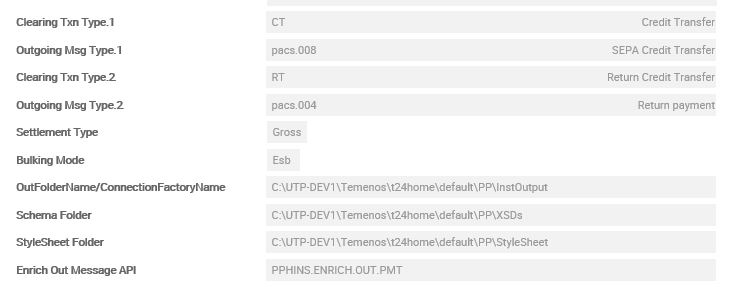
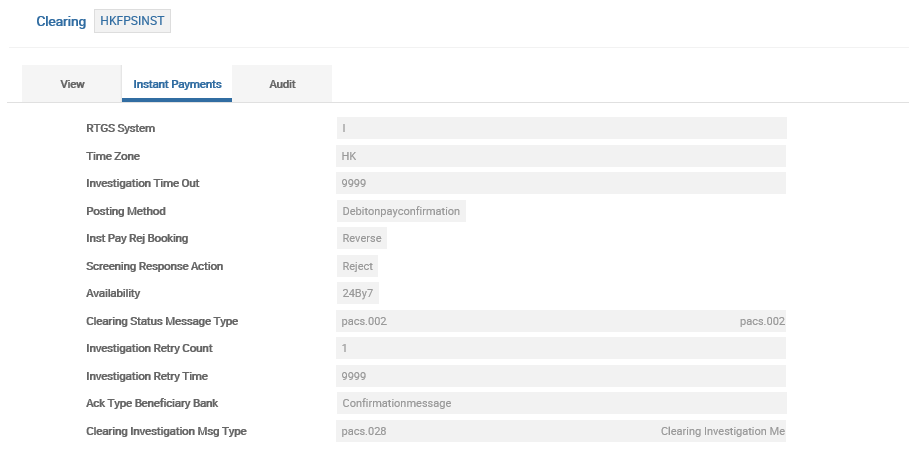
- Enter the required details in the following field:
- To define further characteristics of the payment based on message type and direction, go to Admin Menu>Payments Hub>Local Clearing>Clearing Setting.
| Field | Description |
|---|---|
| Outgoing Message Type | Define the FPS message types as required (in ISO20022 format) |
| RTGS System | Set as I (as this is an instant clearing) |
| Availability | Set as 24By7 |
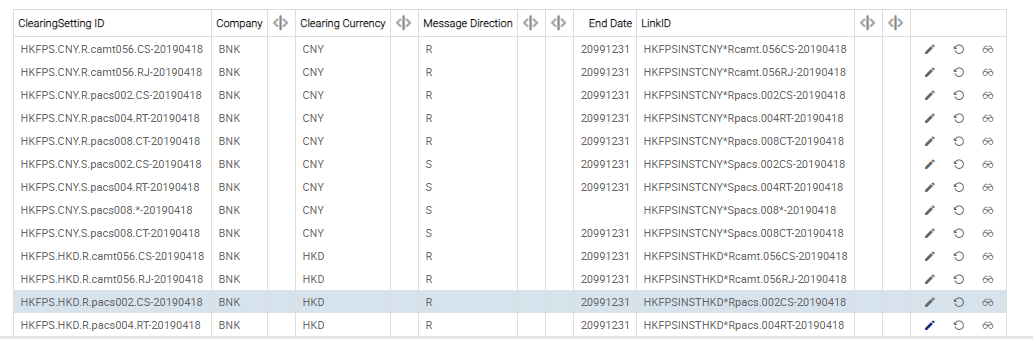

NOTE: The user can configure the HK FPS Clearing Account Number and Suspense Account Number.
| TPH Product Setup | Light Weight | To configure the HK FPS incoming payments from clearing, go to Admin Menu>Payments Hub>Product Determination>Product Condition – Light. |
| Medium Weight | To configure a product for outgoing HK FPS payments originating from PO application, go to Admin Menu>Payments Hub>Product Determination>Product Condition – Medium. |
Reachability in HKFPSINST
The user can configure a record for the bank to be reachable through HKFPSINST. To perform this, do the following:
- Go to Admin Menu>Framework Parameter>Clearing Directory.
- Select the required details in the following fields: Payment Channel, NCC, Scheme, and Currency.
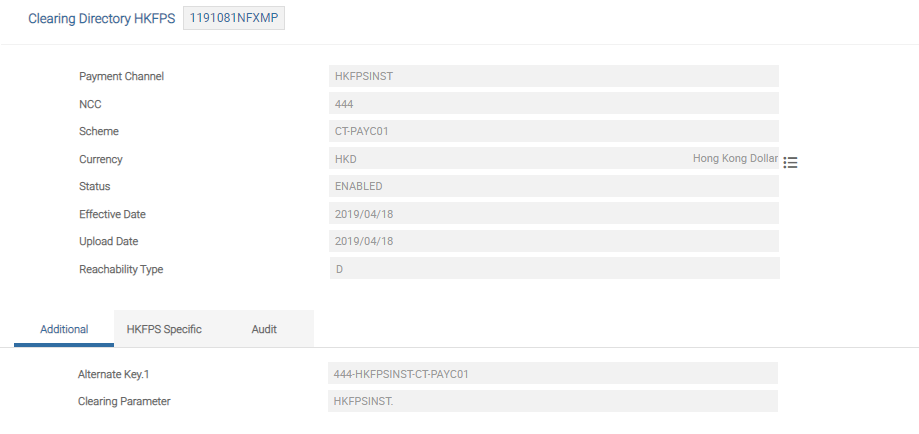
NOTE: To know more, refer to Clearing Directory.
Add Bookmark
save your best linksView Bookmarks
Visit your best links BACK
BACK


Are you sure you want to log-off?