| Bookmark Name | Actions |
|---|
Scheduled Transfer
Use the feature to view the consolidated list of scheduled transfers. You can update or cancel a scheduled transaction.
NOTE:
- The Transfer Activities menu shows,
- All past and scheduled transfers for the following services done over the user’s personal accounts:
- Intra Bank Fund Transfer
- Transfer between customer's accounts
- Interbank Account to Account Fund Transfer
- International Account to Account Fund Transfer
- All past and scheduled transfers for the above services done over the user’s business accounts such that,
- The business user has access to the From account on which the transaction has been initiated.
- The transfer is created by any business user of the company on the account through the online channel.
- All actions on the past and scheduled transfers are driven by the account level permissions of the business user.
- All past and scheduled transfers for the following services done over the user’s personal accounts:
Menu path: Transfers > Transfer Activities
The transfer activities screen is displayed with Scheduled Transfer tab selected by default. The application displays the list of transactions as determined by the service response (10 transactions by default) with the following information.
The application displays Transfers Activities screen with the list of scheduled and posted transactions. Click any transaction in the scheduled transaction section. The application displays the Transaction Details screen.
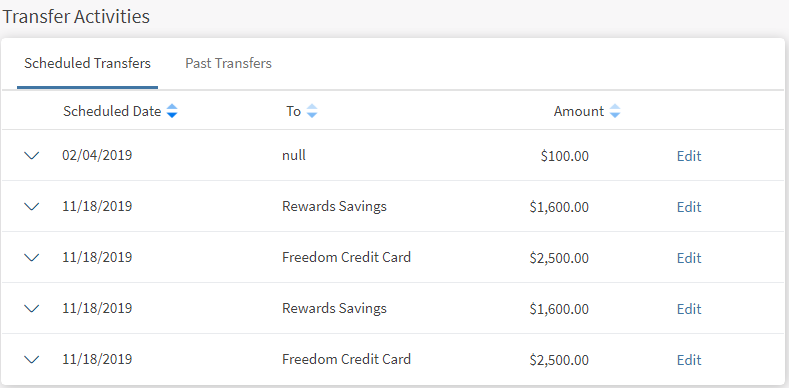
The transactions are sorted by date (most recent on top). If no transactions are retrieved from the banking service, the app displays a relevant message. The following details are displayed in the scheduled transaction list:
- Transaction Date
- Sent To (recipient nickname)
- Amount
- Actions that you can perform on a transaction - Edit
You can select any transaction to view further details about the transaction, such as the reference number, source account nickname, and status of the transaction.
You can edit or cancel a scheduled transaction.
Edit a Scheduled Transaction
Select the required scheduled transaction and edit the details. The application navigates to the Transfer Money screen. By default, the application auto-fills the same fields for the new transaction as the original transaction.
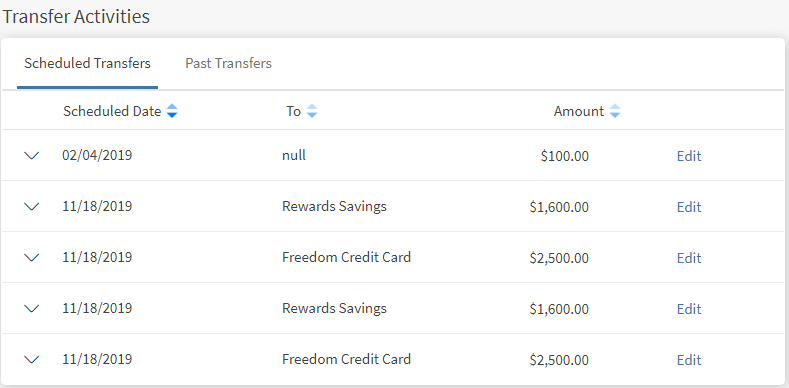
You can modify any of the fields for the new transaction, and confirm the transaction. The scheduled transaction details are updated accordingly.
Cancel a Scheduled Transaction or Occurrence
Use the feature to cancel the required scheduled transaction.
Cancel Scheduled Transaction
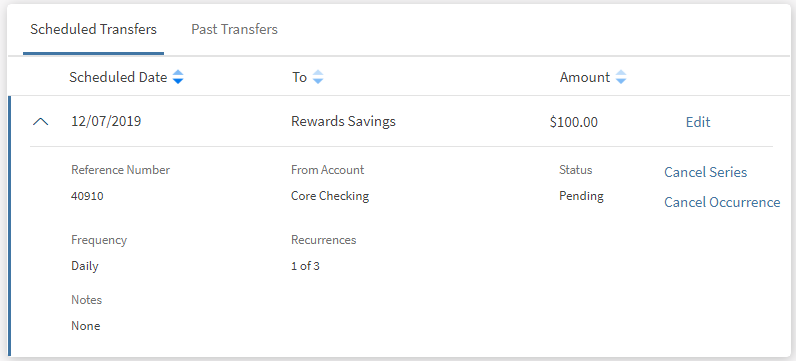
Cancel This Occurrence
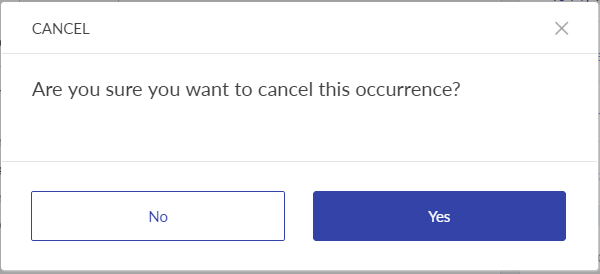
Cancel Complete Transaction
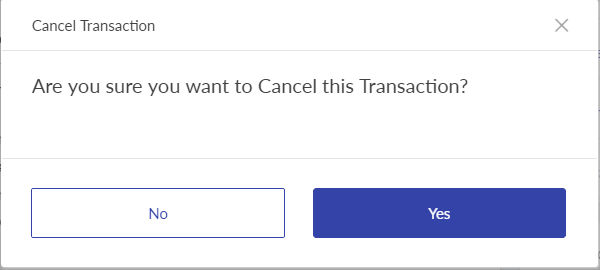
Select the required transaction from the list and cancel the transaction. If the frequency of the scheduled transaction is set to any value other than Once, the app displays the following options to cancel the transaction:
- Select Cancel This Occurrence if you want to cancel the upcoming scheduled transaction. Selecting this will cancel the next or upcoming recurring payment without canceling the complete recurring transaction. The app asks for your confirmation if you want to cancel the next occurrence. Select Yes, the app cancels the upcoming recurrence of the scheduled transaction.
- Select Cancel Series if you want to cancel the complete scheduled transaction. The app asks for your confirmation if you want to cancel the transaction. Select Yes, the app cancels the scheduled transaction and removes the record from the scheduled transactions list.
Configuration
The visibility of each feature is controlled through the permissions defined for the user. See permissions for more information. The permissions at user levels are defined during user creation and while editing the user details after the user is created. In case the user does not have access to any of the features, that option will not be visible on the form and on the menus. The permissions at the company level and role level are defined in the Spotlight application.
Add Bookmark
save your best linksView Bookmarks
Visit your best links BACK
BACK


Are you sure you want to log-off?