


| Bookmark Name | Actions |
|---|
jLogger Configuration
This section helps you to configure the Log4cxx properties.
jLogger uses the tafc.properties properties file. By default, this property is available in the $TAFC_HOME/config/default path. This file can be used to customize the logging capability on each of the component as per the requirement. By default, the components used in TAFC are defined in this file.
The logs created by the TAFC execution are generated in the $TAFC_HOME/log/default path.
The format of the default file name of a log file is <Appender Name>.<log> (for example, JEE.log).
You can set the jLogger only using environment variable as shown below.
Export/set TAFC_ENABLE_JLOG=1
jLogger behaves the same in UNIX and Windows environment. Default jLogger properties are available in tafc.properties. But this can be customized as per the user requirement.
The following are the Log4cxx properties, which can be customized.
 LOG LEVEL
This variable defines the priority order of logged information. The allowed values are OFF, FATAL, ERROR, WARN and INFO.
ROOT LOGGER
This variable defines the base logging level for all component. Only one root logger should be available. For component-wise logging, you can set this logger to OFF as shown below.
log4j.rootLogger=OFF
LOGGER
This variable creates the logged information and you can set the log level and Appender for each selection. The format of this variable is log4j.logger. <Appender Name>=<Log Level>, <Appender Name> (for example, log4j.logger.agent= INFO, agent).
APPENDERS
This variable:
- Defines the File Appender
log4j.appender.console=org.apache.log4j.ConsoleAppender
ConsoleAppender appends log events to System. Out (which is default) or System. Err using a layout specified by you.
log4j.appender. <Appender name>=org.apache.log4j.RollingFileAppender
RollingFileAppender extends FileAppender to back up the log files when they reach a certain size.
- Defines the layout for the File Appender
log4j.appender. <Appender Name>.layout= org.apache.log4j.PatternLayout
PatternLayout is used to generate the logging information in a particular format based on a pattern. The format depends on conversion pattern.
log4j.appender. <Appender Name>.layout.ConversionPattern= [%-5p] %d %c - %F: %L - %m%n
Where,
- [%-5p] is priority of the logging event should be left justified to a width of five characters.
- %d is used to output the date of the logging event.
- %c is used to output the category of the logging event.
- %F is used to output the file name where the logging request was issued.
- %L is used to output the line number where the logging request was issued.
- %m is used to output the application supplied message associated with the logging event
- %n outputs the line separator character/characters.
EXAMPLE: [ERROR] 2016-04-06 12:46:06, 457 jBC - sample.b:5 - [category] message - Defines the name and the location of the file
log4j.appender. <AppenderName>.File=${TAFC_HOME}/log/default/<Appender name>.log - Defines the maximum file size
log4j.appender. <Appender Name>.MaxFileSize=1024KB
It specifies the maximal size of the output file. The value is in bytes. It is possible to use MB and KB suffixes. Default value is 10MB. When the maximum file is reached, the file roles to the next file with next suffix.
- Defines the maximum backup index
log4j.appender. <Appender Name>.MaxBackupIndex=13
MaxBackupIndex limits the number of backup output file. It will be renamed to <Appender name>.log.1, <Appender name>.log.2,... <Appender name>.log.13. Default value is 1.
As per the jLogger limitation, the MaxBackupIndex can only be up to 13.
The following are the sample screen captures of jLogger for:
- Unix and the respective log file


- Windows and the respective log file
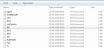

- tafc.properties file

Add Bookmark
save your best linksView Bookmarks
Visit your best links BACK
BACK


Are you sure you want to log-off?