| Bookmark Name | Actions |
|---|
Deploying Callback Registry Microservice in AWS
This section helps you to create the S3 bucket and referring the jar into the lambda function. Lambda function is not allowed to upload more than 50Mb jar. So, S3 Bucket can be used as an alternative.
Creating S3 Bucket
Procedure:
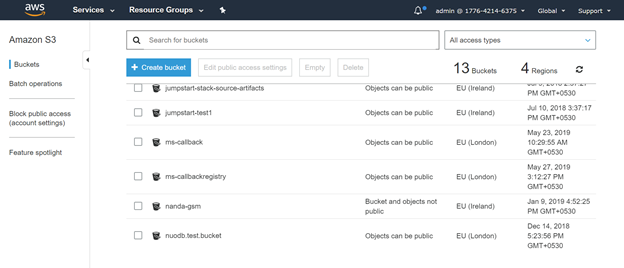
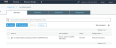
- Navigate to Amazon S3 window and click the Create bucket button.
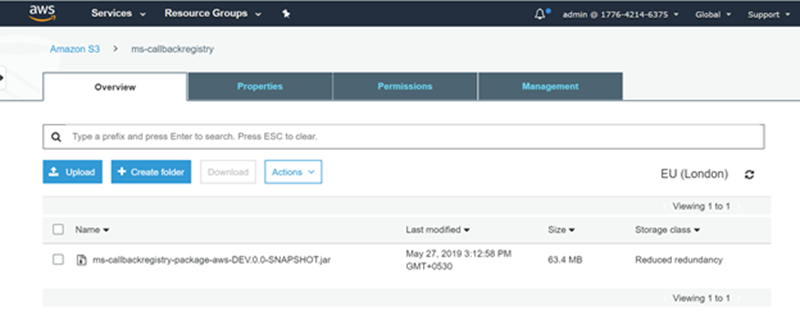
- Click the Upload button to upload the user define jar into an S3 bucket.
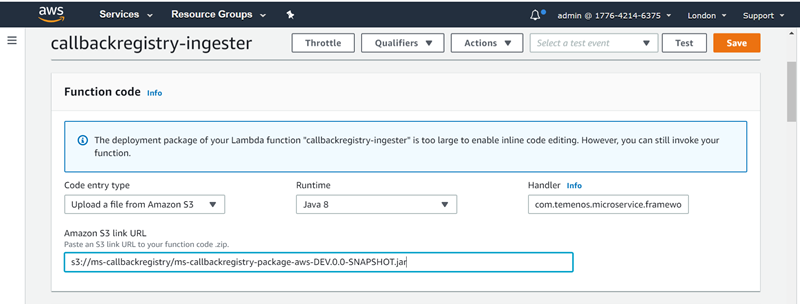
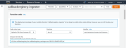
The jar is referred with the lambda function.
TIPS: You can also create S3 bucket in AWS using CLI command as shown below.
$ aws s3 mb s3://ms-callbackregistry

command to copy jar from zip to s3 bucket
$ aws s3 cp app/${serviceFileName} s3://ms-callbackregistry --storage-class REDUCED_REDUNDANCY

Jar reference from S3 bucket to lambda function by using --code S3Bucket="<Bucket name>", S3Key="<Jar name>".

$ aws lambda create-function --function-name callbackregistry-ingester --runtime java8 --role arn:aws:iam::177642146375:role/lambda-kinesis-execution-role --handler com.temenos.microservice.framework.ingester.instance.KinesisEventProcessor::handleRequest --description "Ingester for Callbackregistry Service" --timeout 120 --memory-size 512 --publish --tags FunctionType=Ingester,Service=Callbackregistry --code S3Bucket="ms-callbackregistry",S3Key=${serviceFileName} --environment Variables=\{HOST=${host},PORT=3306,DATABASE_NAME=callbackregistrydb,DB_USERNAME=root,DB_PASSWORD=rootroot,EXECUTION_ENV=TEST,temn_msf_name=Callbackregistry,temn_msf_security_authz_enabled=false,temn_msf_stream_kinesis_region=eu-west-2,temn_msf_stream_vendor=kinesis,temn_msf_schema_registry_url=\"IF_EVENTS_INTERFACE_TABLE\",temn_msf_ingest_sink_error_stream=error-callbackregistry,temn_msf_ingest_event_ingester=com.temenos.microservice.callbackregistry.ingester.CallbackRegistryIngester\}
Add Bookmark
save your best linksView Bookmarks
Visit your best links BACK
BACK


Are you sure you want to log-off?