| Bookmark Name | Actions |
|---|
Using Conditional Event Generation
Conditional Event Generation is an option in Integration Framework that holds a set of conditions based on which an integration event can be saved. When you publish a flow, an IF.EXIT.EVENT.FILTER record is created for that particular flow. If any of these conditions are evaluated to be true, then the records are not created in IF.EVENTS.INTERFACE.TABLE.
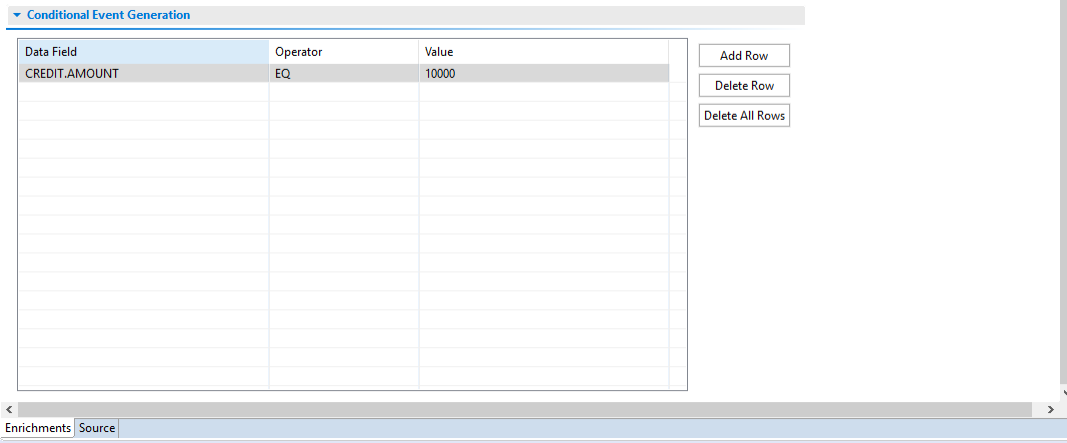
It contains three columns Data Field, Operator and Value. The Conditional Event Generation table has the following properties:
- On clicking Add Rows, a new row is added. In the newly added row, Data Field can have a value from the dropdown of the data field list. Data field list has a list of all the fields selected from Field box present in the Event Input tab.
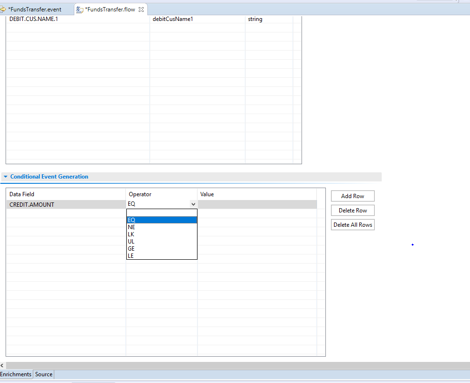
- The Operator column in the Conditional Event Generation table has a drop-down list with the options: EQ, NE, “LK”, “UL”, “GE”, “LE”. Select the operand to define the condition.
- The Value column is a free text field and can accept any value.
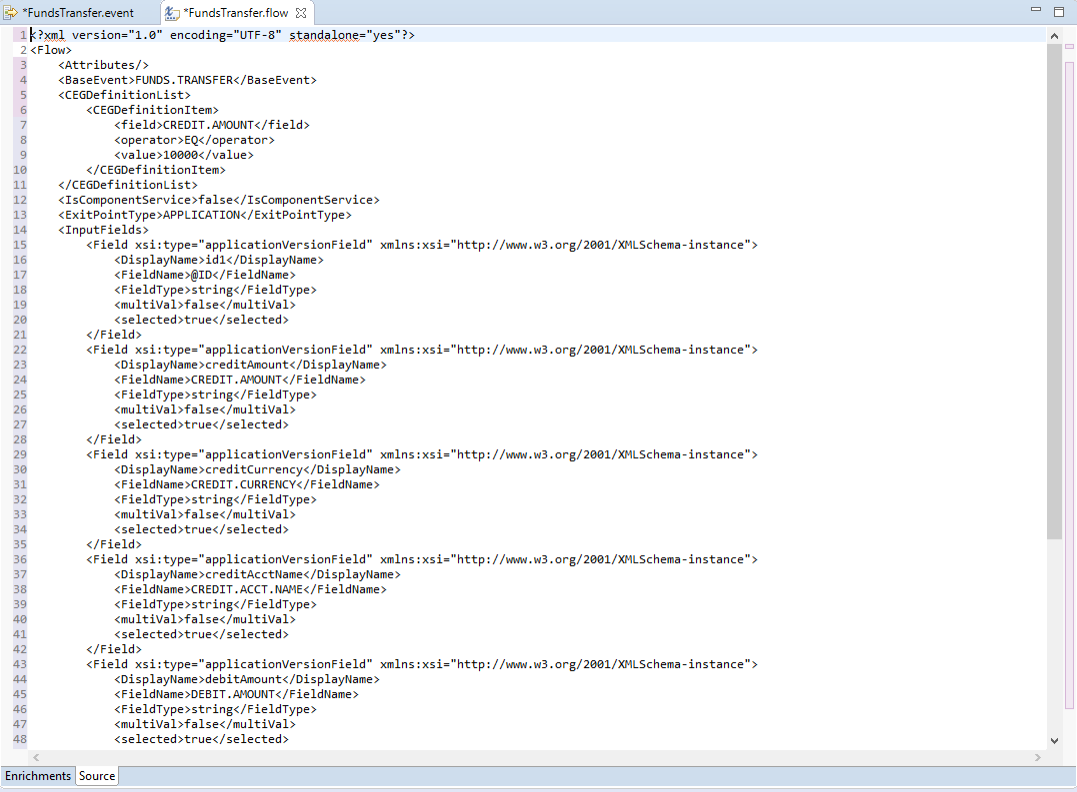
- The Source tab provides the XML based representation of the Flow as shown below.
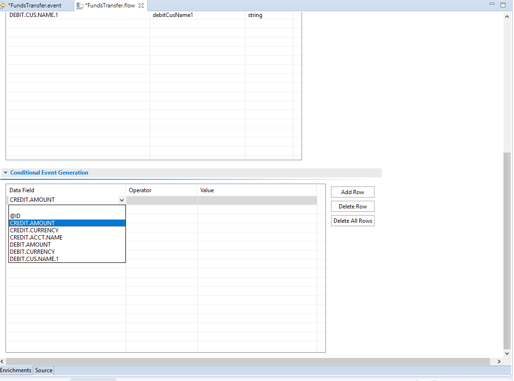
NOTE: You can select only one value from the list for each row.
Add Bookmark
save your best linksView Bookmarks
Visit your best links BACK
BACK


Are you sure you want to log-off?