| Bookmark Name | Actions |
|---|
Publishing events
After you have defined an event and the flow for the event, you can publish the project to Transact. Publishing creates the necessary records in Transact applications.
Procedure
- Select the event that you want to publish.
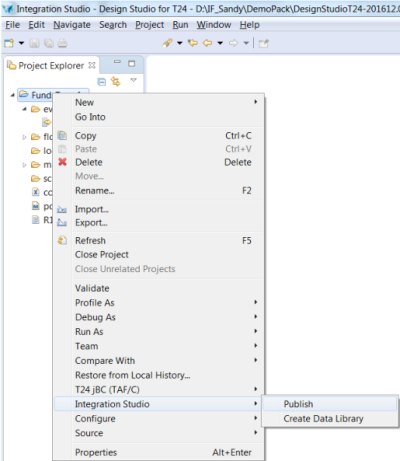
- Right-click your project and then click Integration Studio > Publish to publish the events.
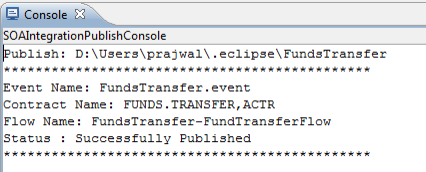
The console displays the status of publishing.
 TIP:
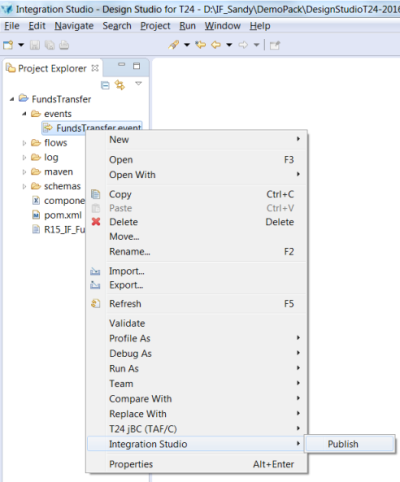
TIP:Event Designer now also allows publishing a subset of selected events. To publish a few of the selected events:
- Select multiple events by pressing CRTL and clicking the events.
- Right-click the selected events.
- In the new context menu, click Integration Studio > Publish to publish the selected events.
Add Bookmark
save your best linksView Bookmarks
Visit your best links BACK
BACK


Are you sure you want to log-off?