

| Bookmark Name | Actions |
|---|
Creating Banking Framework Events
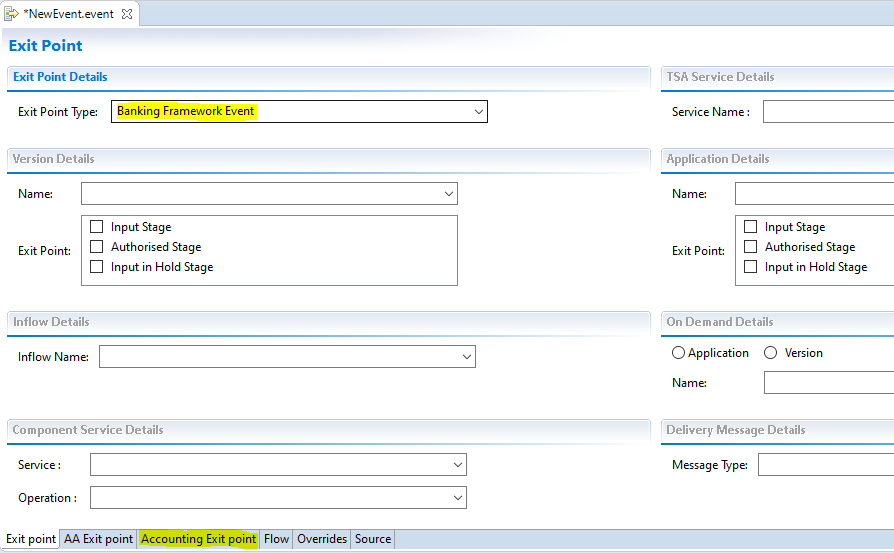
Banking Framework Event exit point type allows you to define exit point for a Banking Framework event.
After you create an Event Designer project, perform the steps below to define this exit point:
- Select Banking Framework Event in the Exit Point designer page.

- Navigate to Accounting Exit point tab to display the page below.

- Select an Exit Type from the list fetched from Temenos Transact.
The exit point is now defined.
Selecting the Banking Framework Event type enables the Exit Type drop down box with the list of event types.

Defining the Flow
Procedure
- Navigate to the Flow tab.
- Specify the name of the flow and click edit. The Flow designer page opens.

- Expand the sections to see controls.
- Select the Exit Type Applications from the list of applications fetched from Temenos Transact.
- Select a field and click the Add Link button to create link definition. Link definition is a special information that denotes the relationship between the base application and the rest of the applications listed in the Exit Type Applications drop down.
- Specify Child Table, Application and Field Name for the link definition.

Link definition is added in the Link Definition section separately.
Other fields are added under the Flow enrichments section as shown below.
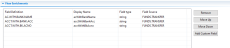
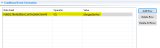
- Optional: Define Conditional Event Generation for the selected fields. For more information, see the Using Conditional Event Generation section.
- Save and publish the event to Temenos Transact.
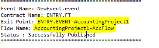
Below are the Temenos Transact records:


When the mentioned Banking Framework Event occurs, a related IF Event is generated. For more information, see the Banking Framework user guide.
NOTE: For ENTRY.EVENT, STMT.ENTRY is the base table.

NOTE: All operators excluding CHANGED and NOT.CHANGED are applicable.
Add Bookmark
save your best linksView Bookmarks
Visit your best links BACK
BACK


Are you sure you want to log-off?