| Bookmark Name | Actions |
|---|
Using RR.PARAM to configure new tables for FBNK.ACCOUNT
You must configure a new table FBNK.ACCOUNT using RR.PARAM.
Procedure
-
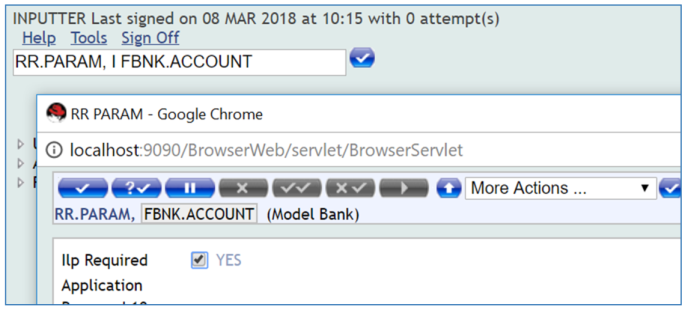
Set ILP.Required to YES.
-
Commit the record.
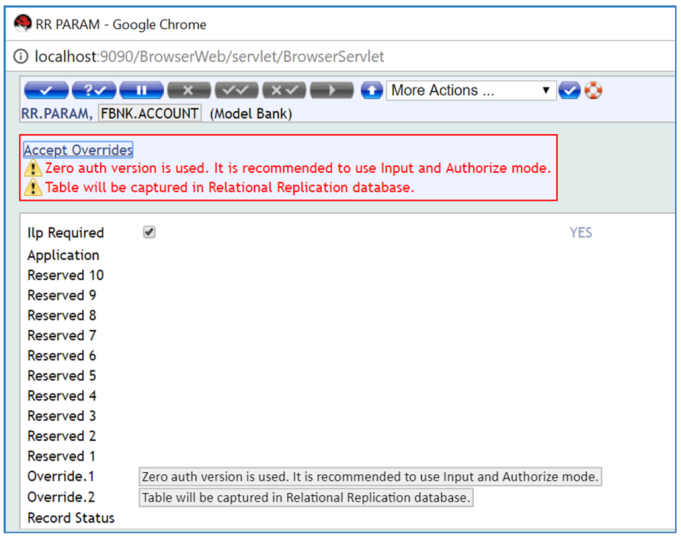
Two override messages are displayed:
- Zero auth version is used. It is recommended to use Input and Authorize mode.
- Table will be captured in Relational Replication database.
-
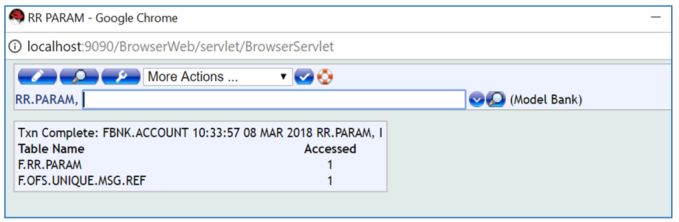
Accept the overrides. The record is now committed successfully.
-
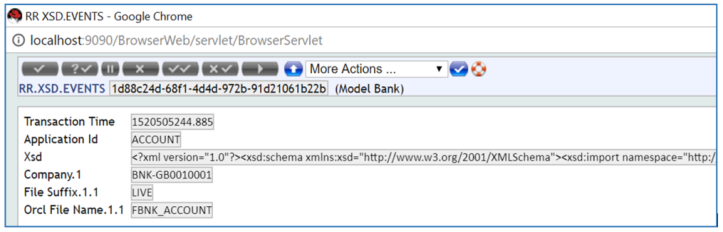
If you display the RR.XSD.EVENTS Record it will look similar to the illustration below.
In the TAFJ_VOC table in Temenos Transact, for the application FBNK.ACCOUNT the commit-capture is enabled.

In the TAFJ_VOC table in Temenos Transact, for the application FBNK.ACCOUNT the new VOC rcord for Relational Replication is created as FBNK_ACCOUNT$RR as illustrated below.
The OTHERATTRIBUTES column is set with the Relational Replication schema and database name.

Add Bookmark
save your best linksView Bookmarks
Visit your best links BACK
BACK


Are you sure you want to log-off?