
| Bookmark Name | Actions |
|---|
Configuring Trickle Feed
You need to configure the DLM Parameter record, TAFJ and TAFC runtime to implement DLM Trickle Feed. This section provides the prerequisites and steps to do the same.
Pre-requisites
You need to ensure the availability of the following to work with DLM Trickle Feed.
- Data Life Cycle Management (DL) product is added in EB.PRODUCT, SYSTEM and COMPANY
- DLM.INITIATE.PROCESS and DL.COPY.PROCESS are available in PGM.FILE, BATCH and TSA.SERVICE
- Activation Filename and Sample Count fields in DL.COPY.PROCESS are set to RO.COPY.KEYLIST and user-defined value, respectively
DLM Parameter Records
You can customise the SYSTEM record in DLM.PARAMETER.
NOTE: R (deletion) and H (history) functions cannot be used with this parameter.
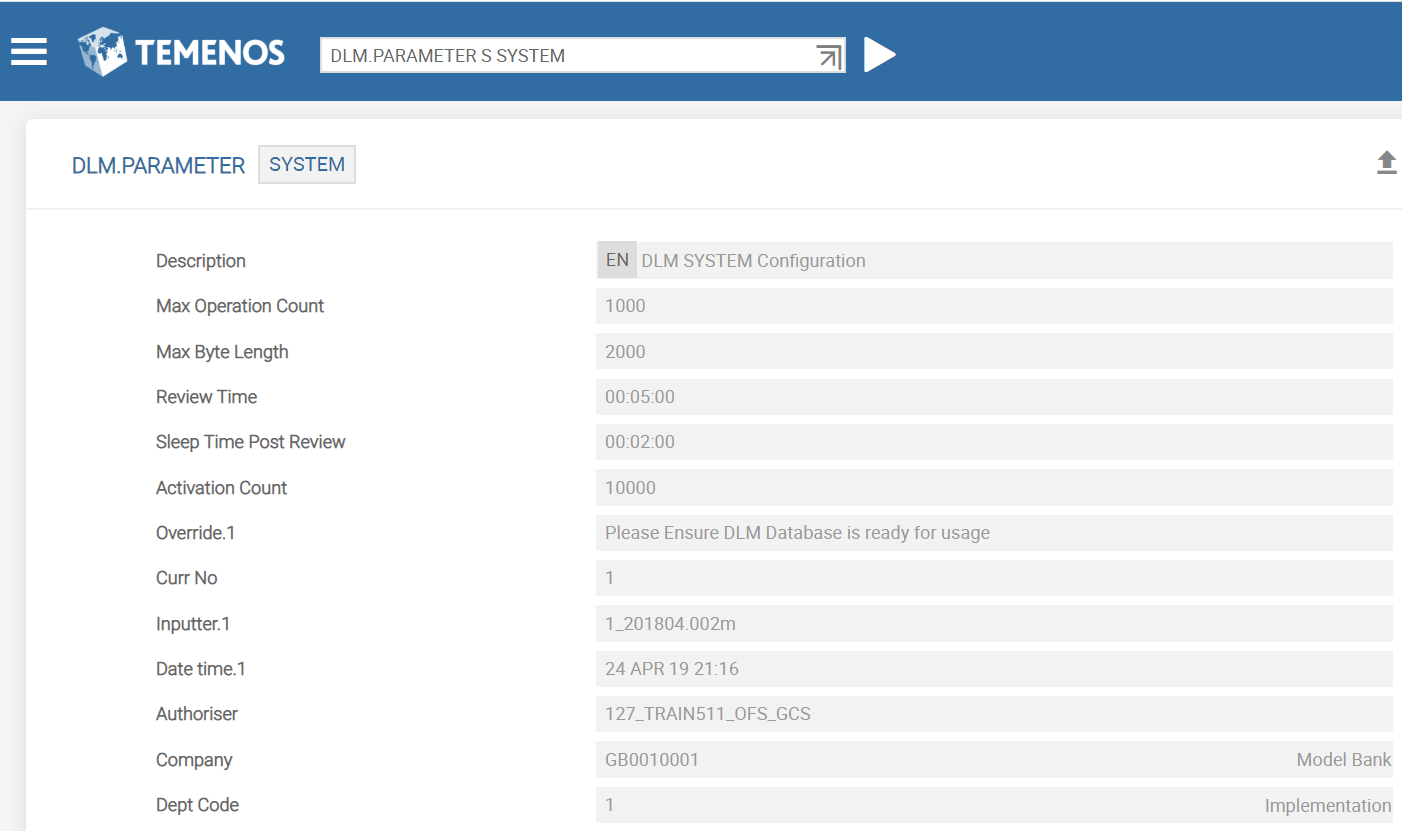
The following table lists the fields in DLM.PARAMETER, which can be modified, if required.
|
Field |
Description |
|---|---|
|
Max Operation Count |
Indicates the maximum number of records, which can be processed within the same boundary. When this count is exceeded, the processing agent goes to sleep and waits until the count reduces to the defined value. |
|
Max Byte Length |
Indicates the maximum length allowed for a single XML record in RO.COPY.KEYLIST. If the length of the record exceeds this value, a new KEYLIST is created automatically. |
|
Activation Count |
Indicates the maximum number of characters, which DLM.INITIATE.PROCESS can write in RO.COPY.KEYLIST. If this limit is exceeded, the process will sleep for a defined period. |
|
Review Time |
Indicates the time interval between the checks done using Activation Count (in seconds). For example, if this field is set to 00.00:60, the number of characters in RO.COPY.KEYLIST will be checked every 60 seconds. |
|
Sleep Time Post Review |
Indicates the hibernation period of the process, if Activation Count is exceeded. |
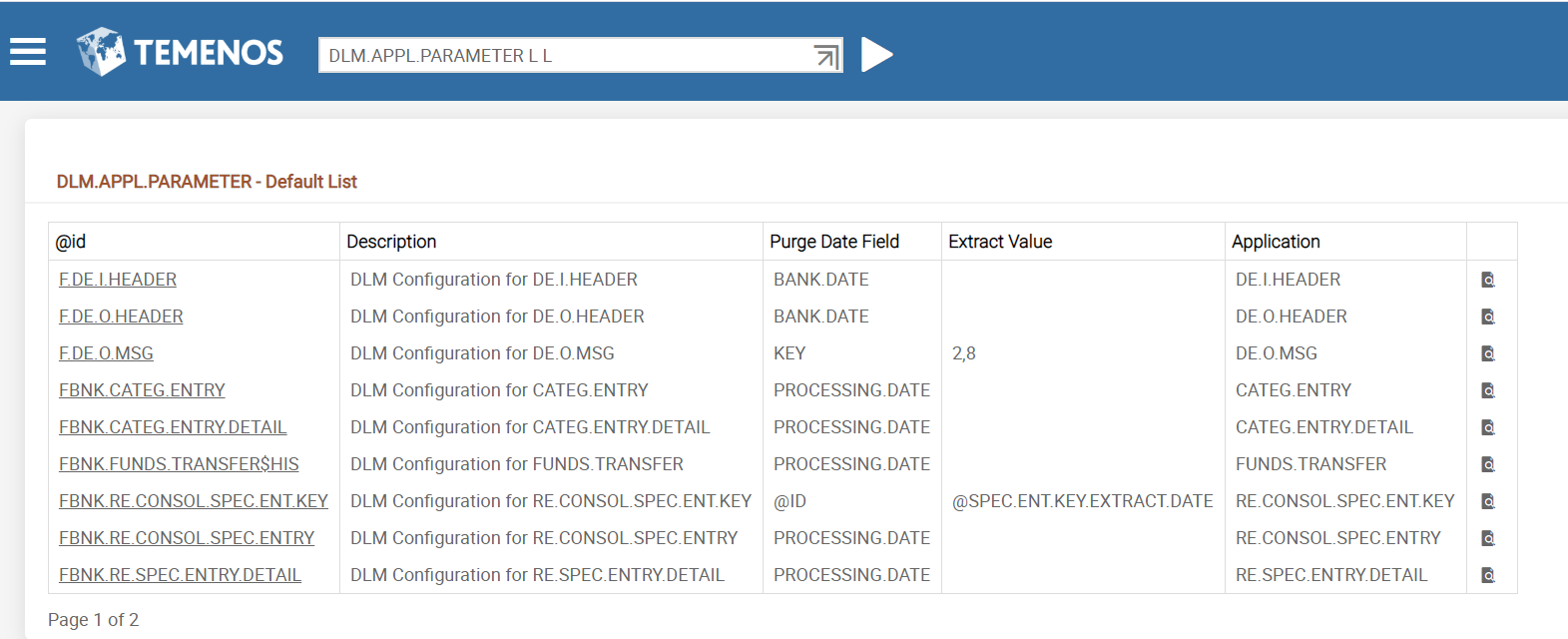
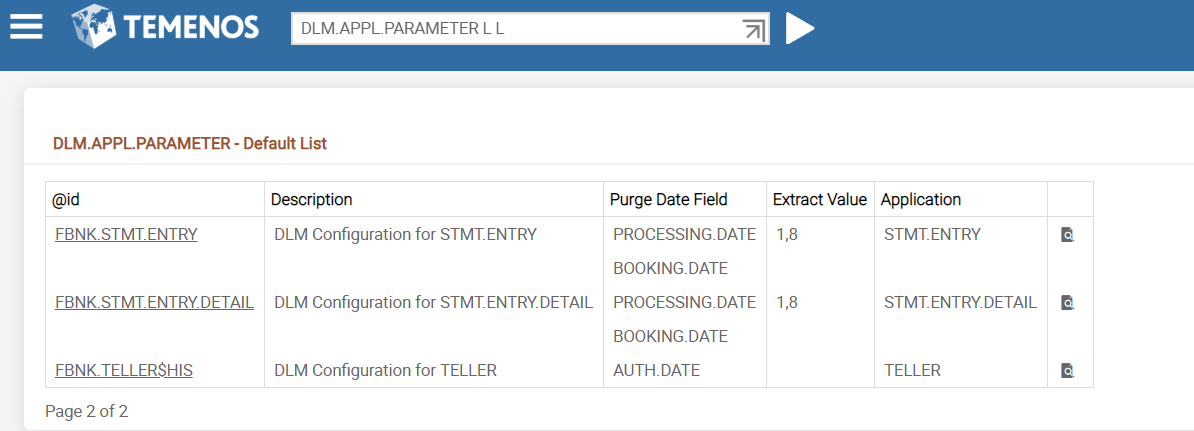
You can configure the applications required for Trickle Feed using DLM.APPL.PARAMETER. The following table lists the fields in DLM.APPL.PARAMETER, which can be modified, if required.
|
Field |
Description |
|---|---|
|
Purge Date Field |
Indicates the field name to map to PDATE in the DLM database. |
|
Extract Value |
Indicates the particular position values extracted to get the date value, if the value is unavailable directly from a particular field. For example, for ex @id field RD020180304, you need to set Purge Date Field as @ID and Extract Value as 3,8 the output value will be 20180304. |
The following screen captures provide the list of all the applications currently supported in DLM.APPL.PARAMETER for Trickle Feed processes.
TAFJ Runtime
To configure the TAFJ runtime, you need to do the following.
Procedure
- Add the following connection details in the location $TAFJ_HOME/conf amend file tafj.roperties.

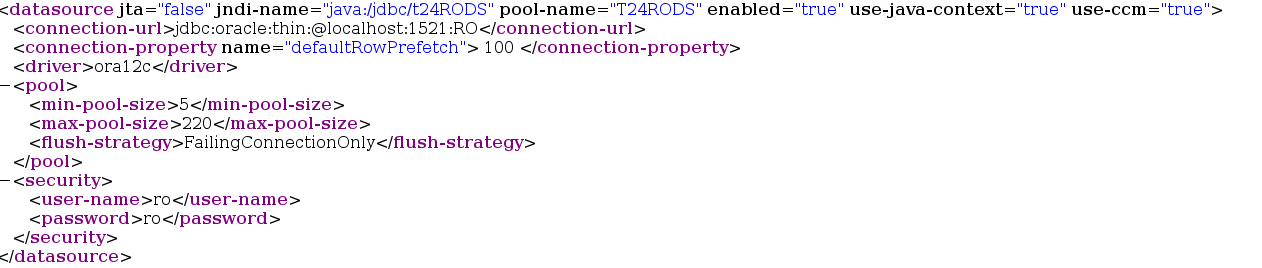
- Add the following details in standalone.xml.
- DLM Database Name
- DLM Schema User
- DLM Schema Password
The TAFJ runtime is configured successfully.
The following screen capture provides sample configuration for JBoss, which differs for other application servers.
TAFC Runtime
To configure the TAFC runtime, you need to set the following environment variables in .profile or remote.cmd.
- SET ORACLE_HOME= D:\app\oracle\product\11.2.0\dbhome_1
- SET LD_LIBRARY_PATH=%ORACLE_HOME%\lib
- SET PATH=%ORACLE_HOME%\bin:%PATH%
- SET TNS_ADMIN=%ORACLE_HOME%\network\admin
- SET NLS_LANG=AMERICAN_AMERICA. AL32UTF8
- SET DRIVER_HOME=%TAFC_HOME%\XMLORACLE
- SET JBCOBJECTLIST=%JBCOBJECTLIST%;%DRIVER_HOME%\lib
- SET PATH=%PATH%;%TAFC_HOME%\bin;%DRIVER_HOME%\bin
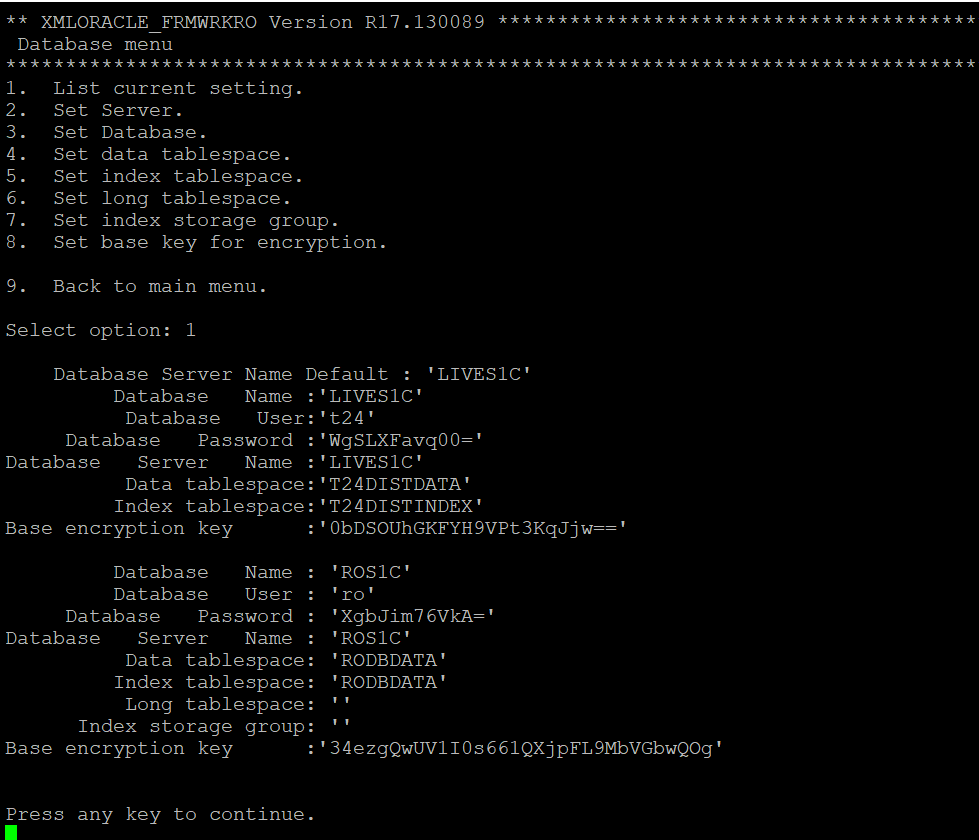
You need to add the following details in the config-XMLORACLE file required for the DLM Enquiries to be executed
- DLM Database Name
- DLM Schema User
- DLM Schema Password
- DLM Tablespace Name
- DLM Indexspace Name
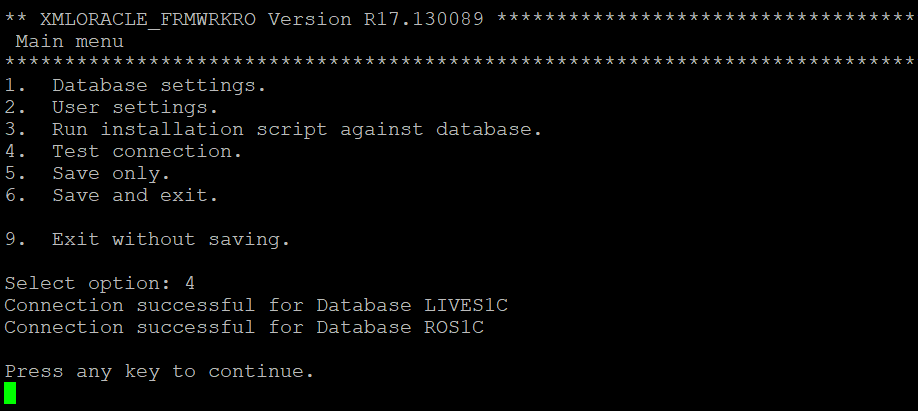
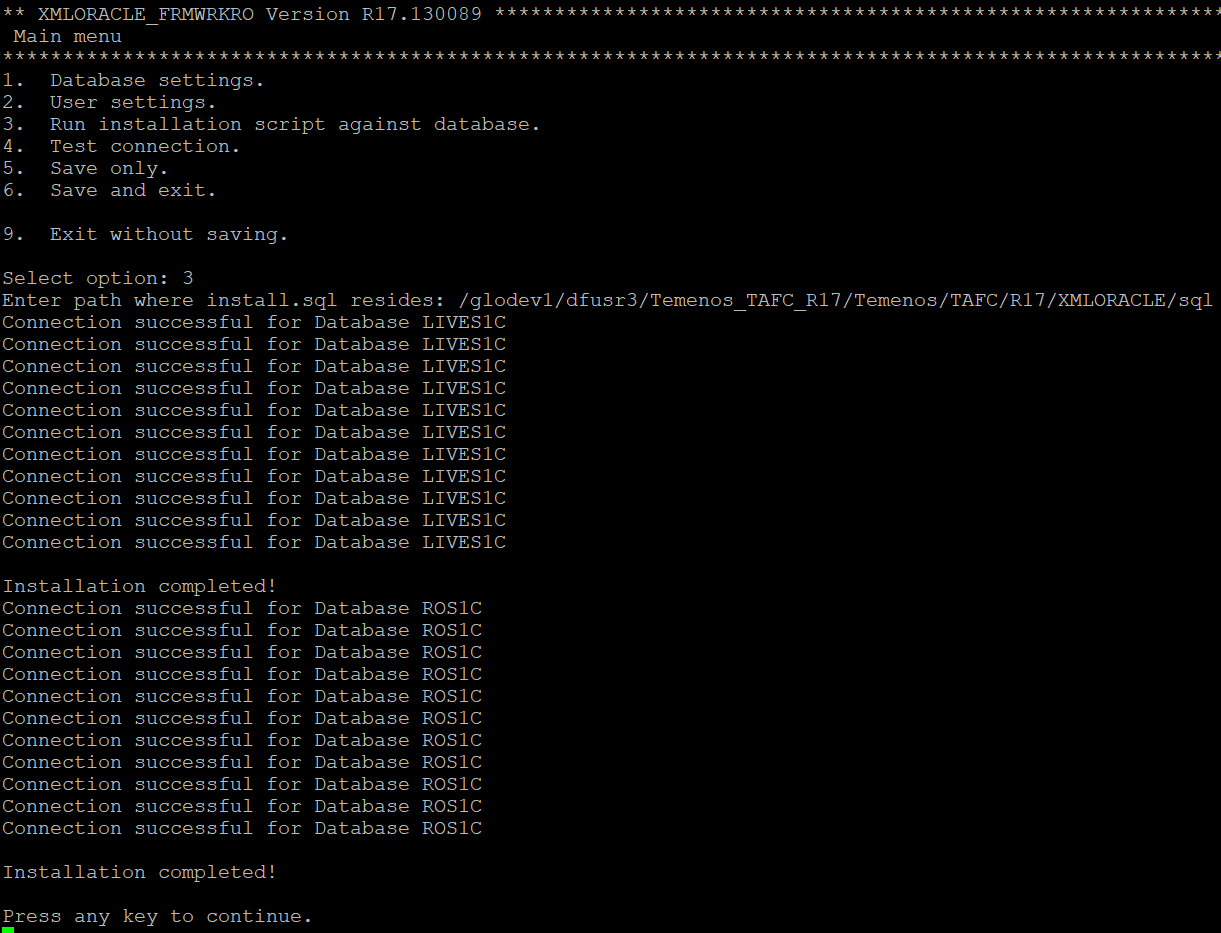
The following screen captures provide samples corresponding to TAFC runtime.
DLM DB details
Test connection verification
Run installation script against the database
Add Bookmark
save your best linksView Bookmarks
Visit your best links BACK
BACK


Are you sure you want to log-off?