| Bookmark Name | Actions |
|---|
Trickle Feed Package Scripts
This section provides details about the scripts corresponding to Trickle Feed for Oracle, SQL, DB2 and NuoDB databases and script execution.
Oracle
This section provides details of the scripts, which need to be executed in both DLM and LIVE databases to trigger DLM movement for Oracle.
DLM Database Scripts
The following are the required DLM database scripts for Oracle.
 Create Database Link for Live DB
This script creates a database link to access the LIVE database information.
create public database link <live dbname> connect to <live dbauthname> identified by <live dbauthpswd> using '<live dbname>'
Create Copy Functions
This script creates a function, which will be used when moving aged records from Temenos Transact live database to read only database. This function use the three-part (database.schema.table) name of the live table that stores information about the records to be copied. This helps to split the key in to DATE and RECID separately.
Create DLM Tablespace
This script creates the tablespace based on the customer retention period. For example, if it is R years, then R+1 tablespace needs to be created.
CREATE BIGFILE TABLESPACE <tablespacename> LOGGING DATAFILE <datafile path> SIZE <tablespacesize> AUTOEXTEND ON NEXT <tablespaceextentsize> MAXSIZE UNLIMITED EXTENT MANAGEMENT LOCAL SEGMENT SPACE MANAGEMENT AUTO;
Create DLM Tables
This script creates tables for the required DLM candidates. There are two templates given below one each for BLOB and XML types, respectively.
BLOB Type Template
/*** BLOB Type Template ***/
CREATE TABLE <TABLE name> (RECID VARCHAR2(255), XMLRECORD BLOB, PDATE DATE) COMPRESS FOR ALL OPERATIONS LOB (XMLRECORD) STORE AS SECUREFILE (ENABLE STORAGE IN ROW RETENTION CACHE COMPRESS <config val>) PARTITION BY RANGE (PDATE) INTERVAL (NUMTOYMINTERVAL(<partition interval num>,'<partition interval period>')) store IN (<TABLESPACE name>) (PARTITION p1 VALUES LESS THAN (TO_DATE('<date value>', 'YYYYMMDD')));
XML Type Template
/*** XML Type Template ***/
CREATE TABLE <TABLE name> (RECID VARCHAR2(255),XMLRECORD SYS.XMLTYPE,PDATE DATE ) COMPRESS FOR ALL OPERATIONS XMLTYPE XMLRECORD STORE AS SECUREFILE BINARY XML (ENABLE STORAGE IN ROW RETENTION CACHE COMPRESS <config val> ) PARTITION BY RANGE (PDATE ) INTERVAL (NUMTOYMINTERVAL(<partition interval num>,'<partition interval period>')) store IN (<TABLESPACE name>) ( PARTITION p1 VALUES LESS THAN (TO_DATE('<date value>', 'YYYYMMDD')));
Create Views
This script creates views for DLM candidates. You need to access DLM tables directly from the LIVE database.
CREATE OR REPLACE VIEW [<view schema>].[<view name>]
AS
SELECT a.RECID, a.XMLRECORD
,extractValue(a.XMLRECORD,'/row/c1[position()=1]') "<FIELD1>"
,extractValue(a.XMLRECORD,'/row/c1[position()=1]') "<FIELD2>"
,extractValue(a.XMLRECORD,'/row/c2[position()=1]') "<FIELD3>"
FROM [<ro schema name>].[<ro table name>];
Create Synonym
This script is used to access the LIVE tables from DLM database while doing the COPY process.
CREATE PUBLIC SYNONYM [<synonym name>] FOR [<source schema>].[<live table name>]@[<live database name>]
Create View Record Count
This script gets the RO table record count for each configured DLM candidate.
LIVE Database Scripts
The following are the required LIVE database scripts for Oracle.
Create DLM Database Link
This script creates a database link to access the DLM database information.
create public database link <ro dbname> connect to <ro dbauthname> identified by <ro dbauthpswd> using '<ro dbname>';
Create Purge Functions
This script creates a purge function, which will be used during the deletion of records from the LIVE database. This helps to split the key in to PDATE and RECID separately.
Create Synonym
This script is used to access the DLM tables while doing SELECT or READ redirection.
create public synonym <ro table name> for <schema>.<ro table name>@<ro dbname>;
Create DLM Table Views
This script creates views for DLM candidates. You need to access DLM tables directly from the LIVE database.
CREATE OR REPLACE VIEW [<view schema>].[<view name>]
AS
SELECT a.RECID, a.XMLRECORD
,extractValue(a.XMLRECORD,'/row/c1[position()=1]') "<FIELD1>"
,extractValue(a.XMLRECORD,'/row/c1[position()=1]') "<FIELD2>"
,extractValue(a.XMLRECORD,'/row/c2[position()=1]') "<FIELD3>"
FROM [<ro table name>];
Insert/Update VOC for DLM Candidates
This script updates the LIVE database table with RO table name in the ASSOCIATED column and also INSERT the VOC entry for DLM candidates.
Create View Record Count
This script gets the LIVE table record count for each configured DLM candidate.
MSSQL
This section provides details of the scripts, which need to be executed in both DLM and LIVE databases to trigger DLM movement for SQL.
DLM Installation Scripts
This contains all the pre-requisite SQL scripts to be executed in both DLM and LIVE databases. DLM movement should start after executing this scripts in the respective databases. The scripts given below is a kind of template, using which the implementation team will prepare the correct SQLs.
DLM Database Scripts
The following are the required DLM database scripts for SQL.
Create File Group
This script creates a file group for DLM in SQL.
USE MASTER
GO
ALTER DATABASE [<database name>] ADD FILEGROUP [<file group name>];
GO
USE [<database name>]
GO
If the retention period is R years, the file group needs to be generated (R*12) + 2 times. The number of file group names cannot be more than (R*12) + 2. The <database name> indicates the name of the read-only database. The <file group name> should be unique. For example, the names can be like T24_RO_FG1, T24_RO_FG2, and so on, which you can change, if required.
If you reduce the number of file groups, the system generates only that number of statements. However, need to give a warning that doing so will create fragmentations in the database files
Create Files
The ADD FILE statement needs to be generated for every file group created.
USE MASTER
GO
ALTER DATABASE [<database name>] ADD FILE ( NAME = N'<logical file name>', FILENAME = N'<file name with path>.mdf', SIZE = <file size>MB, FILEGROWTH = <file growth>MB) TO FILEGROUP [<file group name>];
GO
USE [<database name>]
GO
The <database name> indicates the name of the read-only database. The <logical file name> should be unique. For example, the names can be like T24_RO_ DataFile1, T24_RO_ DataFile2, and so on, which you can change, if required. You need to provide the <file name with path> for each statement to be generated. For example, E:\SQL Data1\T24_RO_DataFile1.mdf, E:\SQL Data2\T24_RO_DataFile2.mdf, and so on. The <file size> and <file growth> are set to 10 and 256 by default, respectively. You can change these values, if required. The FILE will be added to the FILEGROUP mentioned in <file group name>.
Create Partition Functions
The <database name> indicates the name of the read-only database. The < partition function name> should be unique. The default value is T24RoPF, which you can change, if required.
The list of <date boundary value 1>, <date boundary value 2>, and so on needs to be generated based on the oldest data, which you want to keep in the read-only database. If the required old data belongs to January 2010, the first boundary value is 20100201 (first day of the next month in YYYYMMDD format). If the retention period is R years, there should be (R*12) + 1 boundary values for each proceeding month.
Create Partition Schemes
The <database name> indicates the name of the read-only database. The < partition function name> should be unique. The default value is T24RoPS, which you can change, if required. The < partition function name> indicates the name of the partition.
The list of [<file group 1>], [<file group 2>], and so on indicate the names of the file groups created. If the retention period is R years, there should be (R*12) + 2 file group names. If the created file groups are less than (R*12) + 2, the file group names can be duplicated in round-robin manner to create a list of (R*12) + 2 file group names.
Create Copy Functions
This script creates a function, which will be used when moving aged records from Temenos Transact live database to read only database. This function use the three-part (database.schema.table) name of the live table that stores information about the records to be copied. This helps to split the key in to DATE and RECID separately.
Create DLM Tables
This script creates tables for the required DLM candidates.
USE [<database name>]
GO
CREATE TABLE [ro.schema].[RoTableList]([RECID] ':keyType:' NOT NULL,[PDATE] [date] NOT NULL,[XMLRECORD] VARBINARY (MAX) NULL, CONSTRAINT [PK_'RoTableList'] PRIMARY KEY CLUSTERED ([RECID] ASC,[PDATE] ASC)) ON 'PartScheme'(PDATE)
GO
Create Views
This script creates views for DLM candidates. You need to access DLM tables directly from the LIVE database.
USE [<database name>]
GO
CREATE VIEW [<view schema>].[<view name>]
AS
SELECT [RECID],
[XMLRECORD].value('(/row/<xml element 1>/text())[1]', 'DATE'),
[XMLRECORD].value('(/row/<xml element 2>/text())[1]', 'DATE'),
[XMLRECORD].value('(/row/<xml element n>/text())[1]', 'DATE')
FROM [<ro table schema>].[<ro table name>]
GO
Create Synonym
This script is used to access the LIVE tables from DLM database while doing the COPY process.
CREATE PUBLIC SYNONYM [<synonym name>] FOR [<source schema>].[<live table name>]@[<live database name>]
Create View Record Count
This script gets the RO table record count for each configured DLM candidate.
LIVE Database Scripts
The following are the required LIVE database scripts for SQL.
Create Purge Functions
This script creates a purge function, which will be used during the deletion of records from the LIVE database. This helps to split the key in to PDATE and RECID separately.
Create Synonym
This script is used to access the DLM tables while doing SELECT or READ redirection.
Create DLM Table Views
This script creates views for DLM candidates. You need to access DLM tables directly from the LIVE database.
Insert/Update VOC for DLM Candidates
This script updates the LIVE database table with RO table name in the ASSOCIATED column and INSERT the VOC entry for DLM candidates.
Create View Record Count
This script gets the LIVE table record count for each configured DLM candidate.
DB2
This section provides details of the scripts, which need to be executed in both DLM and LIVE databases to trigger DLM movement for DB2.
DLM Installation Scripts
This contains all the pre-requisite DB2 scripts to be executed in both DLM and LIVE databases. DLM movement should start after executing this scripts in the respective databases. The scripts given below is a kind of template, using which the implementation team will prepare the correct SQLs.
DLM Database Scripts
The following are the required DLM database scripts for DB2.
Create Buffers and Wrapper
The script creates a buffer. You need to replace <buffer name> tag with a valid name.
CREATE BUFFERPOOL <buffer name> IMMEDIATE SIZE 256 AUTOMATIC PAGESIZE 32K;
Create Federation to connect with LIVE database tables
The script creates Federation to connect to the LIVE database from DLM database. You need to replace the following tags with the required values.
CREATE SERVER <server name>
TYPE db2/udb
VERSION <db2 version>
WRAPPER DRDA
AUTHORIZATION "<remote-authorization-name>" password "<remote-password>" OPTIONS
	(ADD NODE '<TCPIP node name>',
	 ADD DBNAME '<Cataloged database name>',
         ADD DB2_MAXIMAL_PUSHDOWN  'Y' );
The following script creates user mapping for Temenos Transact user in DLM Database.
CREATE USER MAPPING FOR <T24 user ID> SERVER <server name> OPTIONS (REMOTE_AUTHID '<remote-authorization-name>', REMOTE_PASSWORD '<remote-password>');
Create Table Spaces based on the retention period
The script creates tablespace based on the retention period in DLM Database. You need to replace the tags with the required values.
CREATE LARGE TABLESPACE <Tablespace name> PAGESIZE 32K MANAGED BY AUTOMATIC STORAGE INITIALSIZE <tablespacesize> EXTENTSIZE <tablespaceextentsize> BUFFERPOOL '<ro.buffer>' AUTORESIZE YES INCREASESIZE 10 PERCENT;
Create COPY function to identify the DATE and RECID separately
This script creates a function, which will be used when moving records from Temenos Transact live database to read only database. This helps to split DATE and RECID from the input.
Create DLM candidate tables
This script creates tables for the required DLM candidates. You need to replace the tags with the required values.
CREATE TABLE <ro.schema>.<ro tablename> (RECID VARCHAR(255) NOT NULL, XMLRECORD XML INLINE LENGTH 32400, PDATE DATE NOT NULL, CONSTRAINT <primarykey name> PRIMARY KEY (RECID)) PARTITION BY RANGE(PDATE) (STARTING FROM MINVALUE, STARTING FROM <partition interval period start> INCLUSIVE ENDING AT <partition interval period end> every 1 month) IN <TABLESPACE name> INDEX IN <Index TABLESPACE name> LONG IN <LOB TABLESPACE name> COMPRESS YES;
CREATE INDEX <ro.schema>.<index name> ON <ro.schema>.<ro tablename> (PDATE) CLUSTER;
Create Nickname for live database table (required for COPY)
All the tables should have a NICKNAME created in the DLM Database, which is required for copying the records from the LIVE database to DLM. You need to replace the tags with the required values.
CREATE NICKNAME <ro schema>.<live tablename> FOR <fedaration>.<live schema>.<live tablename>;
Create view to fetch the DLM candidates count in LIVE database
The view helps to get the record count of DLM tables in the DLM database, which is used in the dashboard enquiry results.
CREATE VIEW V_ENQ_DLM_ROCNT AS
select TABNAME concat '~' concat card as RECID
from syscat.tables
where TABNAME IN
  (SELECT ORCLFILENAME
  FROM TAFJ_VOC
  WHERE RECID IN
    (SELECT RECID CONCAT '$RO' FROM F_DLM_APPL_PARAMETER
    )
    );
LIVE Database Scripts
The following are the required LIVE database scripts for DB2.
Create Wrapper and Federation to connect with RO database tables
The script creates Federation to connect to the LIVE database from DLM database. You need to replace the following tags with the required values.
CREATE SERVER <server name>
TYPE db2/udb
VERSION <db2 version>
WRAPPER DRDA
AUTHORIZATION "<remote-authorization-name>" password "<remote-password>" OPTIONS
	(ADD NODE '<TCPIP node name>',
	 ADD DBNAME '<Cataloged database name>',
         ADD DB2_MAXIMAL_PUSHDOWN  'Y' );

CREATE USER MAPPING FOR <T24 user ID> SERVER <server name> OPTIONS (REMOTE_AUTHID '<remote-authorization-name>', REMOTE_PASSWORD '<remote-password>');
Create filter table to create package
This script creates the KEYLIST tables and views required for COPY, PURGE and ERROR processes.
DROP TABLE F_RO_COPY_KEYLIST;
CREATE TABLE T24.F_RO_COPY_KEYLIST (RECID VARCHAR(255) NOT NULL,XMLRECORD BLOB INLINE LENGTH 32000, PRIMARY KEY (RECID) ) IN T24DBDATA;
UPDATE TAFJ_VOC SET ISBLOB = 'B' WHERE ORCLFILENAME = 'F_RO_COPY_KEYLIST';
COMMIT;

DROP VIEW V_F_RO_COPY_KEYLIST;
CREATE VIEW T24.V_F_RO_COPY_KEYLIST(RECID, XMLRECORD)
AS
SELECT RECID, CAST(CAST(XMLRECORD  AS VARCHAR(32000) FOR BIT DATA) AS VARCHAR(32000) FOR MIXED DATA) FROM T24.F_RO_COPY_KEYLIST;


DROP TABLE F_RO_PURGE_KEYLIST;
CREATE TABLE T24.F_RO_PURGE_KEYLIST (RECID VARCHAR(255) NOT NULL,XMLRECORD BLOB INLINE LENGTH 32000, PRIMARY KEY (RECID) ) IN T24DBDATA;
UPDATE TAFJ_VOC SET ISBLOB = 'B' WHERE ORCLFILENAME = 'F_RO_PURGE_KEYLIST';
COMMIT;

DROP VIEW V_F_RO_PURGE_KEYLIST;
CREATE VIEW T24.V_F_RO_PURGE_KEYLIST(RECID, XMLRECORD)
AS
SELECT RECID, CAST(CAST(XMLRECORD  AS VARCHAR(32000) FOR BIT DATA) AS VARCHAR(32000) FOR MIXED DATA) FROM T24.F_RO_PURGE_KEYLIST;

DROP TABLE F_RO_ERROR_KEYLIST;
CREATE TABLE T24.F_RO_ERROR_KEYLIST (RECID VARCHAR(255) NOT NULL,XMLRECORD BLOB INLINE LENGTH 32000, PRIMARY KEY (RECID) ) IN T24DBDATA;
UPDATE TAFJ_VOC SET ISBLOB = 'B' WHERE ORCLFILENAME = 'F_RO_ERROR_KEYLIST';
COMMIT;
Create Nickname for RO database table (required for purge)
All the DLM tables should have a NICKNAME created in the Live Database, which is required for purging records from the live database. You need to replace the tags with the required values.
CREATE NICKNAME <live schema>.<readonly tablename> FOR <fedaration>.<ro schema>.<readonly tablename>;
Create view to fetch the DLM candidates count in LIVE database
The view helps to get the record count of DLM candidate tables in the LIVE database, which is used in the dashboard enquiry results.
CREATE VIEW V_ENQ_DLM_LIVECNT AS
SELECT TABNAME concat '~' concat card as RECID
from syscat.tables
where TABNAME IN
  (SELECT ORCLFILENAME
  FROM TAFJ_VOC
  WHERE RECID IN
    (SELECT RECID FROM F_DLM_APPL_PARAMETER
    )
  );
NuoDB
This section provides details of the scripts, which need to be executed in both DLM and LIVE databases to trigger DLM movement for NuoDB.
DLM Installation Scripts
This contains all the pre-requisite NuoDB scripts to be executed in both DLM and LIVE databases. DLM movement should start after executing this scripts in the respective databases. The scripts given below is a kind of template, using which the implementation team will prepare the correct SQLs.
DLM Database Scripts
The following are the required DLM database scripts for NuoDB.
Create COPY function to identify the DATE and RECID separately
This script creates a function, which will be used when moving records from Temenos Transact live database to read only database. This helps to split DATE and RECID from the input.
Create storage group based on the retention period
This script creates storageGroup as per the data volume to store monthly or yearly basics. If monthly basics exceed 12+ 1, storageGroup needs to be created. You need to replace the tags with the required values.
ADD storageGroup name <storage.group.name> host <host.name> pid <sm.process.id>;
Create DLM candidate tables
This script creates tables for the required DLM candidates. You need to replace the tags with the required values.
CREATE TABLE [<ro schema name>].[<ro table name>] (RECID VARCHAR(255) NOT NULL, XMLRECORD STRING, PDATE STRING, PRIMARY KEY (RECID,PDATE) ) PARTITION BY RANGE (PDATE) (PARTITION PRO<Sg.No> VALUES LESS THAN (<YearTempMthDay>) STORE IN <storage.group>);
Create views for DLM tables for direct access from LIVE database
This script creates views in DLM database for RO tables, which will be used during enquiry execution. You need to replace the tags with the required values.
CREATE OR REPLACE VIEW [<view schema>].[<view name>]
AS
SELECT a.RECID, a.XMLRECORD "FIELD1"
,extractValueJS(a.XMLRECORD, 1, 0) "FIELD2"
FROM [<ro schema name>].[<ro table name>] a;
LIVE Database Scripts
The following are the required LIVE database scripts for NuoDB.
Create views for DLM tables for SELECT and READ redirection
This script creates views in DLM database for RO tables, which will be used during enquiry execution. You need to replace the tags with the required values.
CREATE OR REPLACE VIEW [<view schema>].[<view name>]
AS
SELECT a.RECID, a.XMLRECORD "FIELD1"
,extractValueJS(a.XMLRECORD, 1, 0) "FIELD2"
FROM [<ro schema name>].[<ro table name>] a;
Script Execution
The distribution team supplies the DLM Trickle Feed package as a compressed folder. This folder includes two generic scripts— GenericScript-MSSSQL and GenericScript-Oracle. You can copy the generic script appropriate for your database and modify as required. You can use the corresponding sample script (SampleScript-MSSQL or SampleScript-Oracle) as reference.
EXAMPLE:
The following script is for FBNK. If there is more than one company, the script has to be copied and modified for each company.
CREATE TABLE ro.FBNK_STMT_ENTRY#RO COMPRESS FOR ALL OPERATIONS XMLTYPE XMLRECORD STORE AS SECUREFILE BINARY XML (ENABLE STORAGE IN ROW RETENTION CACHE COMPRESS HIGH) PARTITION BY RANGE (PDATE) INTERVAL (NUMTOYMINTERVAL(1,'MONTH')) store in (TSRO1,TSRO2,TSRO3,TSRO4,TSRO5,TSRO6,TSRO7,TSRO8,TSRO9,TSRO10,TSRO11,TSRO12,TSRO13) (PARTITION p1 VALUES LESS THAN (TO_DATE('20170301', 'YYYYMMDD'))) AS SELECT source.* , CAST('' AS DATE) AS PDATE FROM FBNK_STMT_ENTRY@LINK2T24 source WHERE 1=0;
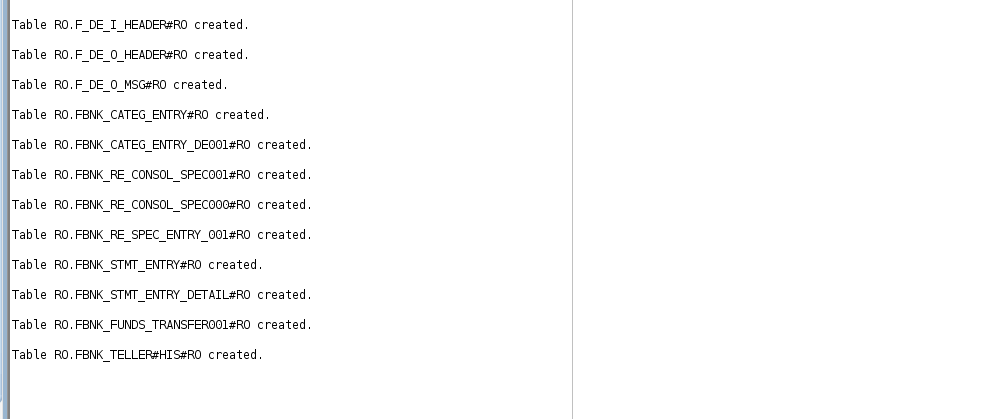
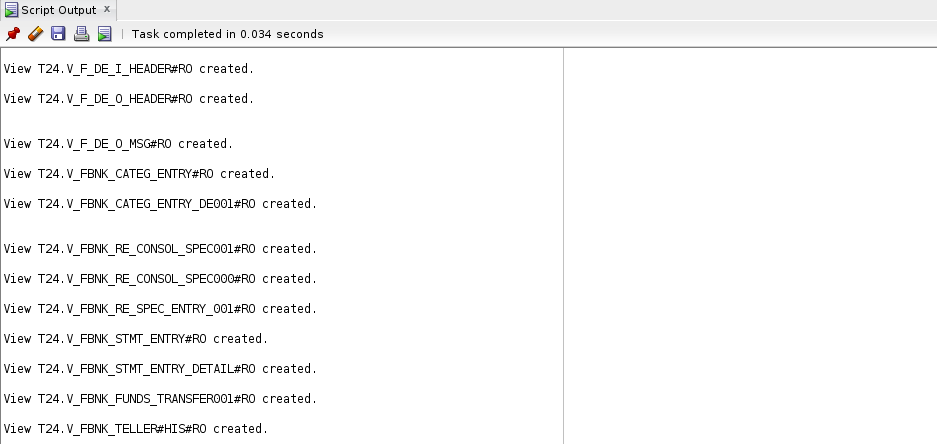
After the scripts are ready, execute them in the corresponding DLM or LIVE database. The following screen captures illustrate the output of the different scripts run in the DLM database.
Copy Function
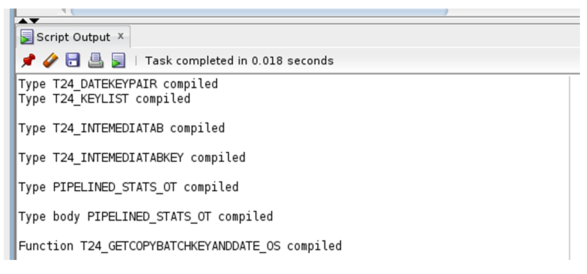
Table Space Creation
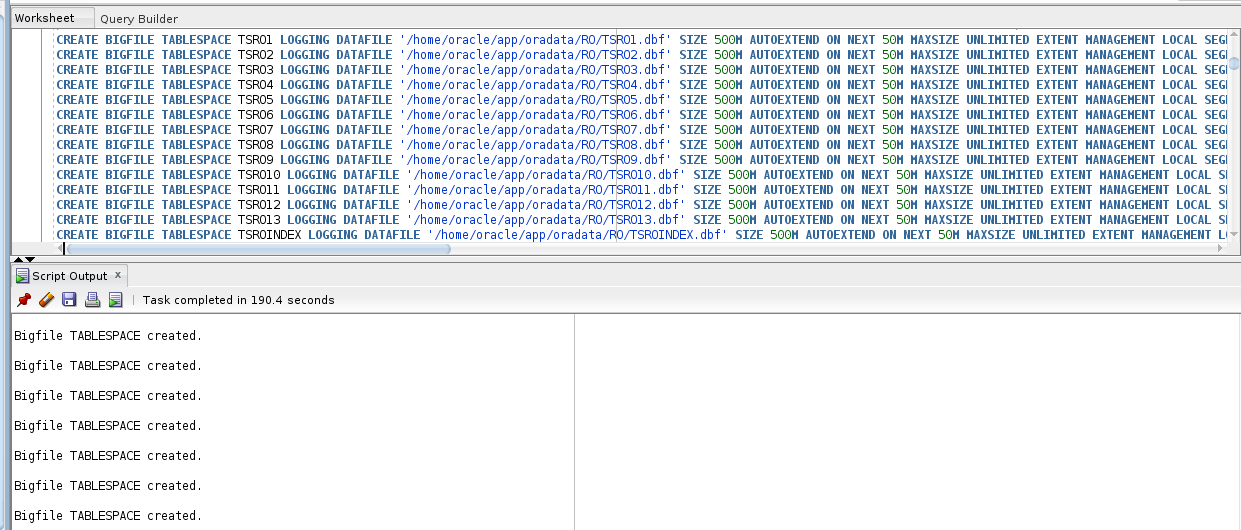
Table Creation
View Creation
NOTE: You need to have the required permission to create and execute each script in the database.
Add Bookmark
save your best linksView Bookmarks
Visit your best links BACK
BACK


Are you sure you want to log-off?