| Bookmark Name | Actions |
|---|
Enquiries and Reports
This section provides details about the DLM enquiry and custom enquiry for $HIS with the corresponding screen captures.
DLM Enquiry
You can use the Include Dl field in the ENQUIRY.SELECTION screen to view the archived files. If this field is set to Yes, the enquiry displays records from both original and $RO tables. If this field is set to No, the enquiry displays records only from the original table. If this field is left blank, the enquiry displays the records based on the environment settings.
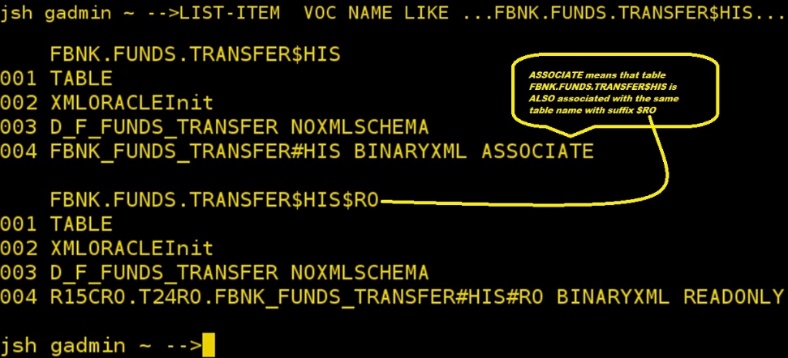
For example, an enquiry to view the FUNDS.TRANSFER$HIS$RO file can be based on the FUNDS.TRANSFER enquiry, changing the FILE.NAME to FUNDS.TRANSFER$HIS$RO. The following screen capture shows the relevant FUNDS.TRANSFER$HIS entries in the VOC table:
Custom Enquiry for $HIS
For an enquiry to read from both the LIVE and RO, you have to specify the correct file name in enquiry definition. As VOC associates every FILENAME$HIS file with a corresponding FILENAME$HIS$RO, you can use a FILENAME$HIS file in your enquiry definition. The following screen capture shows a simple enquiry definition.
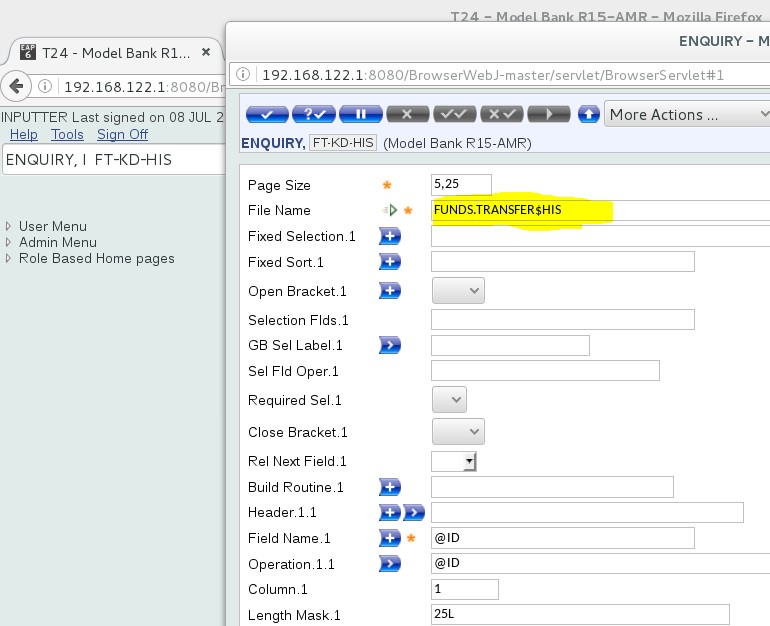
To create a custom enquiry that works with both databases, you need to select a Funds Transfer record from both the databases.
You need to select a RECID from FBNK_FUNDS_TRANSFER#HIS and FBNK_FUNDS_TRANSFER#HIS#RO from the LIVE and RO databases, respectively The following screen captures shows an example Funds Transfer record for the LIVE and RO databases, respectively.


In Temenos Transact BrowserWeb, you need to use the selected LIVE RECID to submit an enquiry for the Funds Transfer record in the LIVE database.
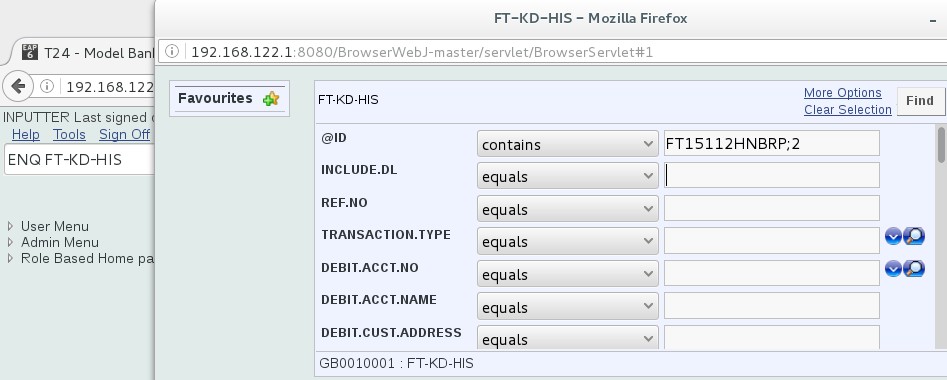
The following screen capture shows the result—record has been found.
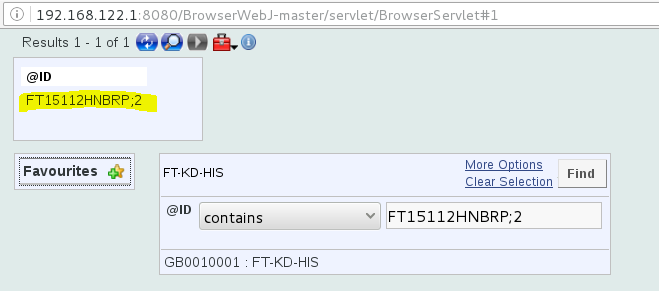
The following JQL select statement shows that the enquiry fetched records only from the FBNK.FUNDS.TRANSFER$HIS table in the LIVE database.

In Temenos Transact BrowserWeb, you need to submit an enquiry for the same record in the LIVE database with the Include Dl field set to Yes.
NOTE: Although it is known that this record exists, enabling the Include Dl field allows you to prove that a SELECT –UNION query is run to fetch the record.
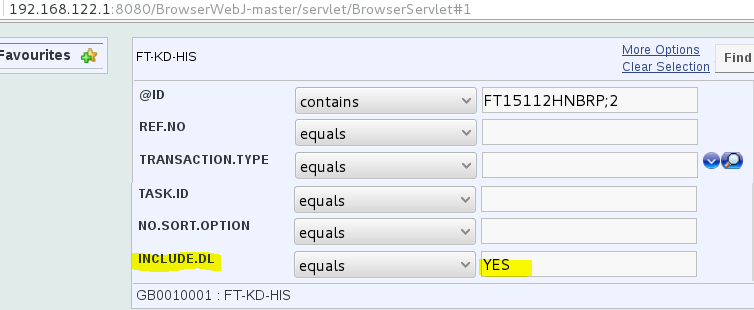
The following screen capture shows the result—record has been found.
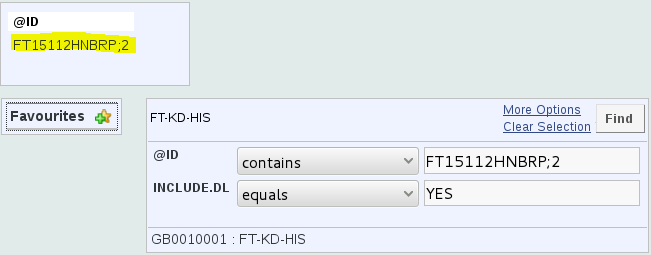
The JQL select statement shows that a SELECT – UNION query was run.

In Temenos Transact BrowserWeb, you need to use the selected Read-Only RECID to submit an enquiry for the Funds Transfer record in the RO database.
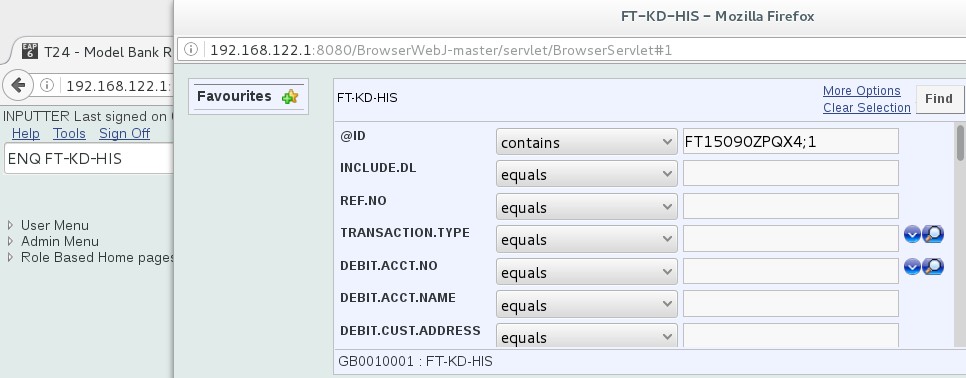
The following screen capture shows the result—record was not found.
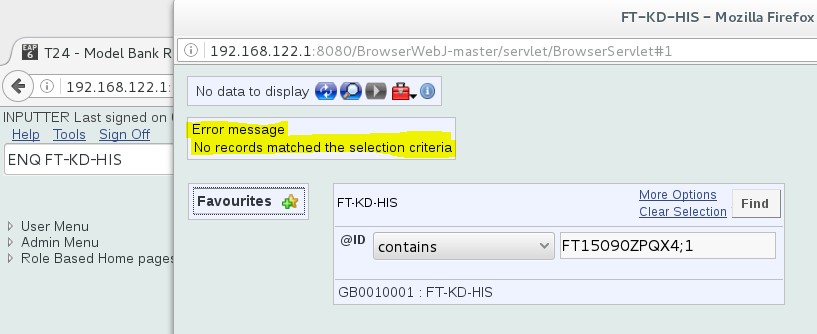
The JQL select statement shows that only the LIVE table FBNK.FUNDS.TRANSFER#HIS was queried and the record was not found.

In Temenos Transact BrowserWeb, you need to submit an enquiry for the same record in the LIVE database with the Include Dl field set to Yes.
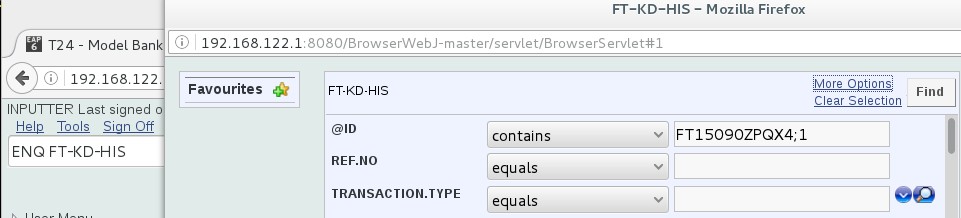

The following screen capture shows the result—record has been found.
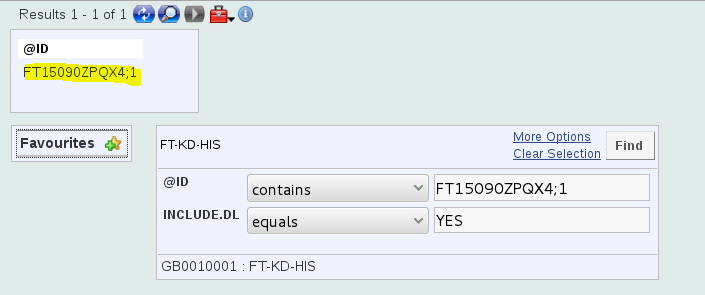
The JQL select statement shows that a SELECT – UNION query was used to fetch the record:

Add Bookmark
save your best linksView Bookmarks
Visit your best links BACK
BACK


Are you sure you want to log-off?