

| Bookmark Name | Actions |
|---|
Working with Scheduling Payments
The following section describes the process of scheduling payments.
Scheduling Payments
Bills are generated on the scheduled date (or in advance if configured).
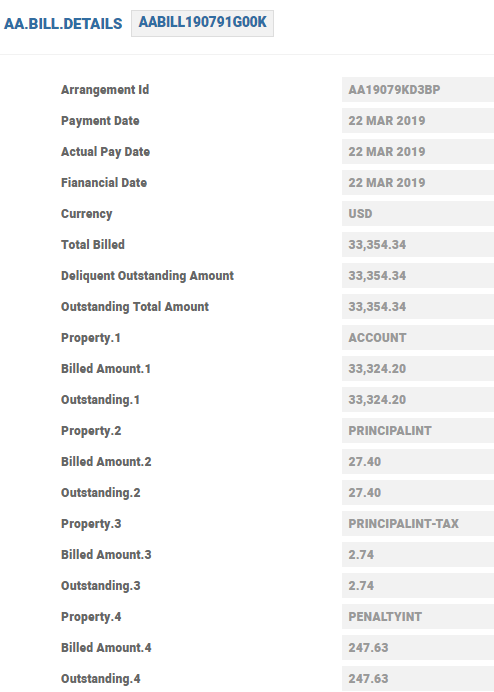
The bills generated on the payment schedule is stored in AA.BILL.DETAILS record.
When a bill is deferred for a specific payment type, the defer date is updated in the AA.BILL.DETAILS record based on the Defer Period in the Payment Schedule.
The property specific original amount that is the outstanding property amount is indicated in the bill. Any adjustments are also seen in the record.
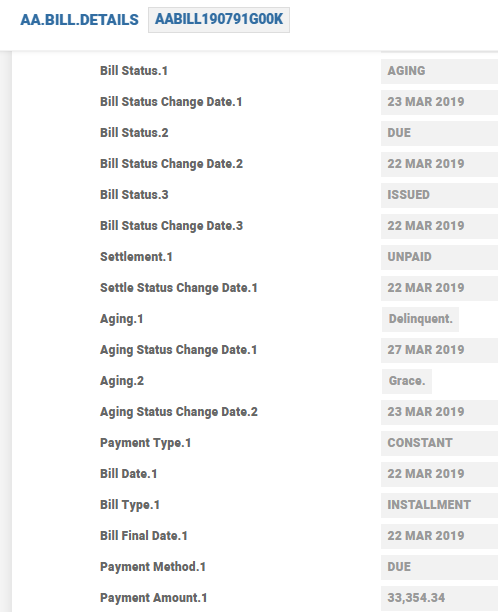
The bill details displays three sets of fields:
- Bill Status field - takes the values ISSUED, DUE, AGING and SETTLED based on the life-cycle of the bill. For example, when the bill is deferred, the Bill Status has the value DEFER after being issued and before becoming DUE.
- Settle Status field - updates as UNPAID and then as REPAID when the bill is settled.
- Aging Status field - takes the values GRACE, DEL, NAB, etc., and finally SETTLED. Note that GRACE, DEL, and NAB values are given based on the overdue
When the bill is paid or made due in advance and the payment bill is generated but paid after the cooling period if any, the MAKEDUE.ADVANCE Activity is scheduled one day after the cooling period. Any interest or principal changes through the Activity affects the interest and the final interest in the Tot Due Amt field of AA.INTEREST.ACCRUALS. The difference is paid or made due immediately.
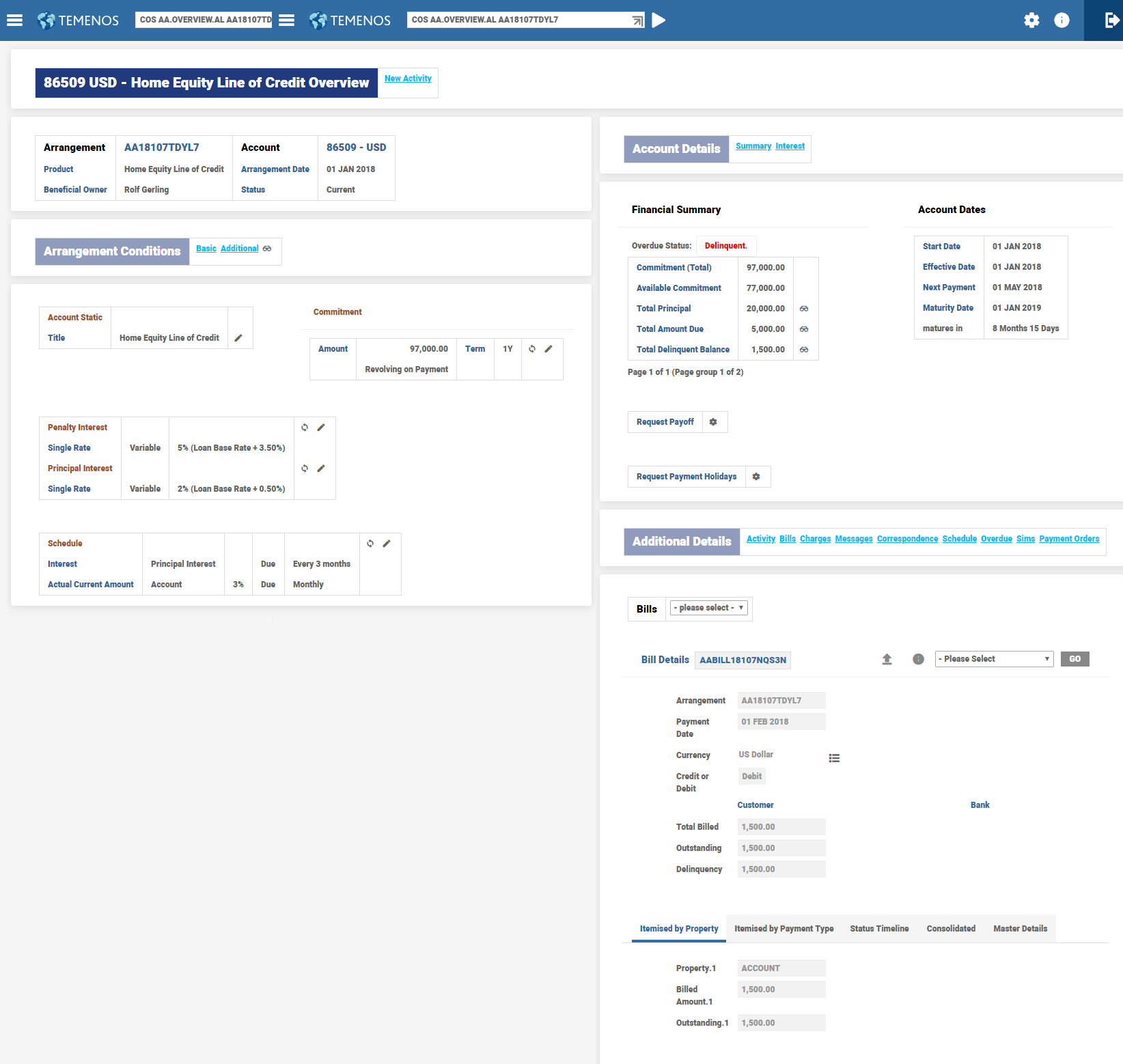
The AA.BILL.DETAILS record stores the Property wise outstanding balances and ageing status. Read the Payment Schedule Property Class user guide for more information.
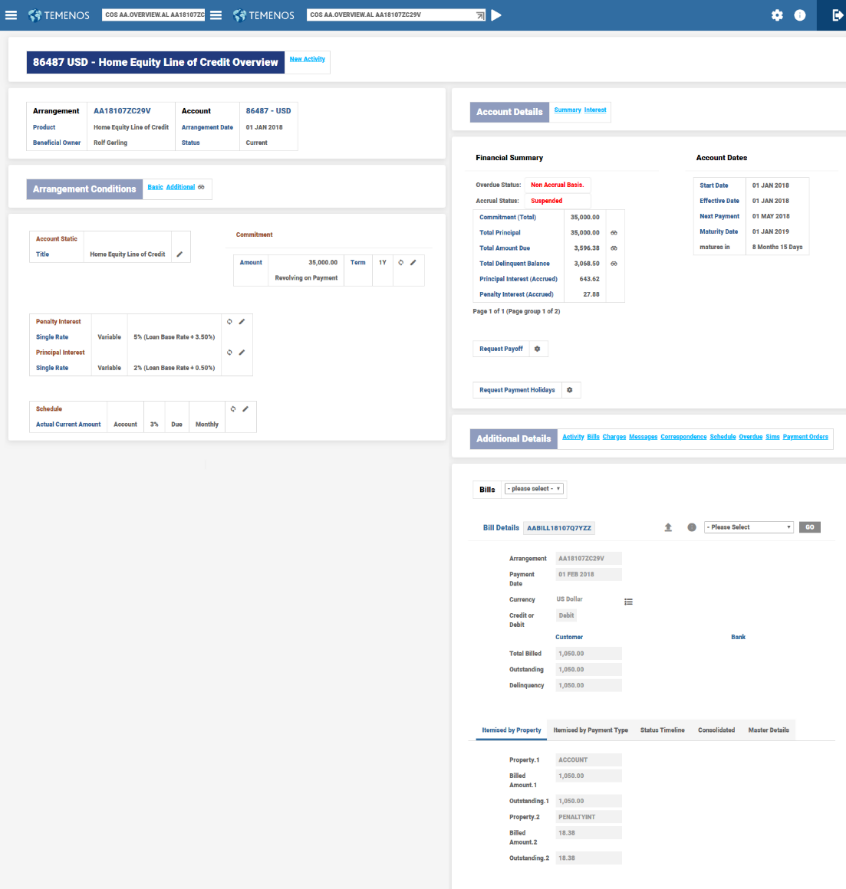
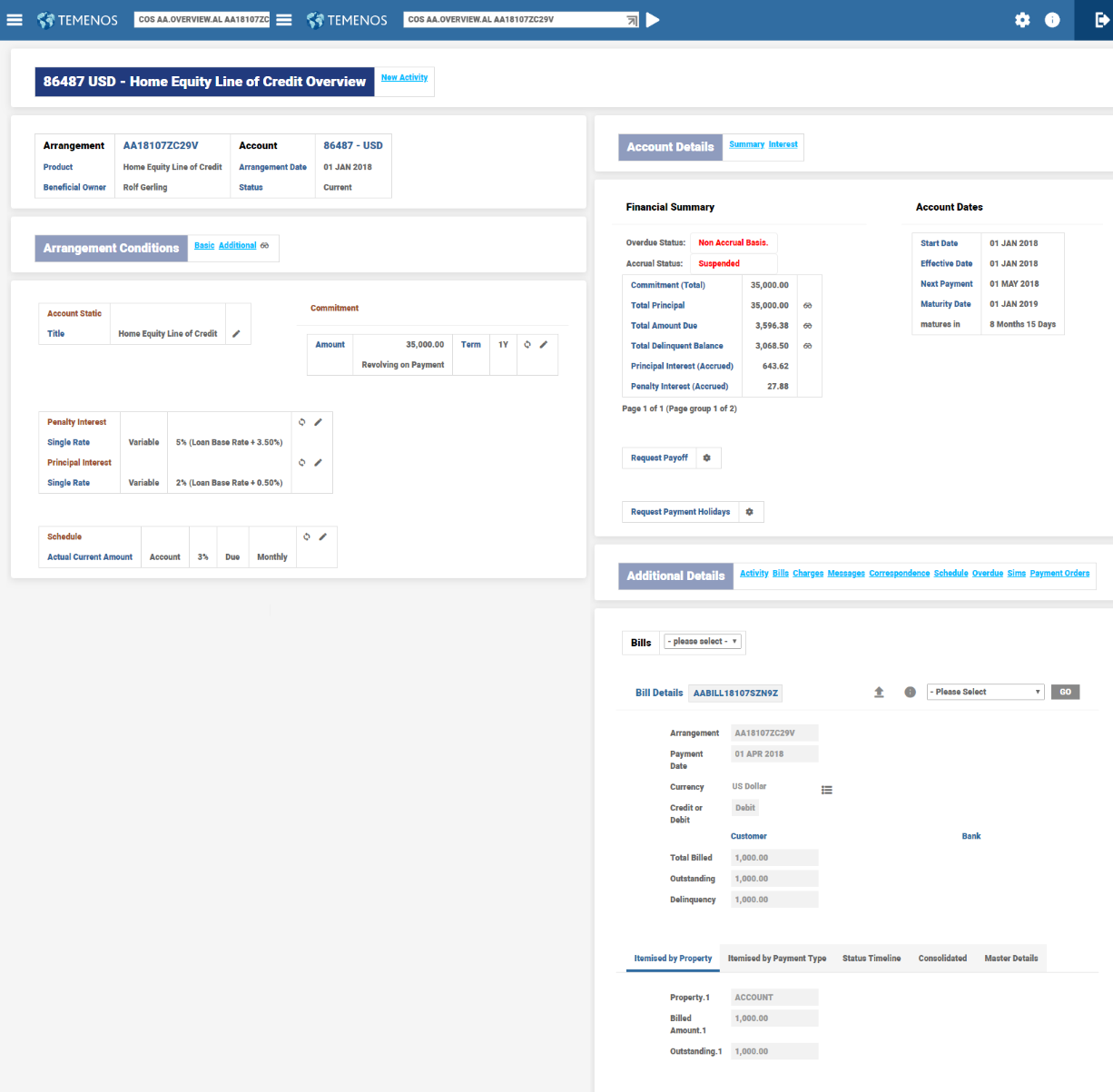
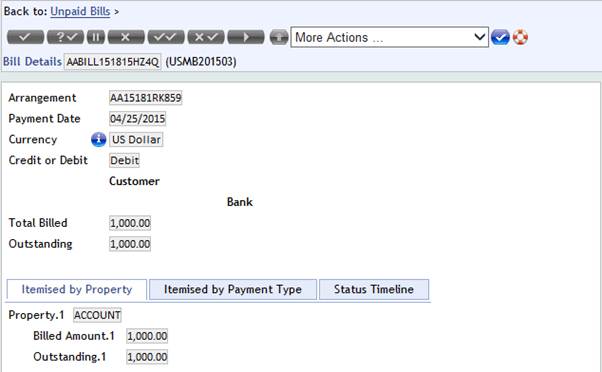
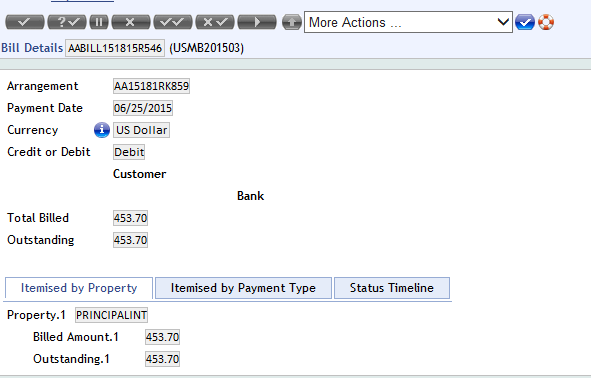
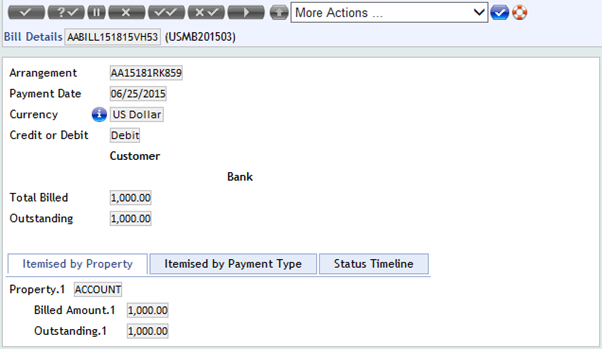
The below screen shot displays the bill details that contain multiple properties, billed amount and outstanding amount.
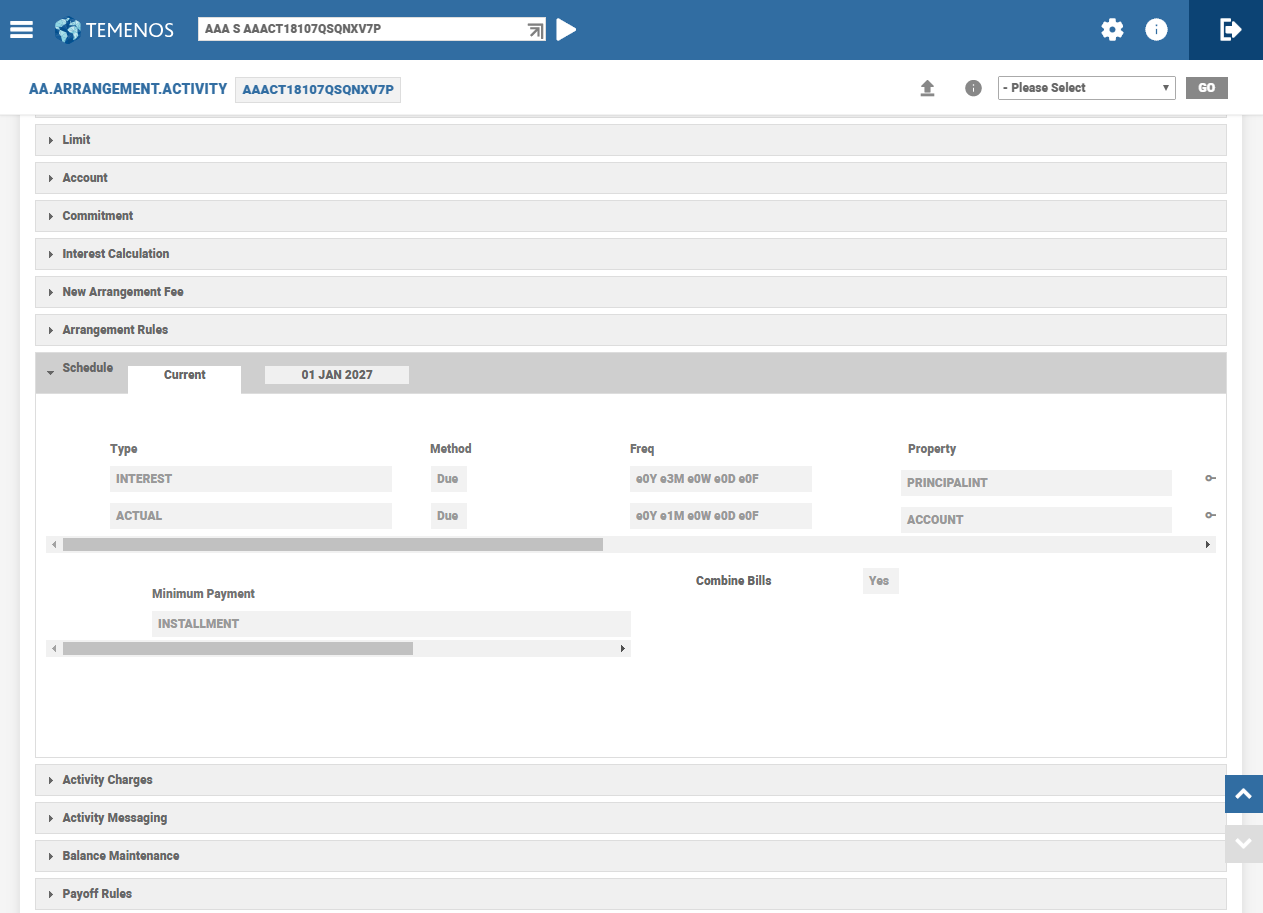
The below screenshot displays the ageing information, bill status and settle status.
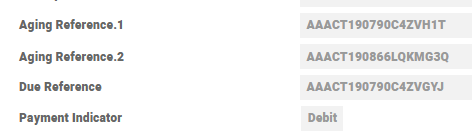
The aging references are stored along with bill references and payment indicator.
Pre - Notification and Finalisation of Payment
Loan customers are advised N number of days in advance of an upcoming payment. From the notification date, the customers can choose to make changes to their upcoming payment till the bill amount is finalised. Upon reaching the finalisation date, no further changes are allowed for the upcoming payment and system triggers settlement processing for claiming funds from clearing. In case of no finalisation date, then the upcoming payment amount can be modified until the day before the payment date.
This functionality is achieved through Payment Schedule Property Class through the Bill Produced and Finalise Bills attributes. The period defined in Finalise Bills should be less than Bill Produced.
Scenario: Consider the following conditions.
| Attribute | Value |
|---|---|
| Payment date for a scheduled payment | 14-May-2020 |
| Bill Produced | 10D |
| Finalise Bills | 2D |
Ten working days (10D) prior to the payment date of 14-May-2020 is 30-Apr-2020 and the bill is issued on 30th Apr 2020 and the payment amount can be modified either by way of increasing or decreasing it until 12-May-2020
NOTE: The finalised payments are not shown during change activity where the user can modify the holiday amount.
Minimum Payment Amount
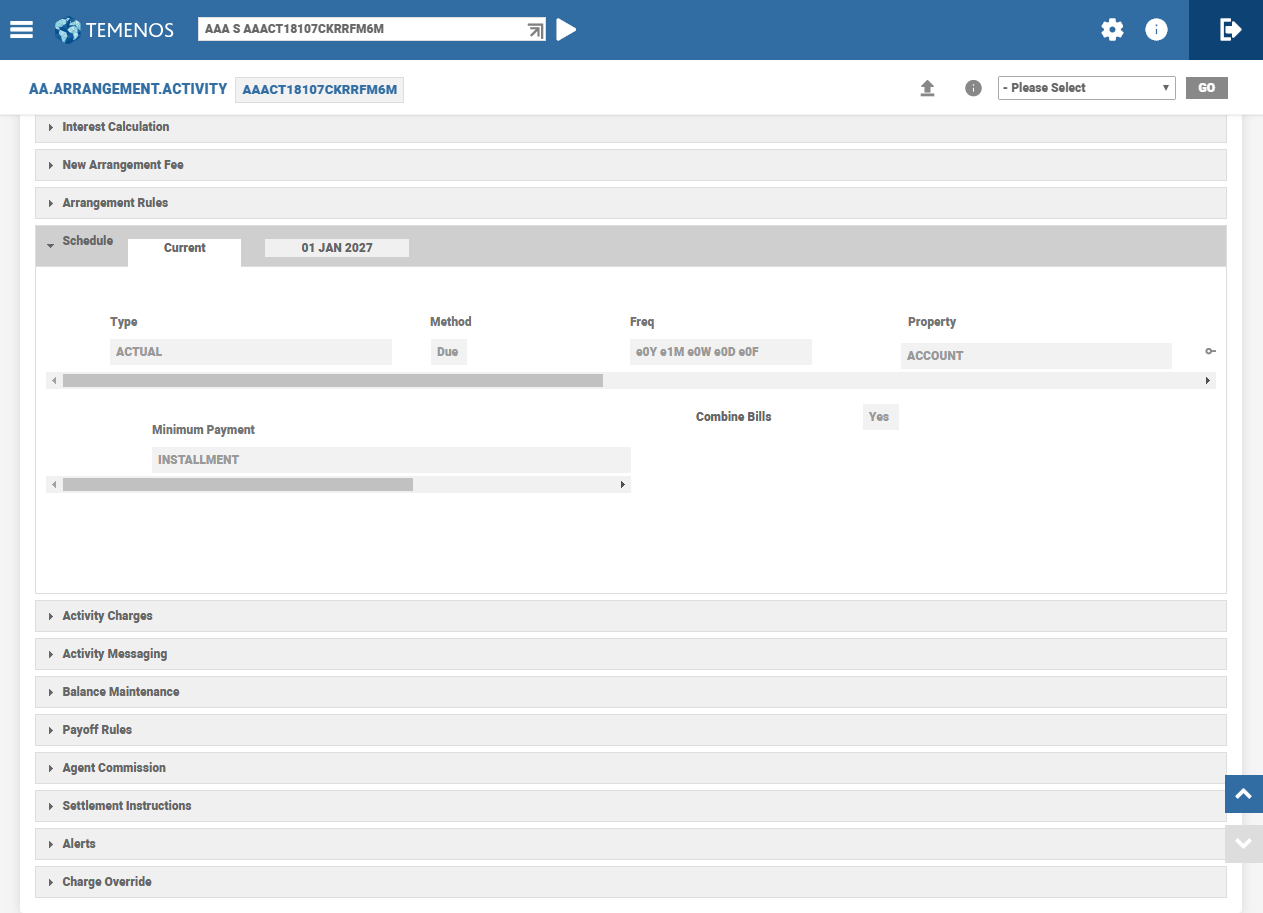
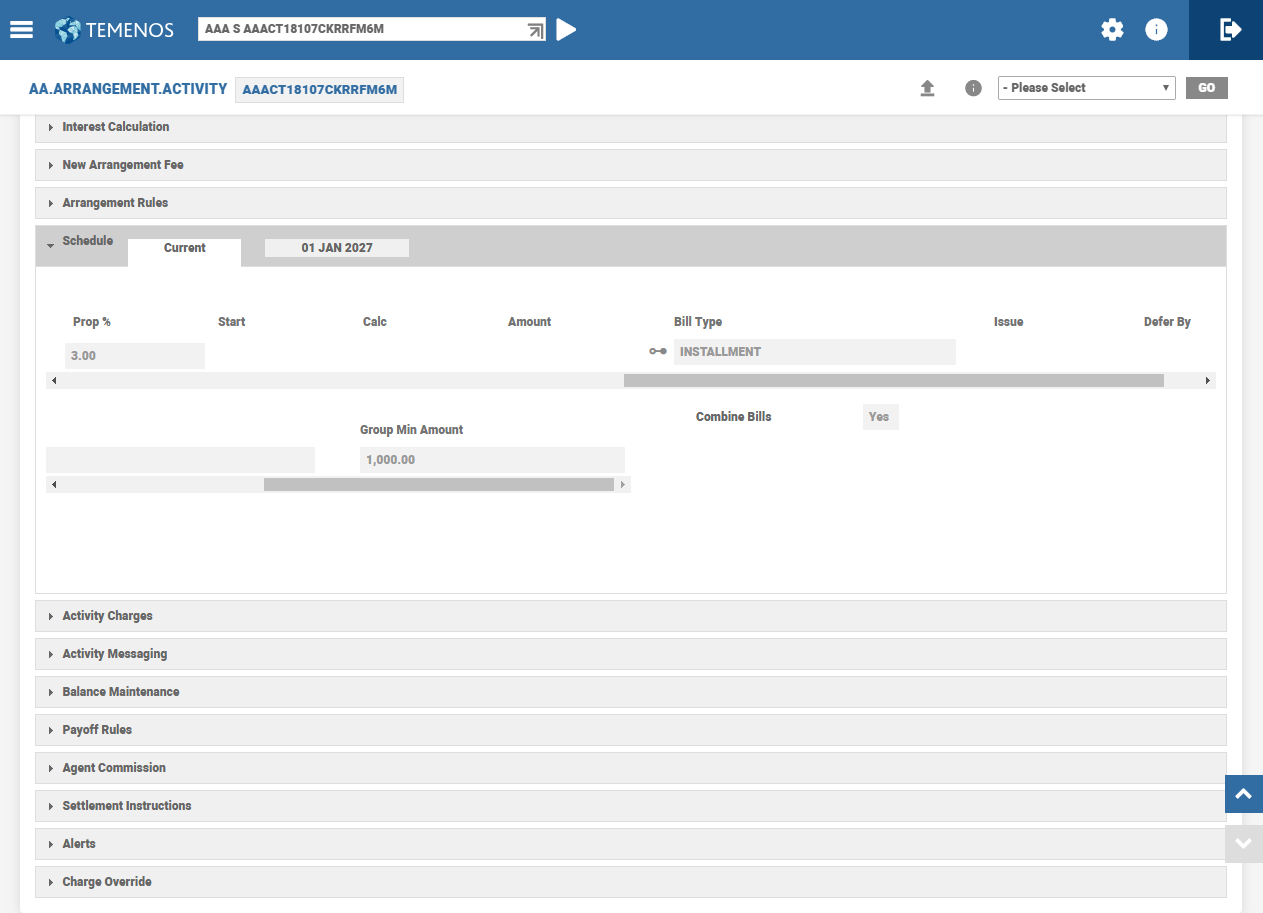
The user can setup bill type wise minimum payment amount using the Group Bill Type and Group Min Amount fields.
 Case 1
- Create an LOC Product with
- 3% principal repayment, monthly
- Monthly minimum payment of 1000
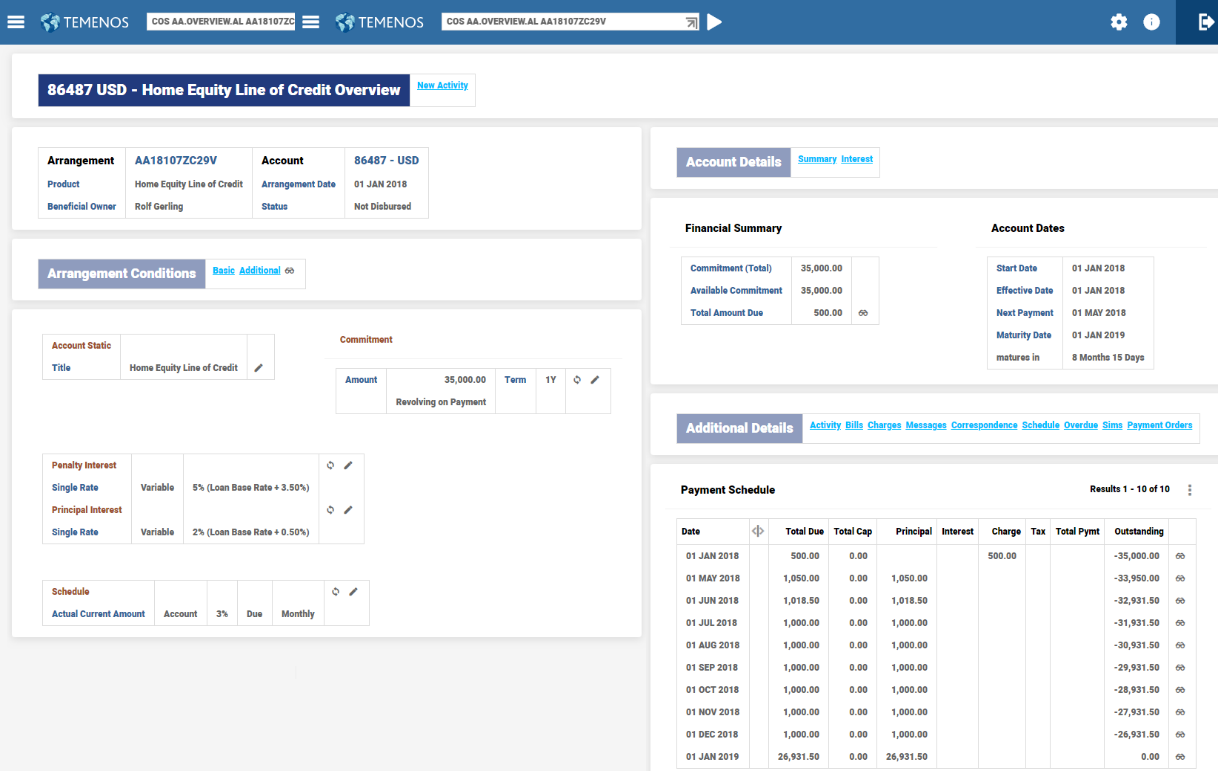
- Create an arrangement with 3% principal repayments with monthly frequency.


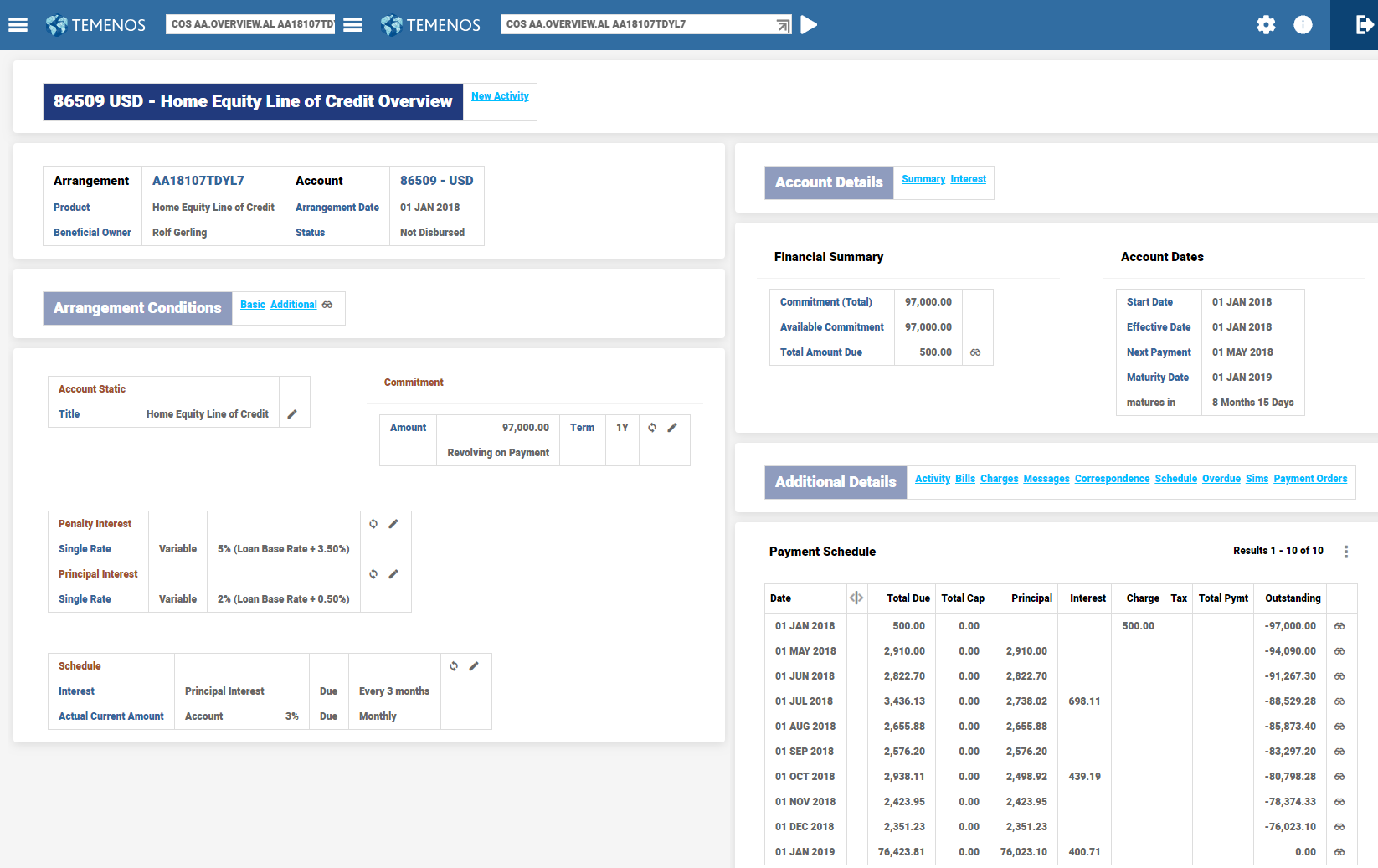
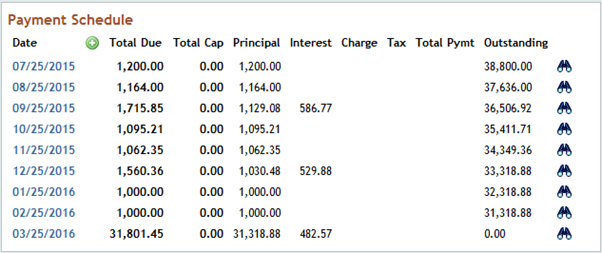
- View the Payment Schedule projection when the loan is not disbursed.

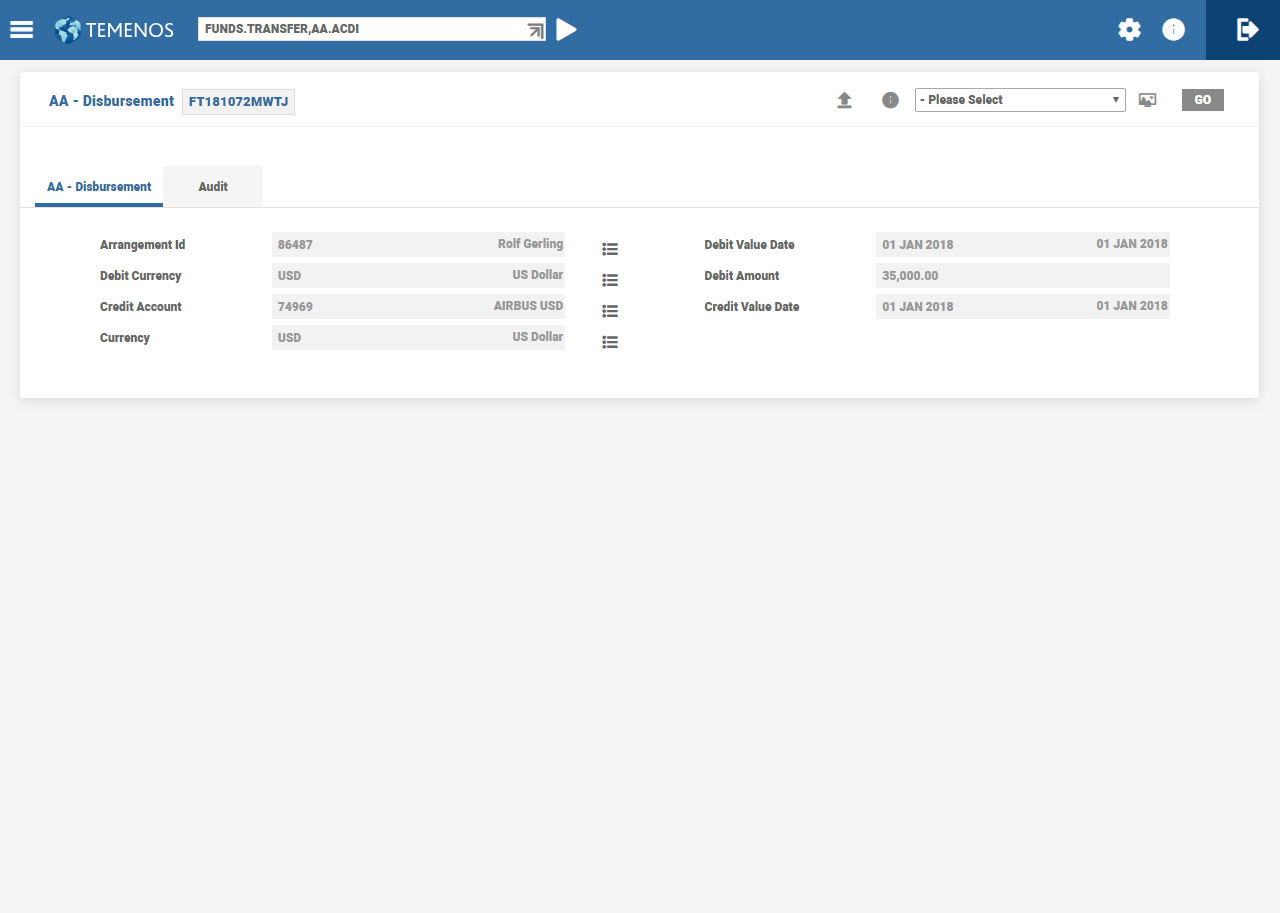
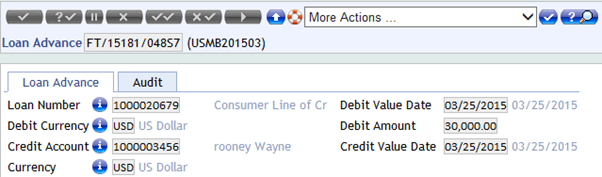
- Make a disbursement of 34T as of arrangement start date.

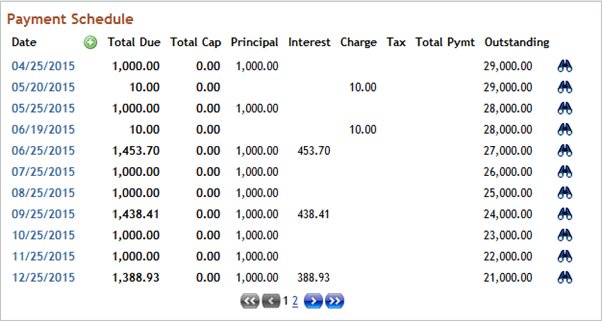
- View the Payment Schedule projection after the disbursement is authorised.

- View in detail the 04/25 bill.
- The outstanding amount was 34,000 and the interest percentage is 3%, which is 1,020. The calculated amount is greater than the minimum payment amount of 1,000 and hence the calculated amount is billed.
- View in detail the 05/25 bill.

- Here, the calculated amount is 989. The calculated amount is less than the minimum payment amount of 1000 and hence the minimum amount is billed.
Case 2
- Create a LOC Product with
- 3% principal repayment, monthly
- Actuals of interest accrued, quarterly. Interest rate is 6%
- Monthly minimum payment of 1500

- View the Payment Schedule projection when the loan is not disbursed.

- Make a disbursement for 20T as of arrangement start date.

- View the Payment Schedule projection after the disbursement is authorised.

- View in detail the 05/30 bill.

- View the actual bill raised for 05/30.

- View in detail the 07/30 bill.

- Here, 3% of outstanding principal is 510 (17,000 * 3%). The interest balance is 299.18. The cumulated amount is 809.18. Since this is less than the minimum payment amount of 1,500, the bill is produced for the minimum amount. The difference amount of 690.82 is added to the Account Property.
Case 3
- Create a LOC Product with
- 3% principal repayment, payable monthly, with bill type as INSTALLMENT.
- Actuals of interest accrued, payable quarterly, with bill type as PAYMENT.
- Interest rate is 6%.
- Minimum payment amount for INSTALLMENT bill type and PAYMENT is 1,000 and 500, respectively.

- View the Payment Schedule projection before the loan is disbursed.
- Loan is disbursed for 30T as of arrangement start date.
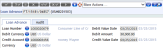
- View the Payment Schedule projection after the disbursement transaction is authorised.

- View in detail the 04/25 bill.

- Here, the calculated amount is 900 (30,000 * 3%) and hence the bill is raised for the minimum amount of 1,000.
- View in detail 06/25 bills
- There are two bills, one for INTEREST and the other for ACCOUNT.
- Interest Bill: Although minimum amount of 500 was defined for interest, the billing has happened only for the actual accrued amount. This is because, there was no account Property defined for the bill type.

- Account bill: The calculated amount is less than the minimum amount of 1,000 and hence the bill is made due for a 1,000.

Fixed Equal Repayment
For the loan arrangements with Fixed Equal Payments(FEP), a Minimum Invoice Component (MIC) can be configured at the Product definition level or at the arrangement level. At the loan agreement stage, it is possible to indicate that though loan is of FEP type, certain mandatory component(s) (such as interest and charges) are invoiced fully.
MIC is used to define the components that are to be invoiced fully. The Account Property cannot be defined as an MIC. The Interest Property can be defined as an MIC. When the charge is part of the FEP amount, but interest alone is defined in MIC, an override is raised.
- When the FEP amount is less than the total MIC amount (sum of the Property amounts defined in MIC), the total MIC amount is billed.
- When the FEP amount is more than the total MIC amount (sum of the Property amounts defined in MIC), the FEP amount is billed. For example, Interest component is alone specified as MIC component.
- When the FEP amount is less than the accrued interest, the accrued interest is billed.
- When the FEP amount is greater than the accrued interest, the original FEP amount is billed.
In the Absence of MIC
If FEP is unable to cover the components in the Payment Schedule, then the order of invoicing is charge, interest and principal.
- Any charge amount that cannot be billed, is foregone if the charge is not part of MIC.
- Any interest amount that is accrued but not billed, gets carried forward to the next period.
Effect during Recalculation of Payment Schedule
In certain activities, recalculate options affect FEP schedules as follows:
On Activity - Recalculate Term
The term is calculated based on the FEP amount. If the term cannot be calculated, then it is updated as blank resulting in the contract becoming a call contract.
NOTE: Every time term is recalculated, the system calculates the annuity amount, if available, is cleared.
On Activity - Recalculate Amount
Annuity amount is calculated. If Term is not available, it raises an error.
On Activity - Recalculate Residual Amount
Residual amount is calculated using the FEP amount defined in the Actual Amount attribute and current term. If Term is not available, an error pop ups.
On Activity - Recalculate Maturity then Payment
For a Product with Maximum Term Cap defined, when the term is recalculated based on the FEP amount captured or it breaches the cap, the system caps maturity date to the maximum term and calculates the annuity amount. The annuity amount gets updated.
Even if the term cannot be calculated, the system caps the maturity date to the maximum term and calculates the annuity amount.
Recalculating Term for Forward Dated Payment Conditions
In case of payment schedules read Recalculating Term for Forward Dated Payment Conditions section in Payment Schedule Property Class.
Consider the following example to understand how the term recalculation works when there is forward dated condition in payment schedule condition:
| Loan details | |
| Created on | 10-Jul-2020 |
| Amount | 36,000 |
| Term | 3Y |
| Payment | Monthly |
| Interest rate | |
| 10-Jul-2020 to 09-Jul-2021 | 2% |
| 10-Jul-2021 to 10-Jul-2023 | 3% (variable rate) |
| Payment amount | |
| For the first year | 1000 |
| From the second year, until maturity | 1100 |
Calculating Prepayment
The following sections describe the prepayment calculation when the prepayment amounts are:
Case 1
When the prepayment amount = 10000
- The system first calculates a maturity date based on the first condition, that is, payment amount of 1000 and derives a maturity date, say 10 -Dec-2022.
- From 10-Jul-2021(the forward condition date), the system considers the outstanding as of 10-Jul-2021 and uses 1100 as the payment amount and derives a maturity date, say 10-Nov-2022.
- Finally, the system updates 10-Nov-2022 as the maturity date.
Case 2
When the prepayment amount = 40000
- Similar to the above scenario, the system first calculates a maturity date based on the first condition, that is, the payment amount of 1000 and derives a maturity date, say 01-jun-2021
- The forward condition is applicable only from 10-Jul-2021. Since the recalculated term ends before the start of the forward condition, the maturity date is updated as 01-Jun-2021.
Zero Payment
During zero payment, either the payment frequency can be skipped of the end date mentioned in the End Date field or date in the Start Date field can be defined for skipping interim payments. In both the cases, the system calculates the amount in the Calc Amount field after considering the skipped installments (zero payments).
For an Annuity arrangement having a payment term of one year, if two regular payments are skipped in the middle of the payment period, the system calculates the payment amount for the remaining 10 payments considering the two zero payments and calculation logic equates the payment amount for the arrangement.
In the following example, payments are skipped on 6th, 7th, 9th and 11th month. However, the system projects the schedule for the arrangement by adjusting the skipped installment amounts for the rest of the payment period using its calculation logic.
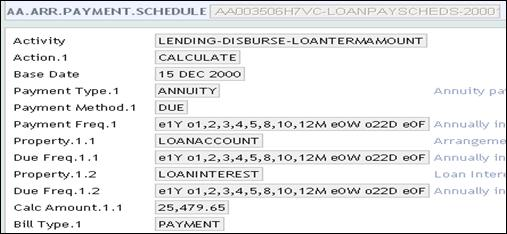
The below screen shot displays the AA.PRD.DES.PAYMENT.SCHEDULE record.
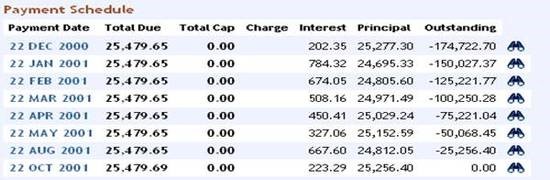
The below screen shot displays the Enquiry schedule projection
Disbursement Linked Payments
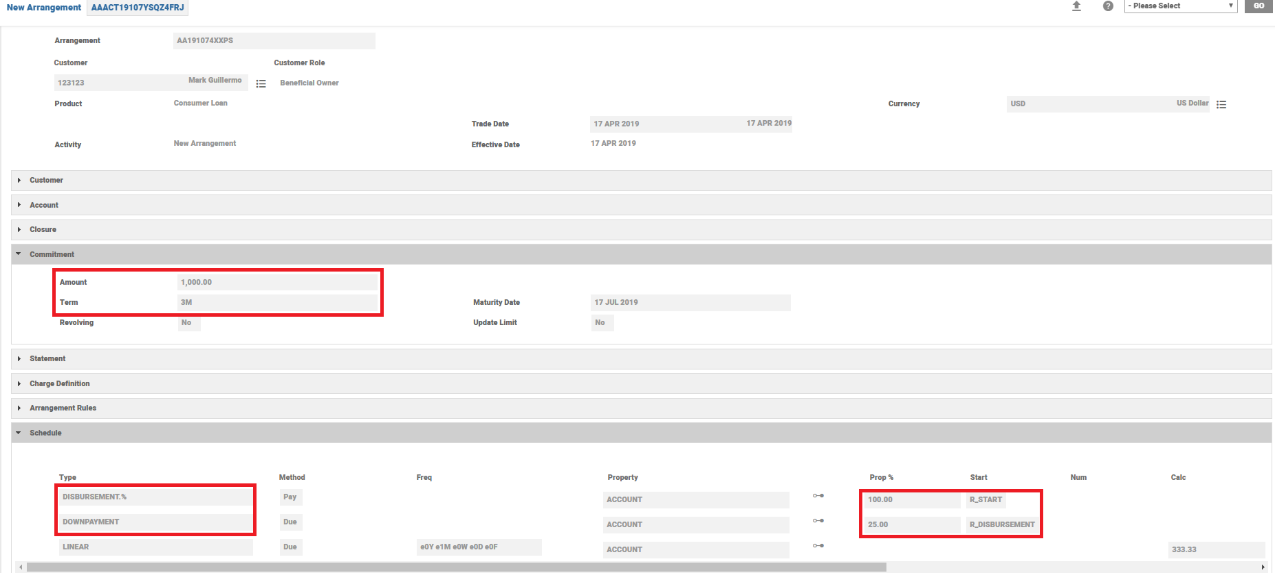
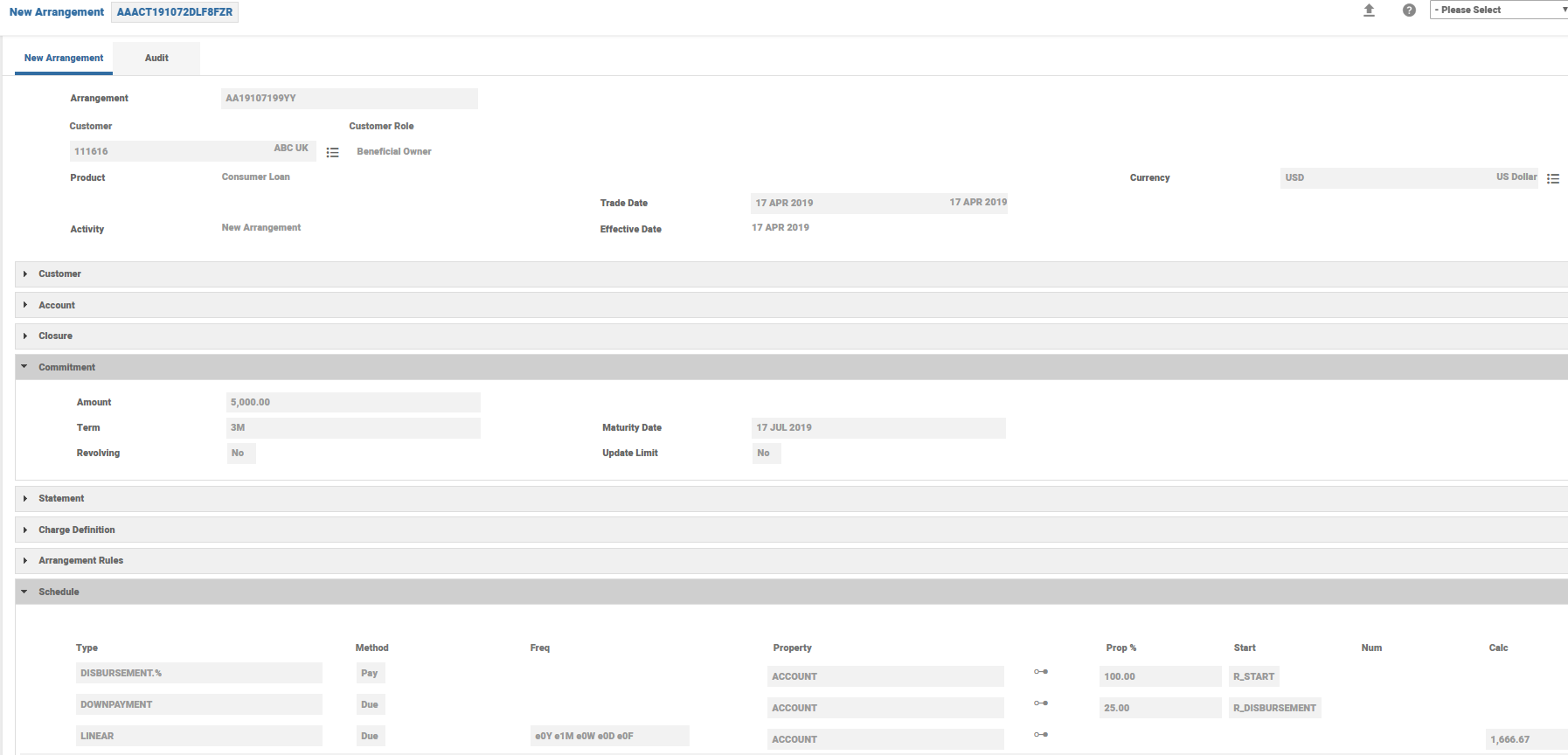
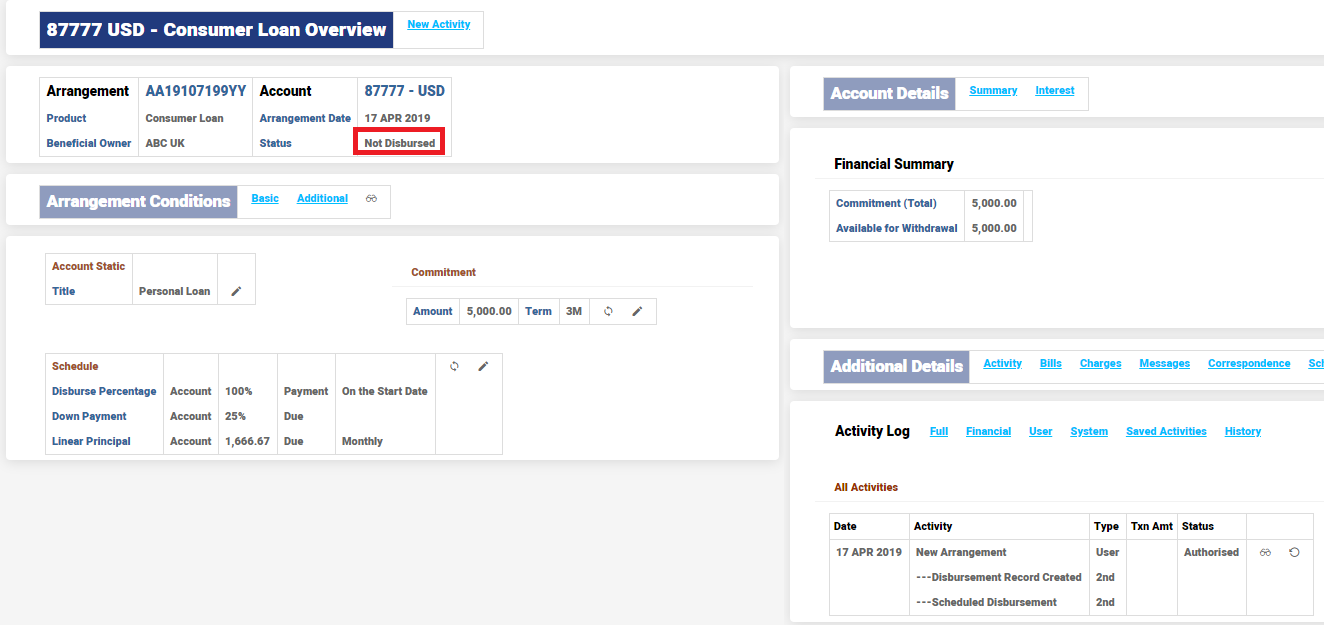
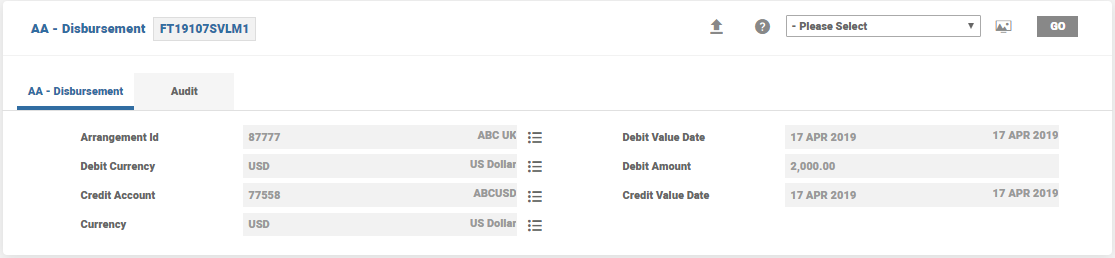
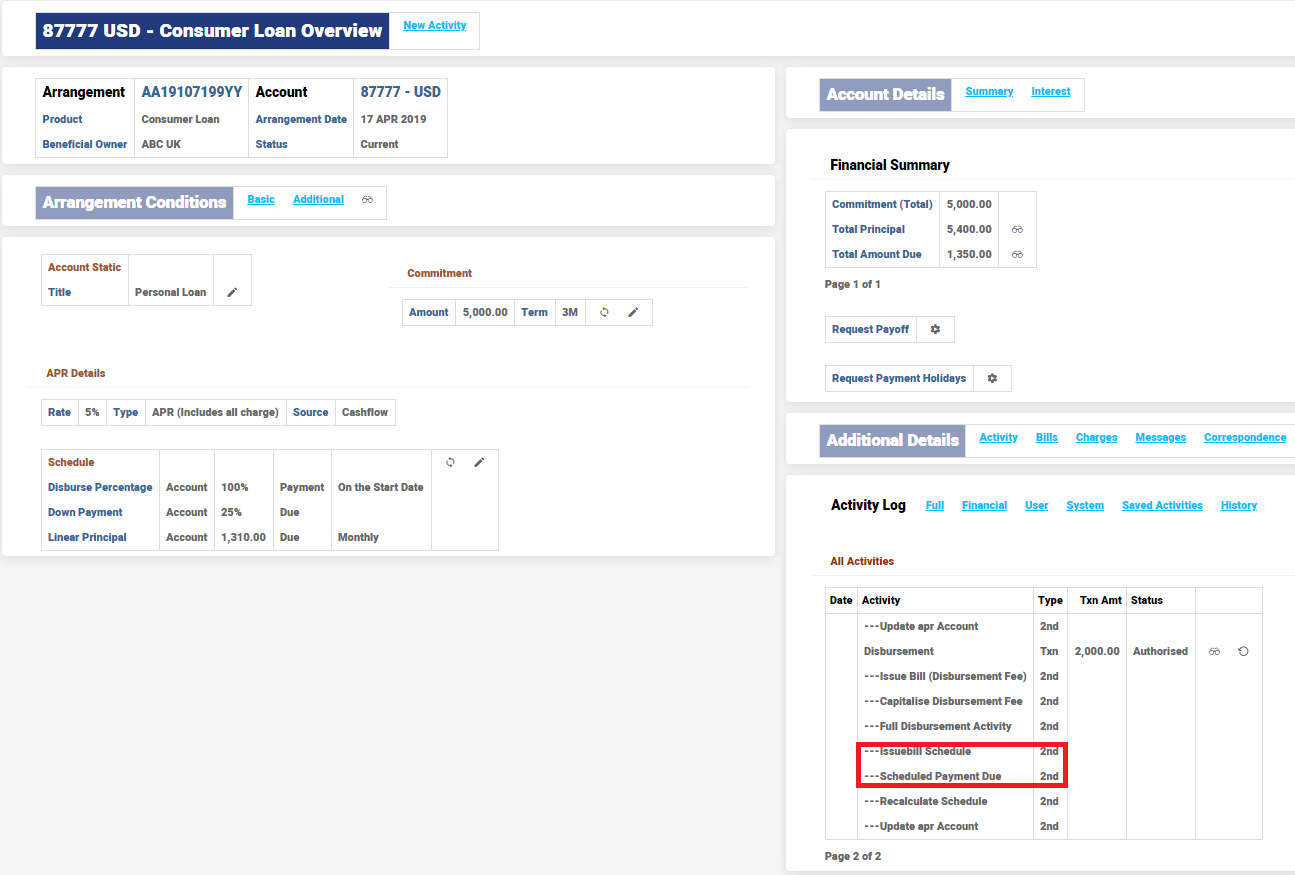
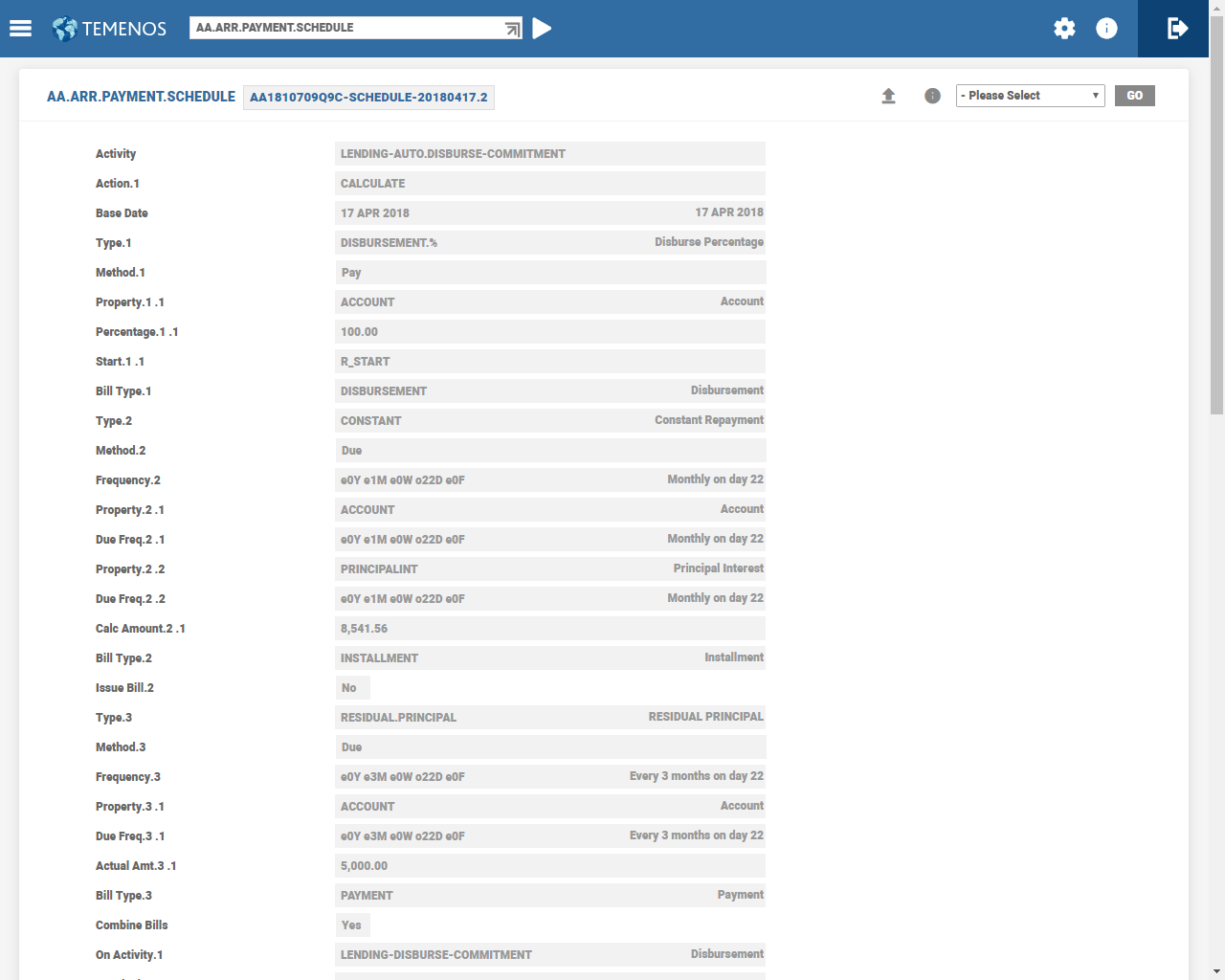
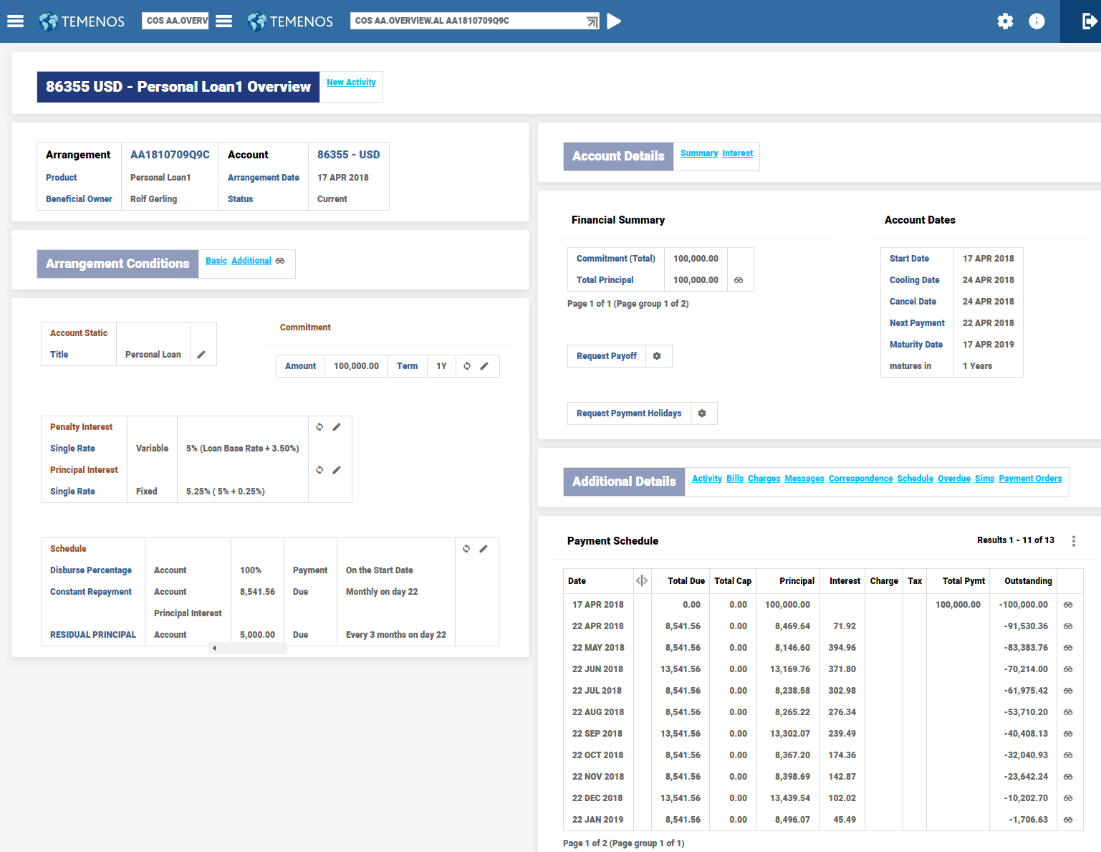
- When a loan product has to collect principal (down) payments along with disbursement, it can be set-up using the DISBURSEMENT relative date option and a TRANSACTION based Payment type.
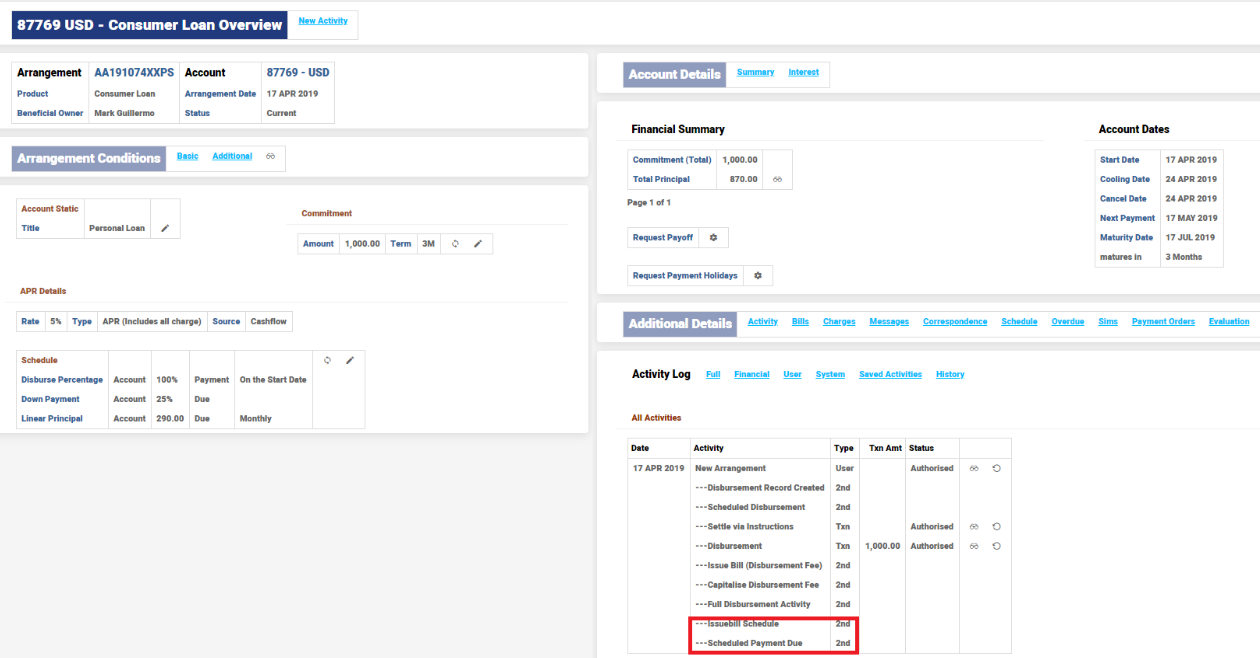
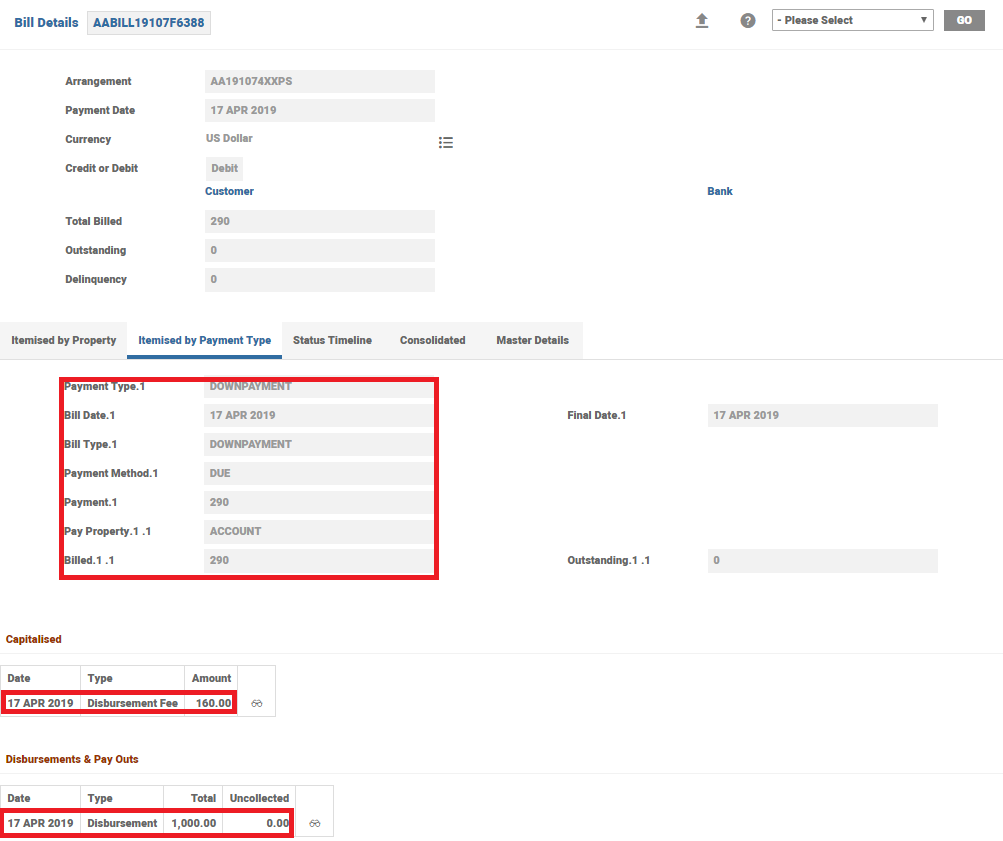
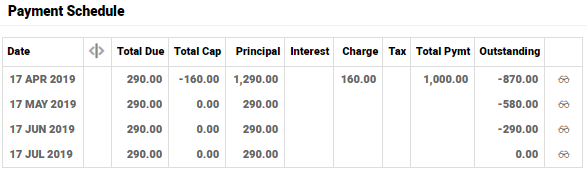
- The consumer loan product in model bank illustrates this set-up where a downpayment of 25% is collected for each disbursement and the rest of the payments are collected on 30, 60 & 90th day.
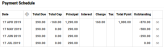
Case 1: Downpayment with Automatic Full Disbursement- An arrangement is created for USD 1000 and is fully disbursed (automatically)
- The disbursement fee is calculated on each disbursement and is capitalised.
- 20% for loans upto 500
- 16% for loans above 500 but less than1000
- 8% for loans above 1000
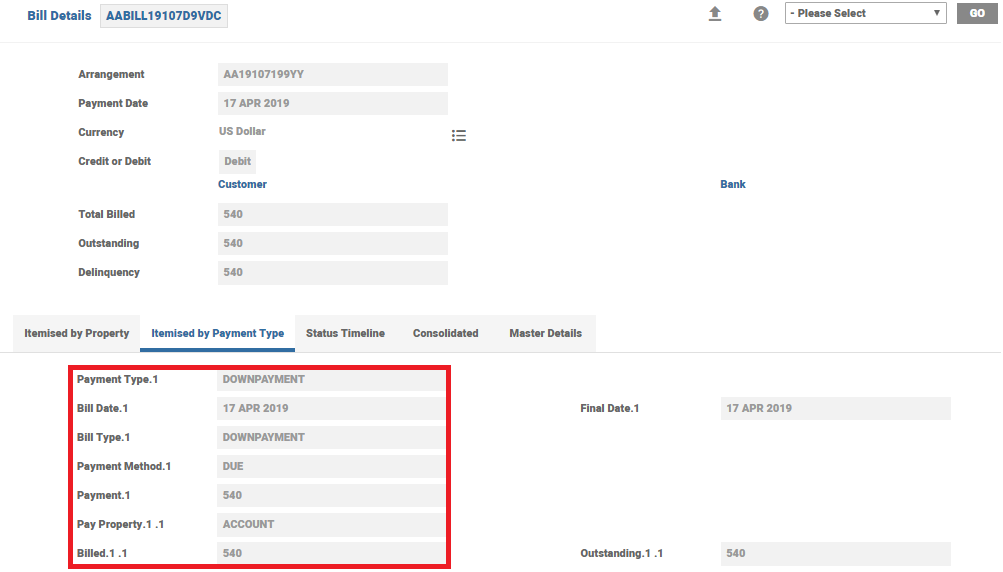
- 25% of the disbursed amount plus the charge is collected as downpayment and is billed online.
- The net CUR account movement is 1160
- 25% of the movement ,that is, 290 is calculated as a payment bill and is raised along with this disbursement.
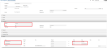


Case 2: Downpayment with Partial Disbursement- An arrangement created for USD 5000
- The disbursement fee is calculated on each disbursement and is capitalised.
- 20% for loans upto 500
- 16% for loans above 500 but less than1000
- 8% for loans above 1000
- 25% of the disbursed amount plus the charge is collected as downpayment and is billed online.
- The disbursements are done manually
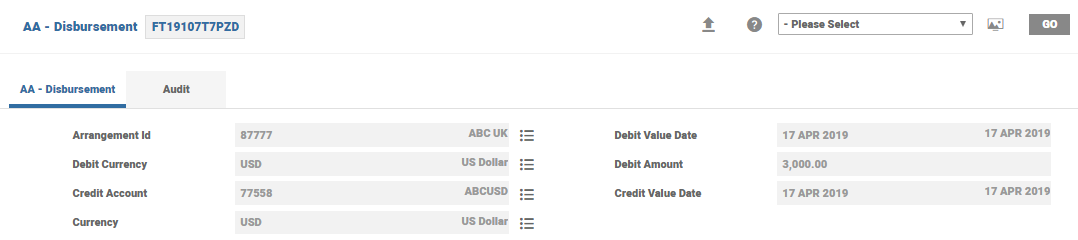
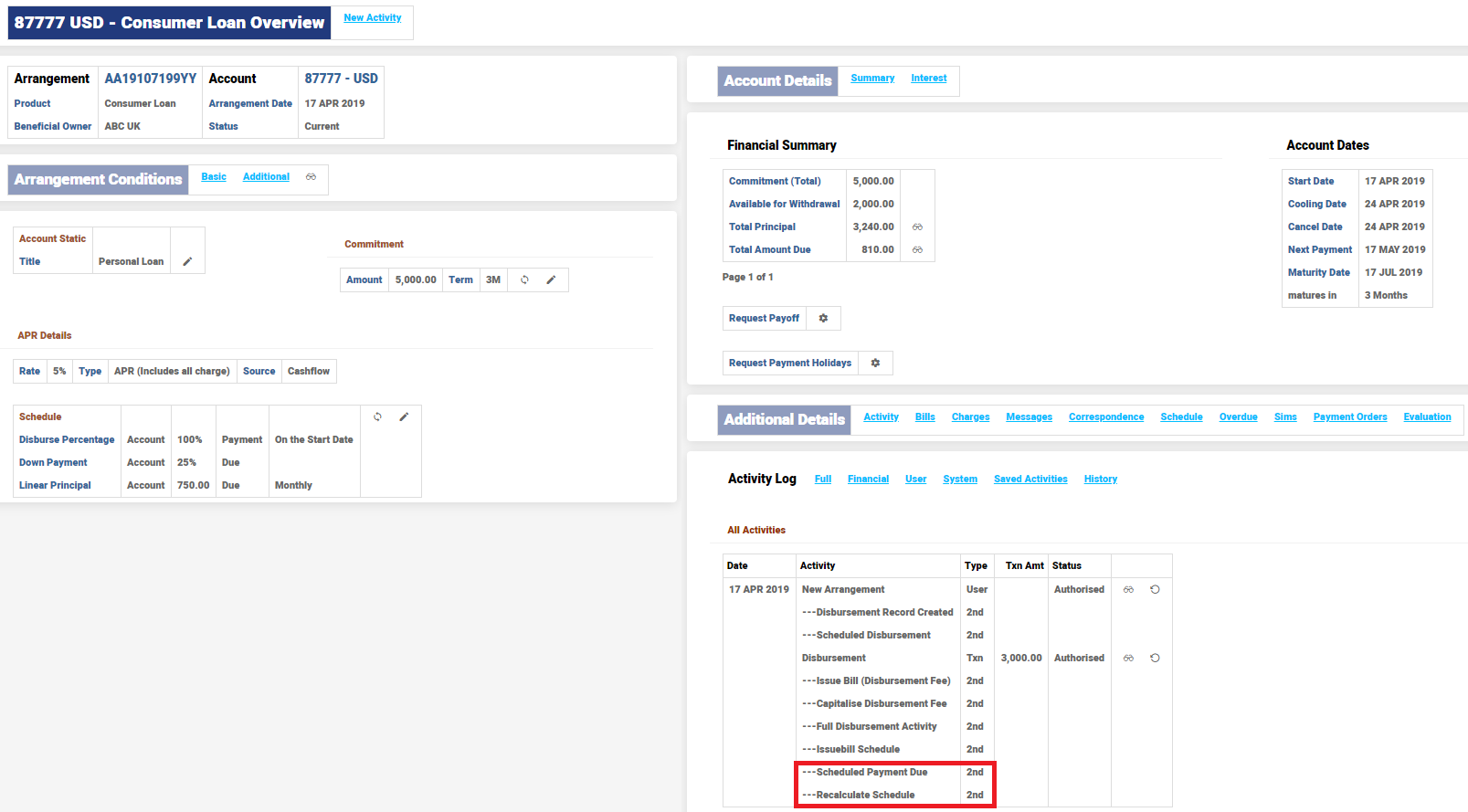
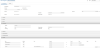
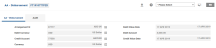
- First Disbursement for 3000
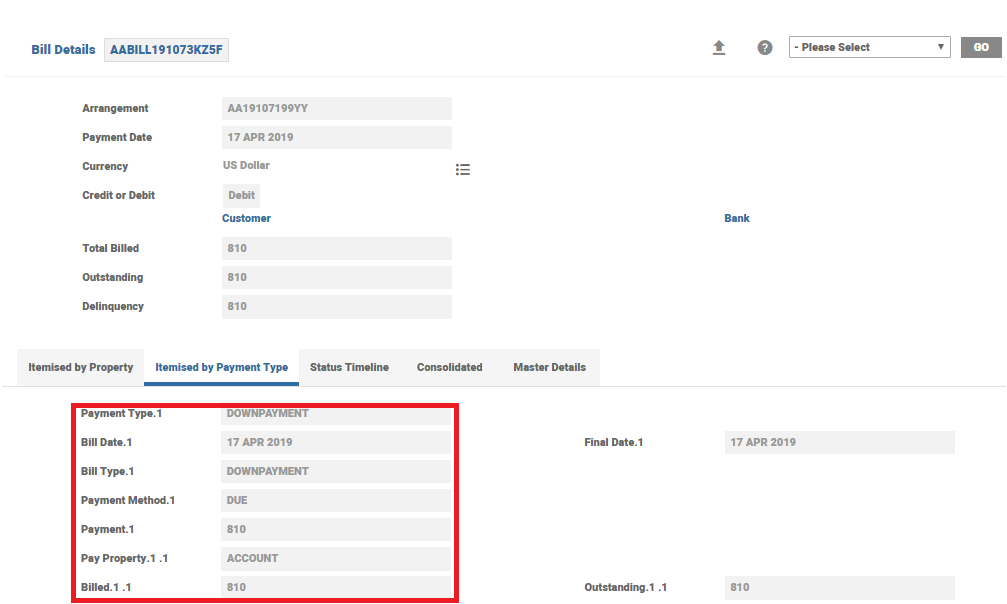
- Net movement in CUR balance is 3,240
- 25% of the movement, that is, 810 is calculated as a payment bill and is raised along with this disbursement.
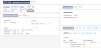
- Second and final disbursement for 2000
- New movement in CUR balance is 2160
- 25% of the movement, that is, 540 is calculated as a payment bill and is raised along with the second disbursement.




- First Disbursement for 3000
Progressive Payments
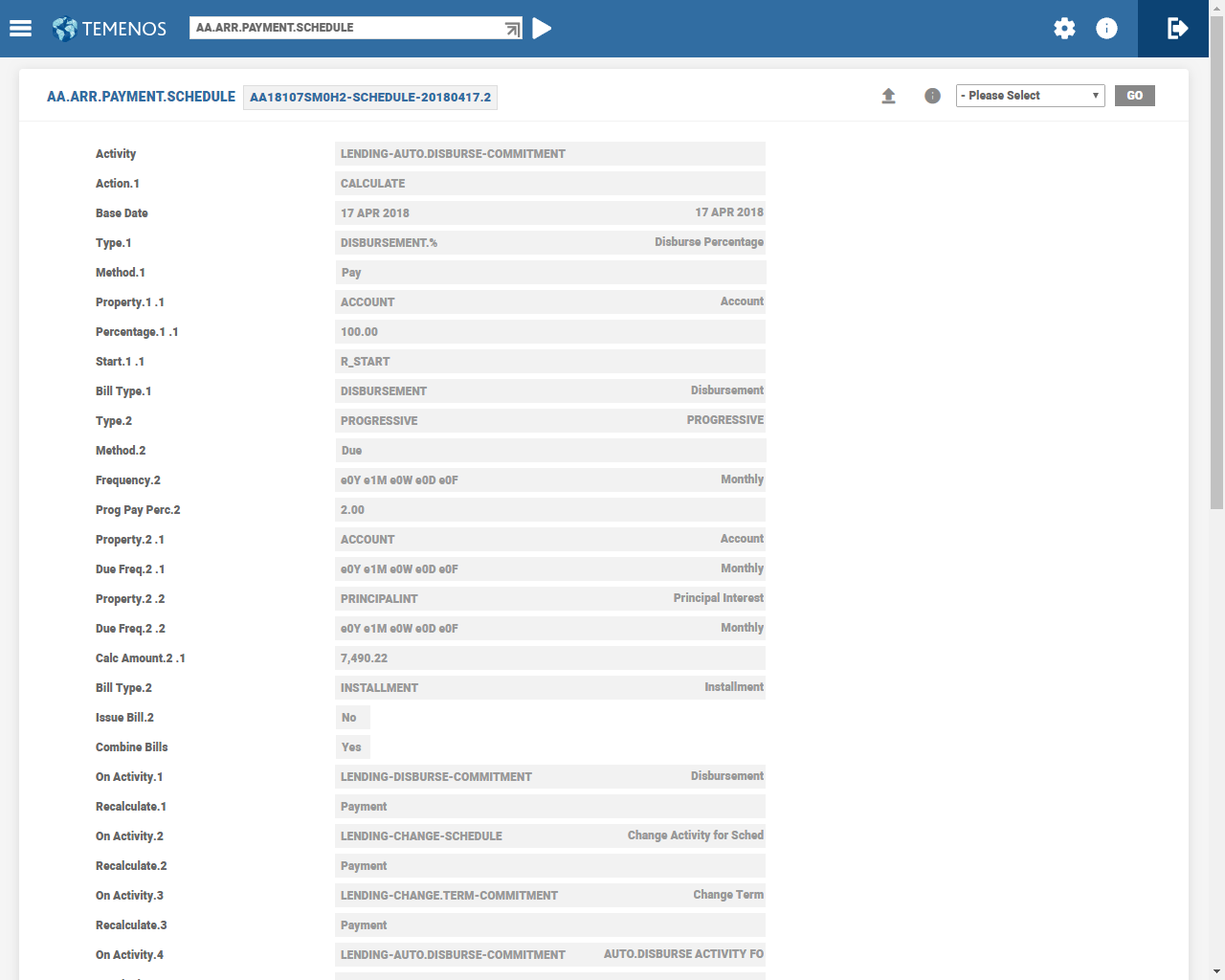
The repayment amount in the Calc Amount field can be recalculated upon every repayment. The PROGRESSIVE.PAYMENT value in the Recalculate attribute increments the Calc Amount by the progressive percentage. The On Activity attribute in the Payment Schedule should include the LENDING-MAKEDUE-PAYMENT.SCHEDULE Activity to recalculate the PROGRESSIVE.PAYMENT.
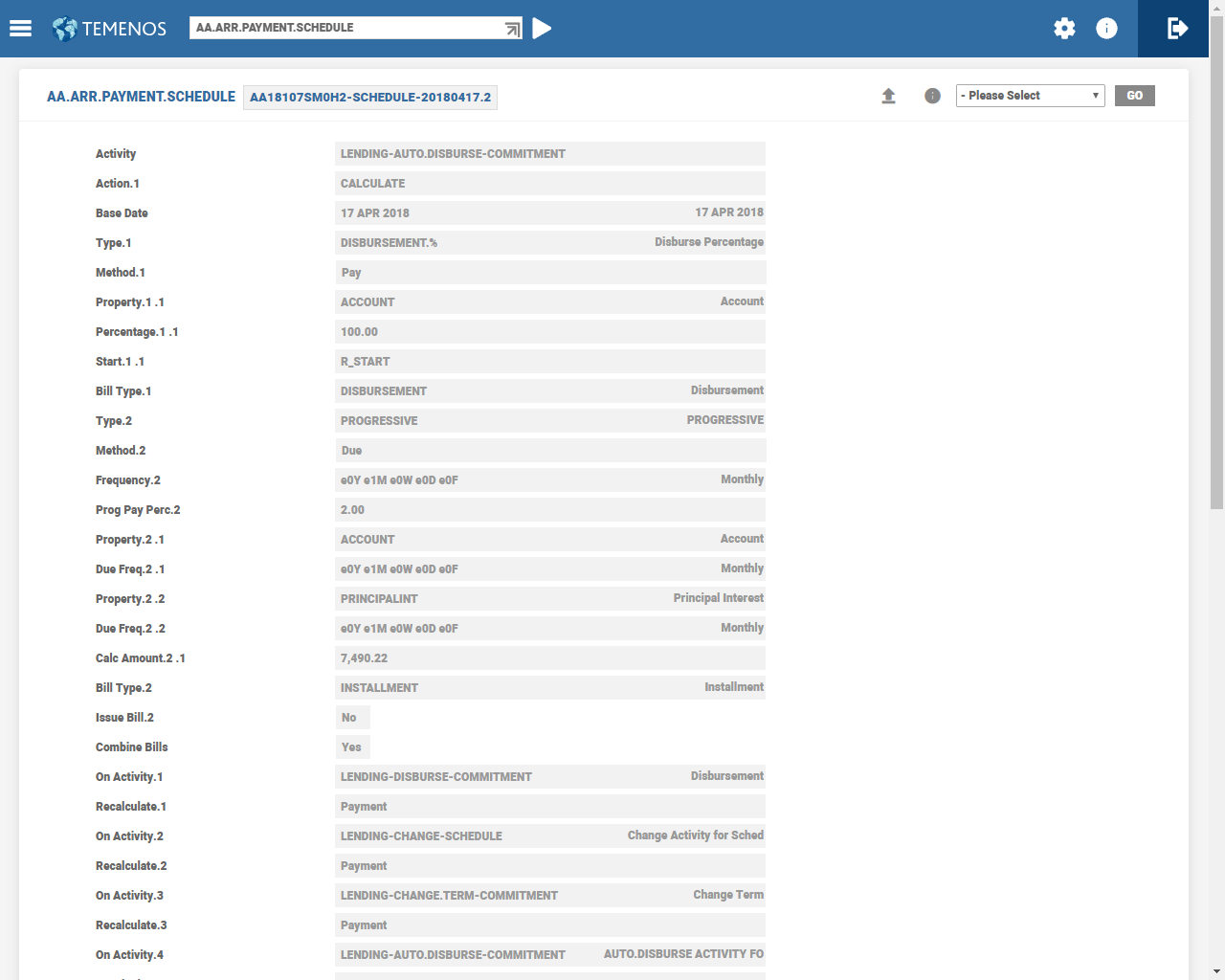
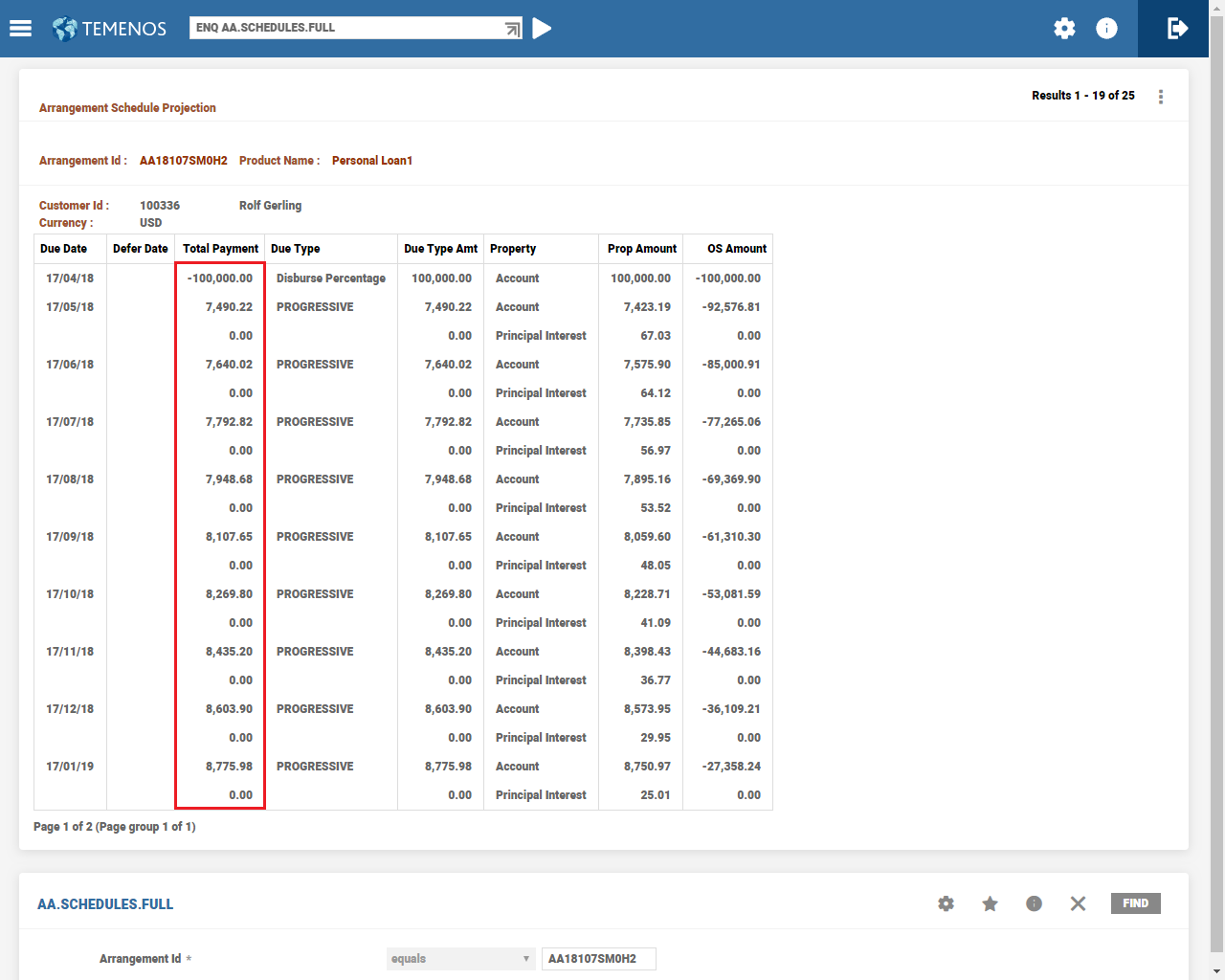
In the example AA.ARR.PAYMENT.SCHEDULE, the Payment Freq attribute is set to 1M and the rate is 2%. This results in the amount calculated each month to increase by 2% every month.
The below ENQ AA.SCHEDULES.FULL enquiry shows the calculated amount for future payments for the above arrangement. This has been increased every month.
Overriding the Capitalisation Amount
The capitalisation process can make an account overdrawn, but such a scenario can optionally be restricted to the extent of available balance on the account. However, this functionality cannot be extended to user-defined checks, for example, a minimum amount definition that might be required for the customer for his living, like a sustenance amount. The system considers the entire available balance during capitalisation.
In order to overcome this, an option is provided to validate any other user defined conditions that might be required during capitalisation. During capitalisation of bills, the system validates if the payment type is set as Cap and Inv Alt Payment Method and a user routine is attached in Alt Payment Routine.
When both these conditions are satisfied, the available balance and the capitalisation amount are handed over by the core routine to the user attached API. The API further validates and decides if the bill should be capitalised or invoiced.
IllustrationConsider the pre- conditions listed above are met.
A customer has a credit balance of Rs 5000. There is a user definition to have a balance Rs 7000 and above for his sustenance. A debit interest bill is processed for Rs 500.
In the above scenario since the sustenance balance is greater than the available balance, the entire billed amount is moved to Inv.
Defining Future Conditions at the Arrangement Level
The Type field with FORWARD.DATED value in the AA.PROPERTY.CLASS record allows the user to introduce a new definition at the arrangement level, it will be dated. Once captured with a future date, the system automatically schedules this and during close of business the Scheduled Activity is processed by applying the new condition to the arrangement.
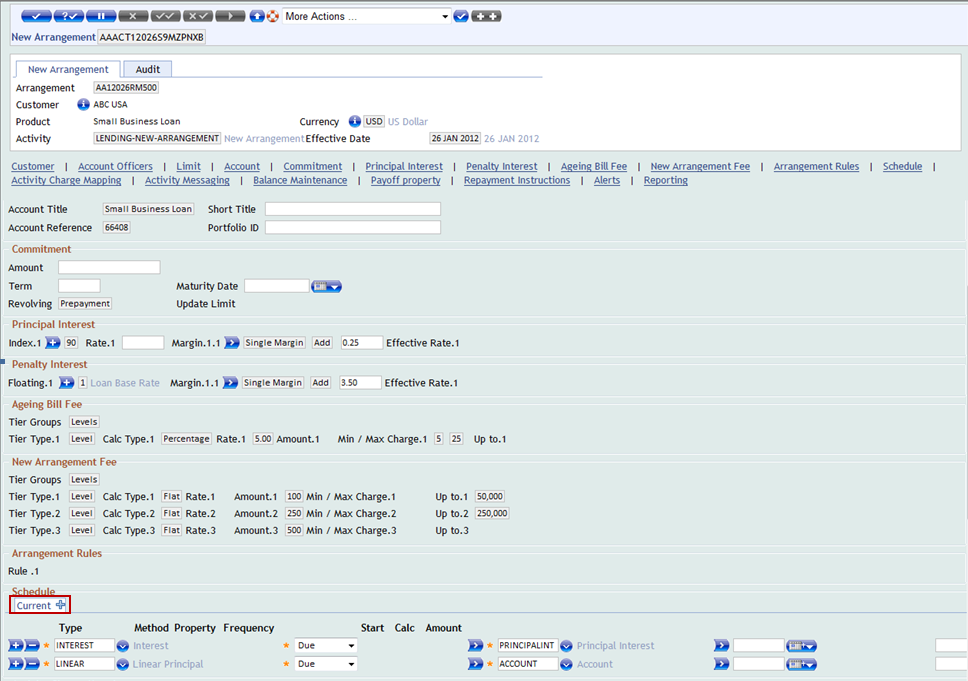
A Show tabs for expansion icon is provided in the tool bar of AA.ARRANGEMENT.ACTIVITY and AA.SIMULATION.CAPTURE screens. It helps the user to identify the property for which the future dated condition can be added.
Future dated condition can either be given by specifying the date of required change or by specifying relative date like ARRANGEMENT / START + 1 month.
- Click the Show tabs for expansion icon in the tool bar.

The Show tabs for expansion icon is disabled after displaying Current tab for the property to which Future Date Conditions are allowed.

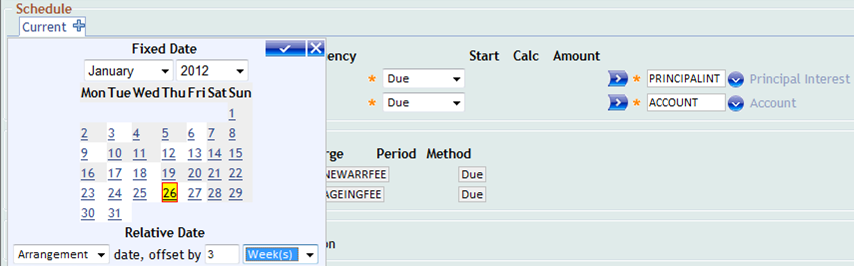
- Click Expand icon from Current tab to add Future Date Conditions. An Option for selecting Fixed Date and Relative Date pops up on the screen.
- Select month and year for Fixed Date and Arrangement or Start date, offset by day(s), week(s), month(s) and year(s) for Relative Date.
- Click to confirm the selection. The selected options will be displayed as the description of the Future Date Conditions tab.

NOTE: Multi-Tabs added to a FORWARD.DATE set AA property can be displayed. But there is no option of hiding the Future Date Conditions Tabs.
Additional Payments
Additional scheduled payments can be included in the PAYMENT.SCHEDULE Property. Additional payment is defined as the payment scheduled over and above the regular payments.
Additional payments can be given by adding a payment type, and it can be either ad hoc (single) or regular and the amount should be specified in the Actual Amt attribute. The system calculates the Calc Amount field taking into account the additional payment(s) specified.
It is possible to have
- Regular additional payment- An additional payment amount is specified on a recurring basis, such as annually. This amount applies over and above the regular installment amount.
- Regular special payment - An actual payment amount is specified for a regular installment. This amount replaces the regular installment amount.
- The additional amount is paid over and above the normal loan installment. When an additional amount is set in a repayment schedule, the remaining instalments are automatically calculated by the system.
- These payments can be in the middle of an Annuity schedule, or a Single Line Amortisation (SLA) schedule (equivalent to Linear in Temenos Transact). When the payments are added to such a schedule, the payment amount is calculated to take into account the additional payment(s).
The below screen shot displays the AA.PRD.DES.PAYMENT.SCHEDULE.

The below screen shot displays additional payments every 3 months in the Payment Schedule.

Special Payments
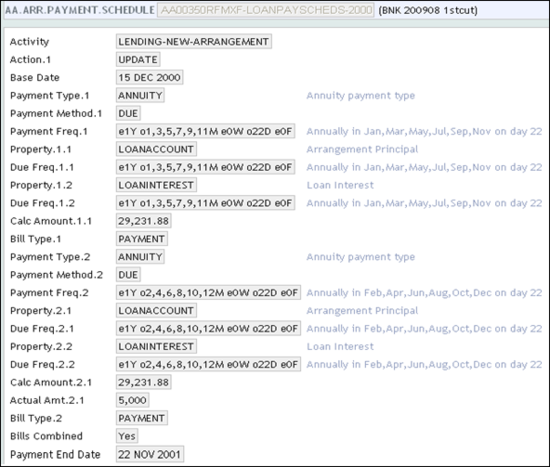
Special payment is the actual amount specified by the user to substitute the regular installment amount for the specific period, either single or regular. This amount has to be specified in the Actual Amt attribute. In the example below, it is possible to schedule the Actual Amt for the specified periods, which substitutes the system Calc Amount. In this case, the system calculates the Calc Amount considering the user scheduled Actual Amt.
The below screen shot displays the AA.PRD.DES.PAYMENT.SCHEDULE record.
Deferred Payments
The Defer Period attribute in the Payment Schedule Property Class is used to define deferred payments. It defines how long the scheduled payment should be deferred from original cycled date.
Example 1
- Date Convention - Forward
- Date Adjustment - Period
- Bill is raised on 2nd Feb with Payment Date as 2nd Feb, Actual Pay Date as 1st Feb, Financial Date as 2nd Feb and Defer Date as 8th Feb.
- Defer Date is calculated as 5 days from Actual Pay Date, which is 6th Feb. As it is holiday, the system again applies Date Convention on top of this date. Hence, the value of Defer date in this case is 8th Feb.
- For Defer Activity (processed on 2nd Feb), accounting entries are raised with Value date as Financial Date.
- The MAKEDUE or CAPITALISE Activity is processed on the Defer Date, which is 8th Feb. Here, the accounting entries are moved to nullify DEF entries and raise real statement entries.
Example 2
- Date Convention - Forward
- Date Adjustment - Value
- Bill is raised on 2nd Feb with Payment Date as 2nd Feb, Actual Pay Date as 1st Feb, Financial Date as 2nd Feb and Defer Date as 8th Feb.
- Defer Date is calculated as 5 days from Actual Pay Date, which is 6th Feb. As it is holiday, it will again apply Date Convention on top of this date. Hence, Defer date in this case is 8th Feb.
- For Defer Activity (processed on 2nd Feb), accounting entries will be raised with Value date as Financial Date.
- The MAKEDUE or CAPITALISE Activity is processed on the Defer Date which is 8th Feb. Here, accounting entries will be moved to nullify DEF entries and raise real statement entries.
Installment Amount for Multiple Disbursement
Loans can have the calculated installment amount as a constant (same) amount based on the full principal amount and the accrued interest on the outstanding principal balance. This constant installment amount is the same amount from the first to the final installment amount as per the payment schedule. The Include Future Disb (INCLUDE.PRIN.AMOUNTS) field is set to Yes only when the installment amount is required to be constant from start date until the maturity date of the contract. Any principal disbursement or repayment scheduled in the future is taken into consideration for the calculation of installment.
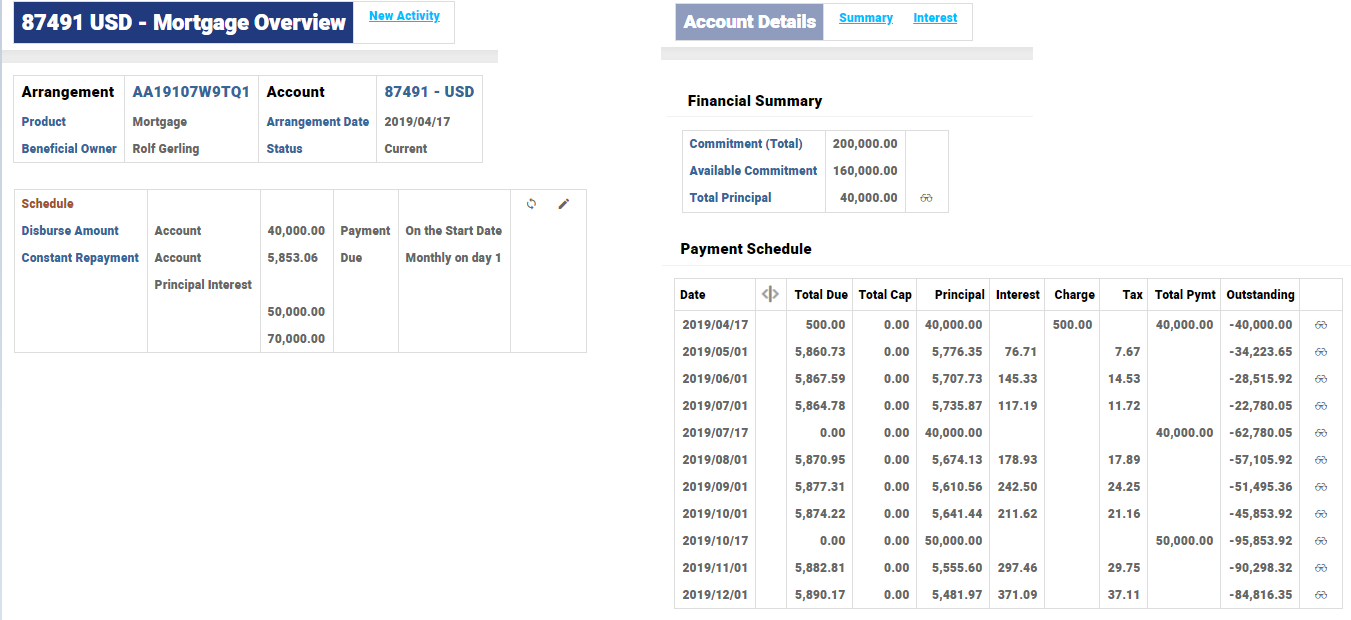
Given below is an illustration of the loan that has scheduled disbursements with loan installments set for annuity repayment. Here the user has opted for installment calculations to consider future disbursements.
The schedules are built considering the future disbursements as well.
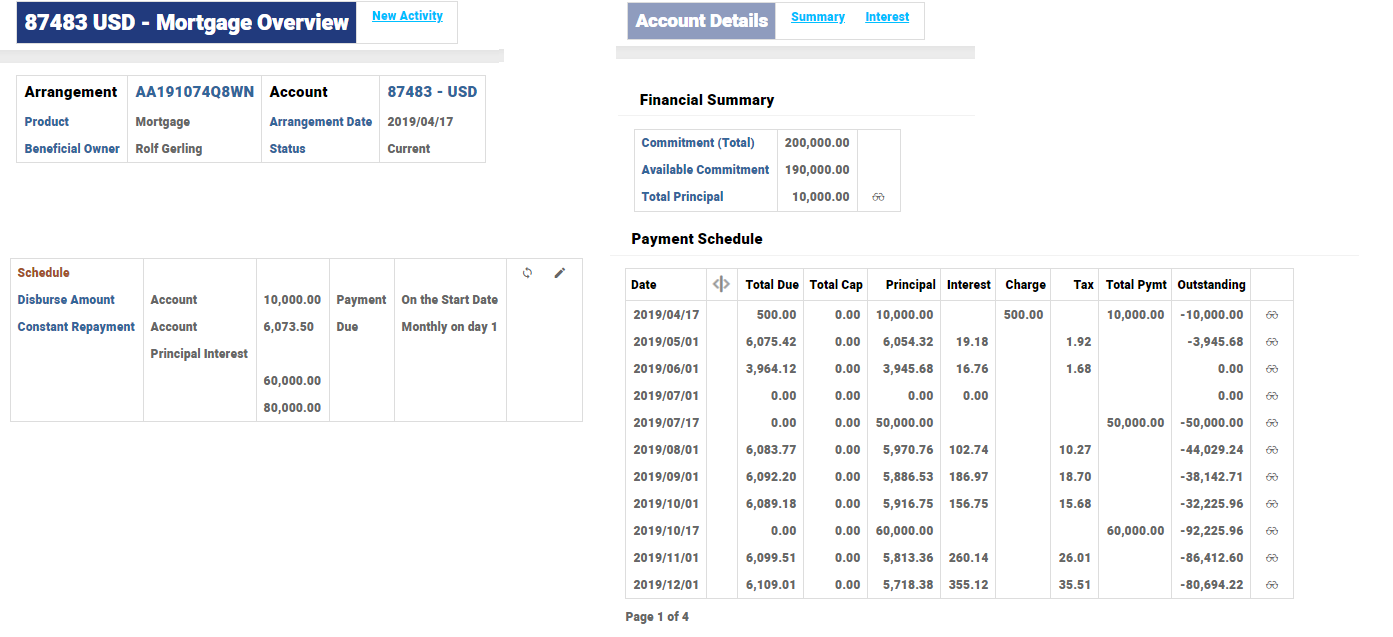
In the below illustration, the scheduled disbursement is planned, but the total outstanding is repaid before the second disbursement. Hence the second installment is a reduced amount to repay the outstanding and third installments is zero. Regular repayments start after the next disbursement is carried out.
When the flag for considering future disbursements is set, the system adjusts the installment amount automatically during loan life cycle stages. For example, change in disbursement dates, disbursement amount or disbursement percentage, interest rate revisions, maturity date change, payment holiday, change in schedules, prepayments, special payments, special schedules like interest only or principal only, tax or charge included installments, capitalisation of dues during overdue, charge-off, write-off.
During the loan takeover from legacy system, the users set this field as yes to calculate the installment amount considering the future disbursements.
Adjust Balance for Upfront Profit
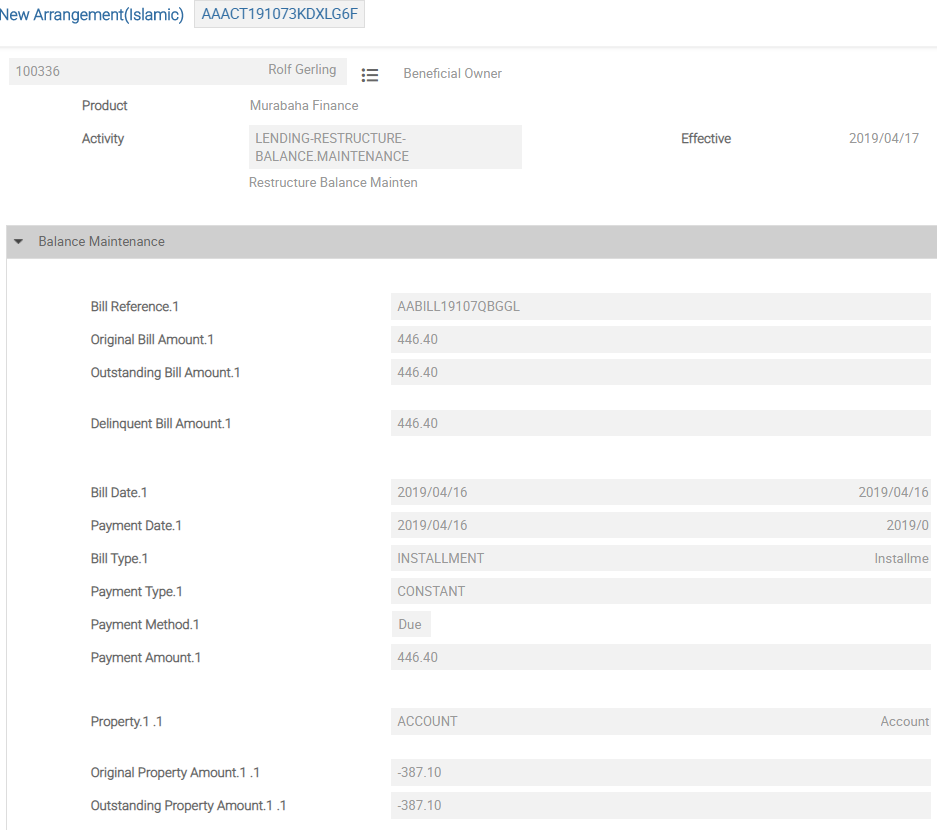
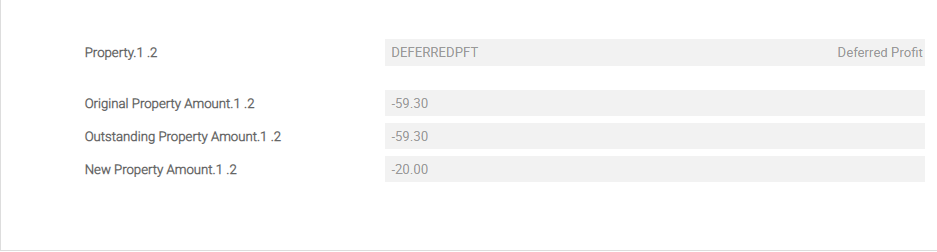
For a finance in which upfront profit is collected, when the customer indicates his inability to repay a loan, the user can adjust the balance and recalculate the upfront profit using the LENDING-RESTRUCUTRE-BALANCE.MAINTENANCE Activity Class. The system raises the accounting entries and updates the interest files. The system recalculates the profit after the restructure. This functionality is currently limited to Account and Interest (upfront profit) Property Class alone.
Illustration
Do a restructure balance maintenance activity and reduce the profit amount for the outstanding bill.
In the below example, the upfront profit is reduced from $59.30 to $20.
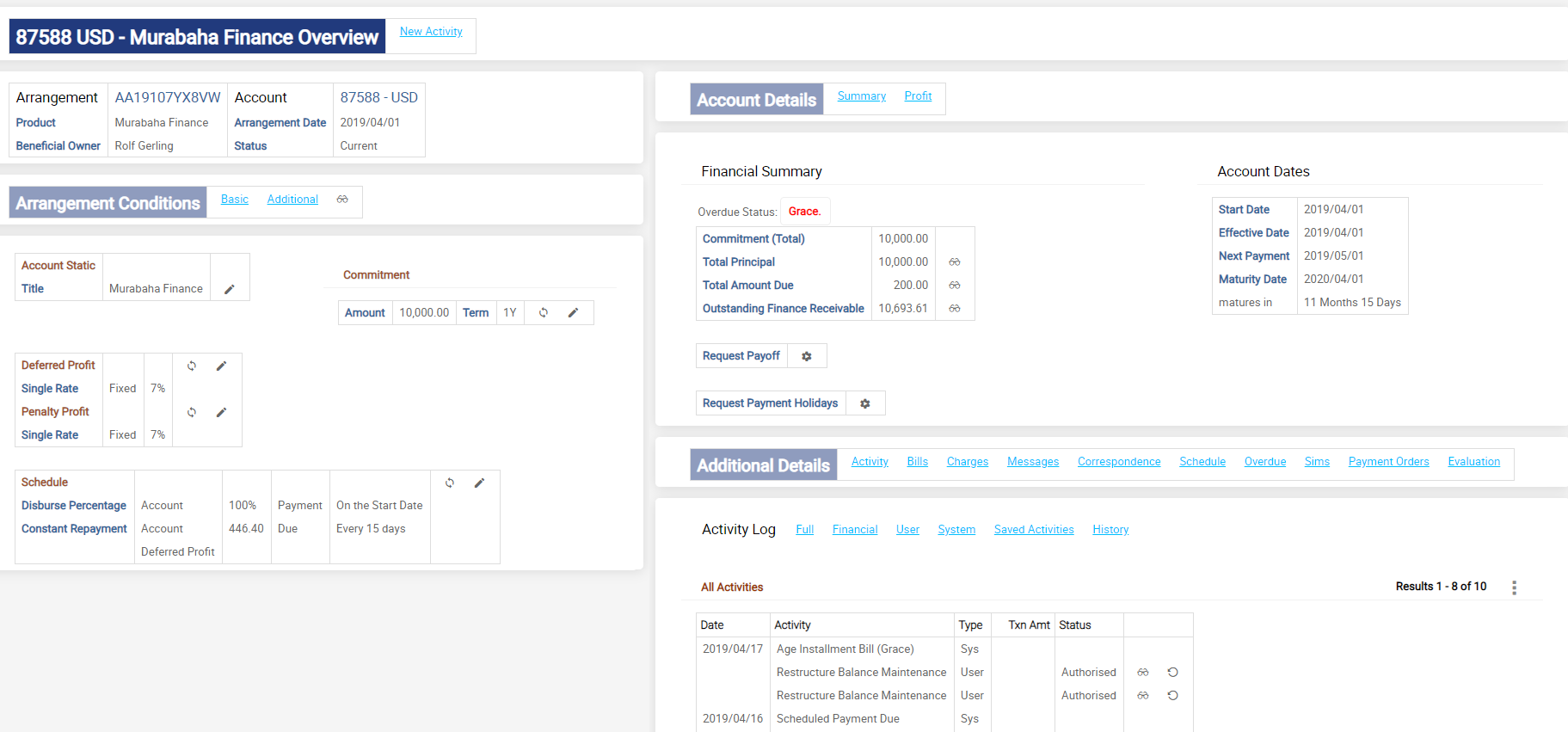
The arrangement overview after the restructure balance maintenance activity, which reduce the profit amount for the outstanding bill is shown below.
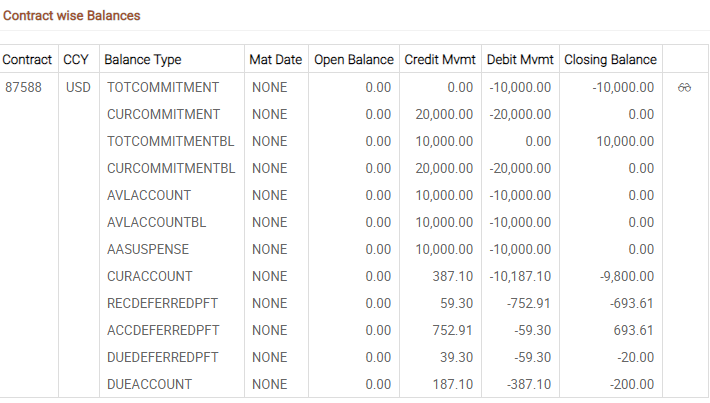
EB.CONTRACT balances depicts the below entries has performed in the arrangement.
The system has re-initiated the REC and ACC profit balances and reduced the DUE balance.
Accounting Illustration
| Event | Balance type | ECB amount |
|---|---|---|
| Disbursement | RECINTEREST | -$713.61 |
| ACCINTEREST | $713.61 | |
| During Issue Bill | RECINTEREST | -$654.31 |
| ACCINTEREST | $654.31 | |
| DUEINTEREST | $59.3 | |
| Restructure activity - New outstanding amount is $20 instead of $59.3 | RECINTEREST | -$693.61 |
| ACCINTEREST | $693.61 | |
| DUEINTEREST | $20 |
After the restructure balance maintenance, the system reduces the profit amount of the current bill and this has been included in the upfront profit amount.
Partial Capitalisation of Interest Accruals
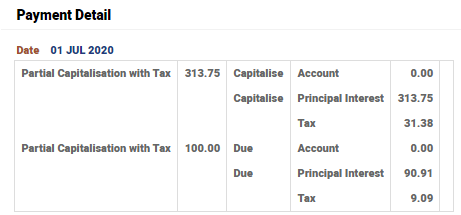
In an interest bearing arrangement with Annuity payment type, with Due and Cap setup, the actual amount indicated in the Payment Schedule is only made due and any remaining interest accruals is capitalised. This can be a partial or full capitalisation of interest accrual for that period.
For this kind of repayment patterns, The Alt Payment Method field in AA.PAYMENT.TYPE should be set as Due and Cap. In such Payment Types, in the Payment Schedule, the Payment Method should be set as Due and an Actual Amt can be specified. This Actual Amt is made due on the schedule date.
- When the Actual Amt is zero, all the accruals for that period is capitalised.
- When the Actual Amt is more than zero, that amount is made due and any remaining accruals for that period is automatically capitalised due to the principal.
Two separate bills are raised when the accruals are made due and capitalised. The Actual Amt mentioned is made due and follows the overdue cycle for non-repayments. The remaining accruals are capitalised and a capitalised bill is raised for this part.
When the system automatically calculates the instalment amount by itself, a separate set of associated multi-value fields should be defined with the same Payment Type and the Actual Amt should be left blank.
Illustration of a Mortgage Loan
In this illustration, there is a mortgage loan with the first two instalments as full capitalisation (Actual Amt is 0), the next two instalments make the amount as 100 and remaining is capitalised (Actual Amt is 100).

For this arrangement, there is a schedule built and the interest component with tax is fully capitalised for the first two schedules. The next two schedules have partial capitalisation. The amount 100, mentioned in the Payment Schedule is made due for interest accruals and the corresponding tax is also made due. The remaining accruals for the period and their respective tax component is capitalised to the principal of the arrangement.
When the Payment Type has Tax Inclusive set to No, the tax component is not included in the amount.
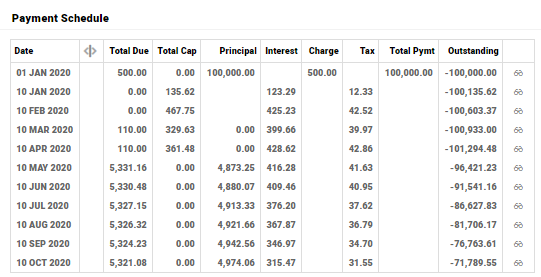
Separate bills are raised for the capitalised and the due component of the instalment. The capitalisation component is immediately settled and the actual amount component is made due. The actual amount component is made due for the instalment amount and If the instalment bill is not settled, this instalment bill undergoes ageing based on the overdue configuration
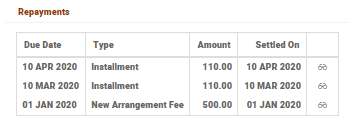
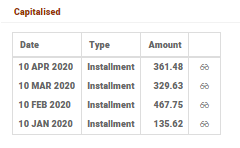
This arrangement also has fully capitalised interest for the first two schedules. The next two schedules have partial capitalisation. In this Payment Type, the Tax Inclusive attribute is set as Yes.
The Payment Schedule is shown below:
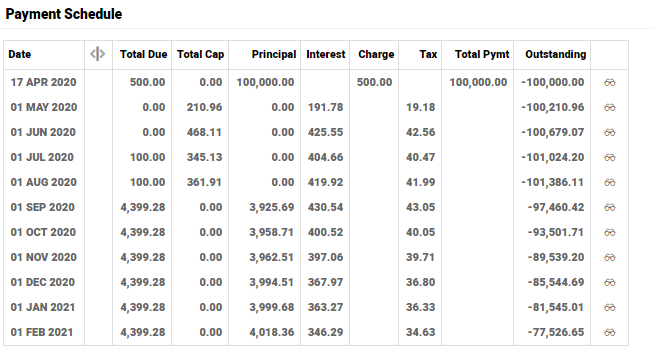
When the Payment Type has Tax Inclusive set to Yes, the actual amount mentioned is inclusive of tax as seen below:
Add Bookmark
save your best linksView Bookmarks
Visit your best links BACK
BACK


Are you sure you want to log-off?