| Bookmark Name | Actions |
|---|
Downloading R08 or below updates
This section helps you to register the system of R08 or below release, modify and update the registered details, and download the updates.
Registering a system
Procedure
- In the welcome screen, click the Add System link.
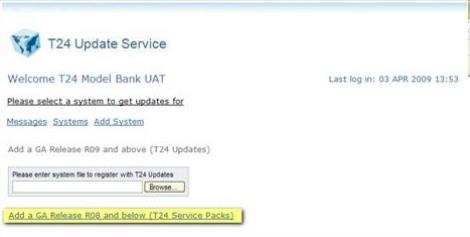
- Click Add a GA Release R08 and below (Temenos Transact Service Packs) to register a pre-R09 system.
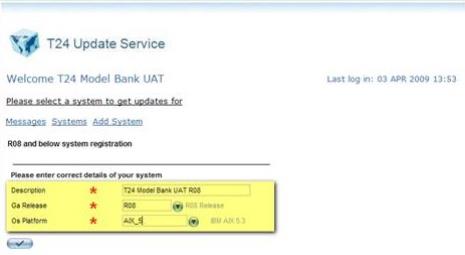
- Specify the below details:
- Description: Name of the system
- Ga Release: Release year of the Temenos Transact update
- Os Platform: Name of the operating system platform
- Click the
 icon to submit the details.
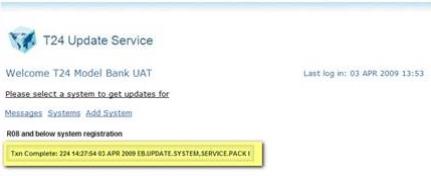
The system has been registered successfully.
 NOTE:
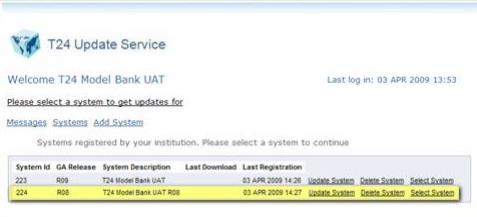
NOTE:You can view all the registered systems by clicking the Systems link from the Welcome screen.
Updating the system definition
Procedure
- In the welcome screen, click the Systems link.
All the registered systems are displayed.
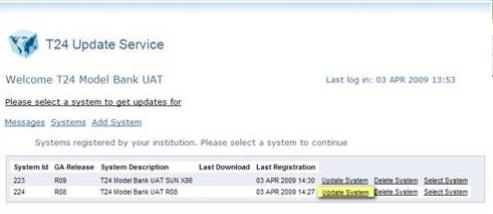
- Click the Update System link of the system that you want to update the details. The below screen is displayed.
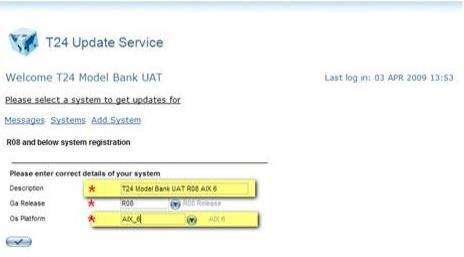
- Modify the required details and click the icon.
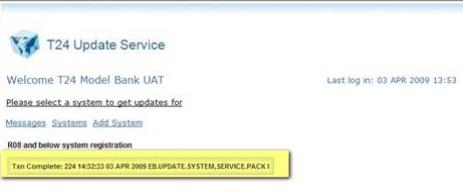
The Temenos Transact system information has been updated successfully.
Downloading the updates
You cannot download Service Pack files from the updates site but you can view the information on fixes in a Service Pack.
Procedure
- In the welcome screen, click the Systems link.
All the registered systems are displayed.
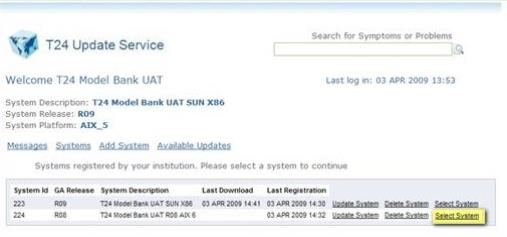
- Click the Select System link of a specific system.
All service packs available for the Temenos Transact release are displayed.
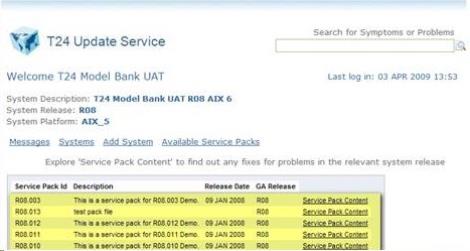
- Click the Service Pack Contents link of the pack that you want to view its details in terms of problem and solution.
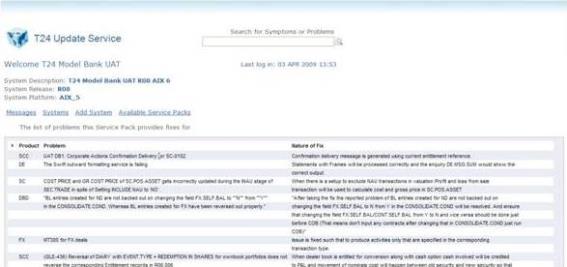
Service pack files are available by contacting Temenos who provides the ftp site address.
Add Bookmark
save your best linksView Bookmark
Visit your best links BACK
BACK


Are you sure you want to log-off?