

| Bookmark Name | Actions |
|---|
Installing Campaign Microservice in AWS
This section helps you to install the Campaign microservice in AWS.
Procedure:
- Extract the generated AWS package contents into the installation directory.
- In AWS command line, navigate to the installation directory and modify the region information in the install-aws.sh script specific to your installation.EXAMPLE:
--region us-west-2
--event-source-arn arn:aws:kinesis:us-west-2
--uri arn:aws:apigateway:us-west-2:lambda:path/2015-03-31/functions/arn:aws:lambda:us-west-24.
- Execute install-aws.sh.
- Once install.sh is run and completed, get the API_BASE_URL for testing the APIs.
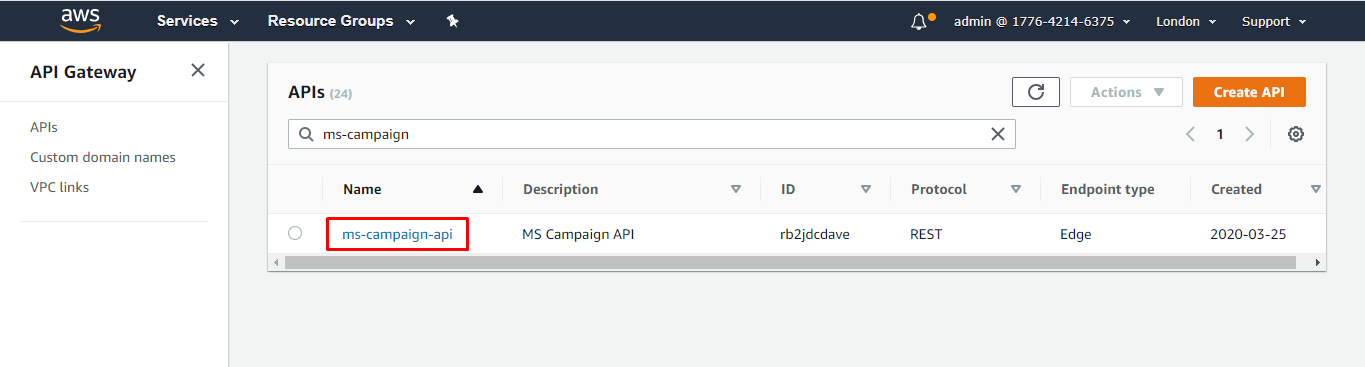
- Login to AWS portal and check if the following are created properly.
API Gateway
Lambda Function
Add Bookmark
save your best linksView Bookmarks
Visit your best links BACK
BACK


Are you sure you want to log-off?