
| Bookmark Name | Actions |
|---|
Installing and Deploying J2EE Package in JBoss Server
This section helps you to install and deploy the J2EE package in the JBoss server.
Procedure:
- Update the entries in the spring-beans.xml file as shown below.

<bean name="dataSource" class="org.springframework.jdbc.datasource.DriverManagerDataSource"> <property name="driverClassName" value="#{dbProperties['driver']}" /> <property name="url" value="#{dbProperties['connectionurl']}" > <property name="username" value="#{dbProperties['username']}" > <property name="password" value="#{dbProperties['password']}" > </bean> <property name="jpaProperties"> <props> <prop key="hibernate.dialect">#{dbProperties['dialect']}</prop> <prop key="javax.persistence.schema-generation.database.action">none</prop> <prop key="hibernate.show_sql">false</prop> <prop key="hibernate.hbm2ddl.auto">update</prop> <prop key="database">#{dbProperties['database']}</prop> <prop key="hibernate.generate_statistics">true</prop> </props> </property> - Deploy the J2EE EAR file in the JBoss application server.
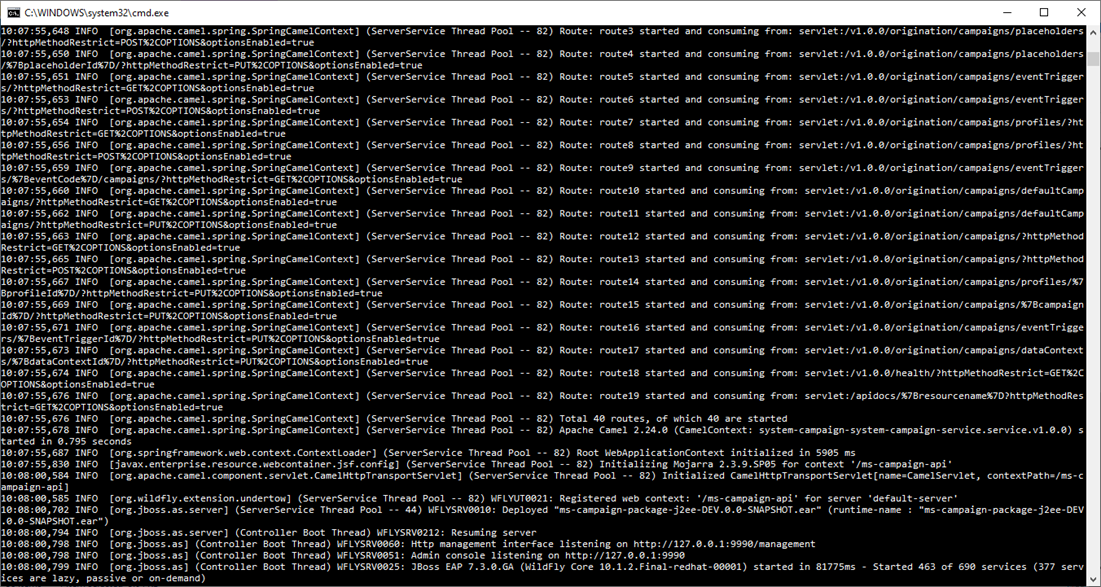
- Check the JBoss console to ensure the successful deployment of the package.

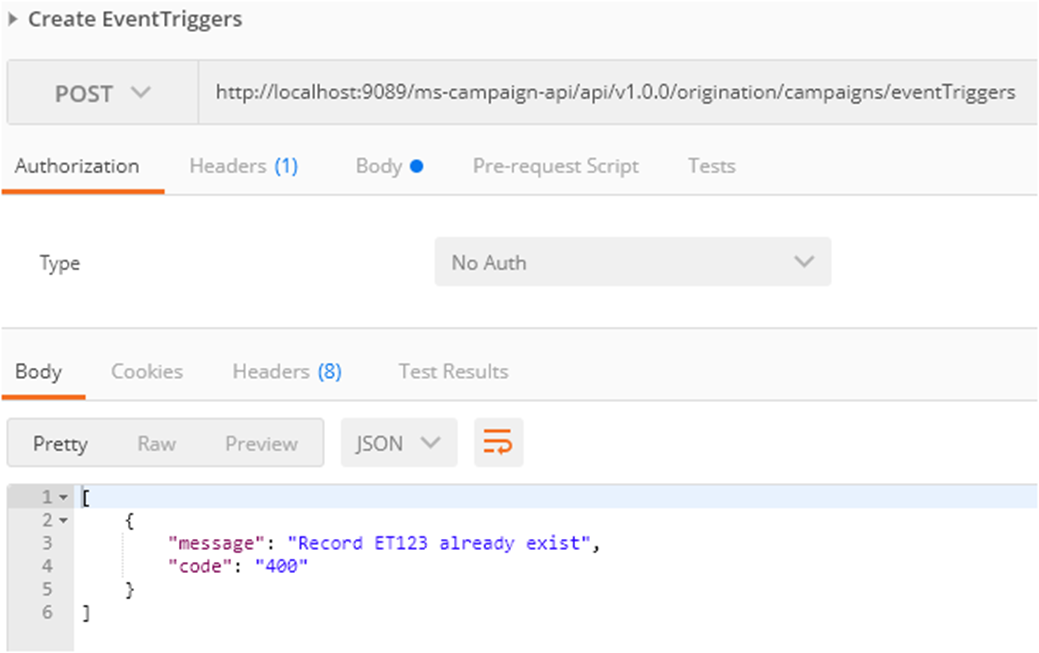
- You can now launch the API URLs in postman and verify the responses. The following screen capture shows the sample request and response.

Add Bookmark
save your best linksView Bookmarks
Visit your best links BACK
BACK


Are you sure you want to log-off?