| Bookmark Name | Actions |
|---|
Extensibility
This section explains about Extensibility feature and JOLT framework.
Extensibility feature in Arrangement microservices is acheived using JOLT Framework. An open source framework which transforms the incoming JSON event into some specific JSON object that can be derived from the incoming event with the help of a spec file. The Spec file is generally a specification on how the incoming object needs to be transformed.
Jolt Spec File Format
The JOLT spec file name should follow some specific format.
- To update Extension Entity - EventName_EntityNameExtn.json
- To update Alternate Entity - EventName_EntityNameAlt.json
Properties
You can use the temn.config.file.path property to locate the path of the spec files. For example,
- For spec files to be read from container file path or system file path
temn.config.file.path: path:C:/specfiles/
- For files to be read from class path or resource path.
temn.config.file.path: specfiles/ (specfiles may be a folder inside the war)
Default Jolt Spec
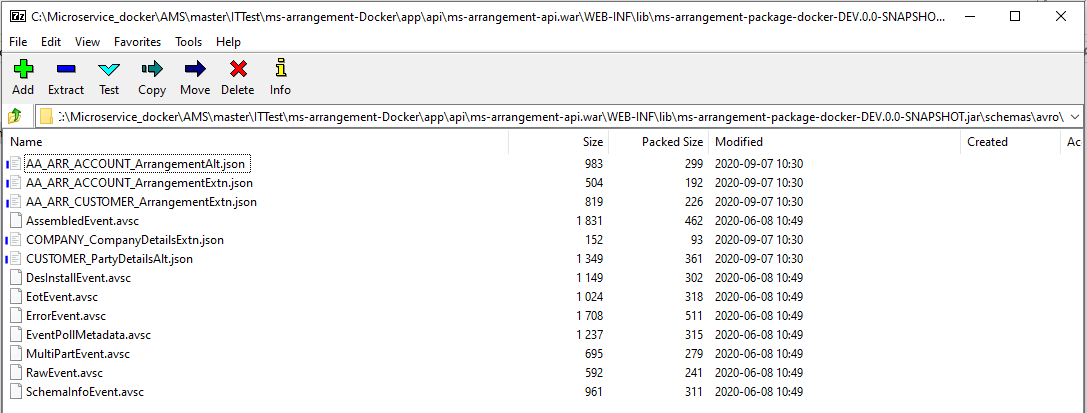
Some default jolt spec files are available in the packaged WAR file in the following mentioned path:
WEB-INF\lib\ms-arrangement-package-<env>-<release>.jar\schemas\avro\
Jolt Spec Example
In the below screen capture, the extension entity of arrangement is updated. the file name of the spec file is AA_ARR_ACCOUNT_ArrangementExtn.json.
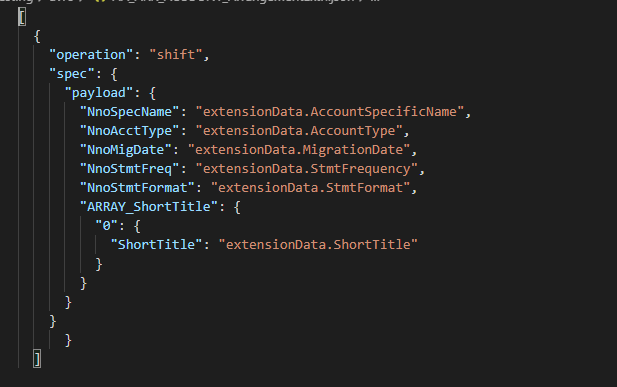
The transformed object is shown below (the fields should be inside the extensionData object).
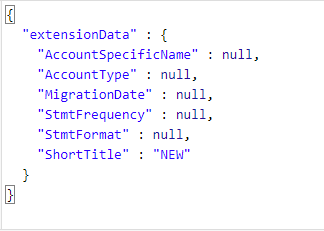
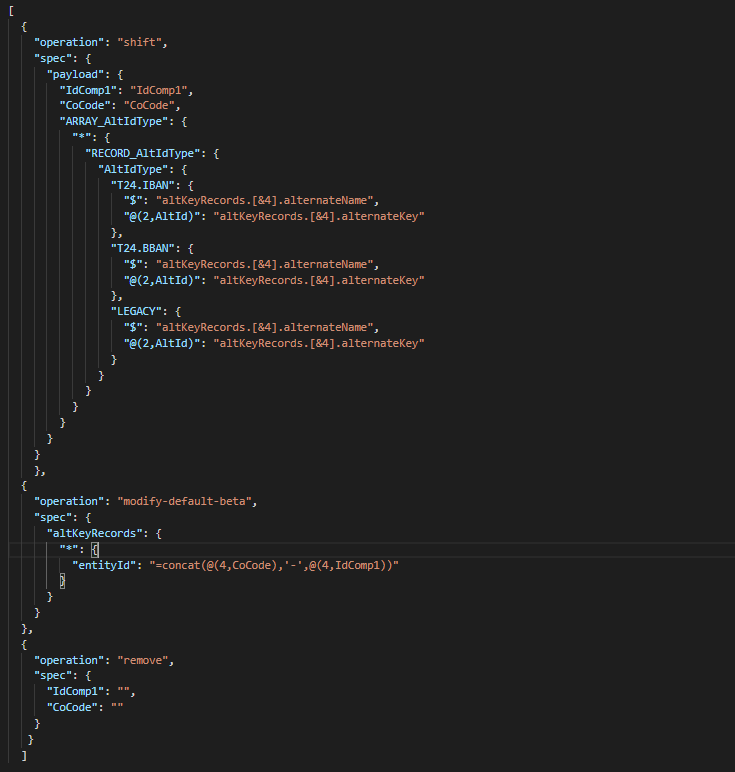
- In the below screen capture, the alternate entity is updated. The file name of the spec file is AA_ARR_ACCOUNT_ArrangementAlt.json.

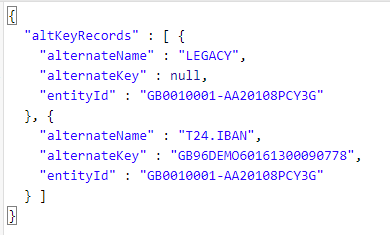
The transformed object is shown below (the fields should be inside the altKeyRecords array object).

Moving Jolt Spec into Container
In Docker environment, the jolt spec files is moved into the ingesterT24 container.
Below is the command to move the files into the docker container.
docker cp <path of the spec files> <ingesterT24 containerid>:<path where you need to place the jolt files inside the container>
For example, docker cp C:\Testing\avro 4d5e3a698e80:/etc/mapping
NOTE: AA_ARR_ACCOUNT_ArrangementAlt.json spec is used to update Temenos Transact IBAN for the arrangement.
Add Bookmark
save your best linksView Bookmarks
Visit your best links BACK
BACK


Are you sure you want to log-off?